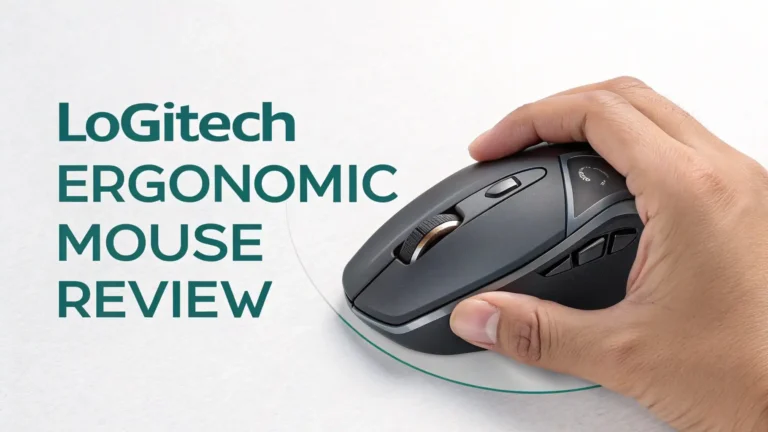
Logitech Charging Mouse Pad Review: Step-by-Step Guide
Have you ever been in the middle of an intense gaming session when your wireless mouse suddenly dies? That annoying moment when you scramble for a charging cable completely ruins your flow.
This is where the Logitech charging mouse pad comes in as a total game changer. Imagine never having to plug in your mouse again. Sounds too good to be true?
Well, stick around because we’re about to dive deep into one of the coolest gaming accessories you can buy right now on Amazon.

Key Takeaways
- Continuous Power Without Interruption: The Logitech POWERPLAY 2 system keeps your compatible wireless mouse charged 24/7 while you play. You never need to stop gaming to charge your mouse or deal with dead batteries again.
- Wide Compatibility Across Multiple Mice: This charging system works with over 10 different Logitech G wireless mice including the G309, G502 X Plus, G502 X LIGHTSPEED, G502 LIGHTSPEED, G703, G903, and the entire PRO series. You have plenty of options to choose from.
- Sleek and Comfortable Design: At just 3.5mm thick, the POWERPLAY 2 is 40% thinner than its predecessor. This ultra slim profile means better comfort during long gaming sessions and a cleaner desk setup.
- Advanced Charging Technology: The electromagnetic field built into the mouse pad charges your mouse whether it’s moving at high speed during gameplay or sitting at rest. The technology works seamlessly without any noticeable impact on mouse performance.
- Premium Price Point: The Logitech POWERPLAY 2 costs around $99.99 on Amazon. While this is a significant investment, you’re paying for convenience and cutting edge wireless charging technology that eliminates cable clutter forever.
- Budget Friendly Alternatives Available: If the Logitech price seems too high, you can find excellent wireless charging mouse pads with RGB lighting and phone charging capabilities starting around $30 to $55 on Amazon.

What Makes Logitech Charging Mouse Pads Special
Let’s talk about what makes these mouse pads different from regular ones. The Logitech POWERPLAY 2 isn’t just another gaming accessory. This is a complete wireless charging system that transforms how you use your gaming mouse.
The technology inside creates an electromagnetic field across the entire surface of the mouse pad. When you place a compatible Logitech mouse on it, power transfers wirelessly through a special POWERCORE module inside your mouse.
This means your mouse charges continuously whether you’re actively gaming or taking a break. You’ll never see that dreaded low battery warning again. The system maintains your mouse at 99% battery all the time. The beauty of this technology is that it works instantly.
Design and Build Quality That Impresses
When you first see the POWERPLAY 2, you notice how incredibly thin it is. At just 3.5mm, this charging pad is sleek and modern. Logitech managed to make this version 40% thinner than the original POWERPLAY while keeping all the charging power.
The surface measures 34.5 x 28.4 cm which gives you plenty of room for mouse movement. The minimalist black design fits any gaming setup perfectly. The pad feels premium when you touch it with a smooth texture that helps mouse sensors track accurately.
There’s no raised edges or bumps that might interfere with your gameplay. The bottom features a non slip rubber base that keeps the pad firmly in place even during intense gaming moments. One white LED indicator on the corner shows you the charging status.
When it’s bright white, your mouse is actively charging. When it’s dim white, your mouse is connected but fully charged. This simple visual feedback is helpful without being distracting.
How Does Wireless Charging Actually Work
You might wonder how a mouse pad can charge your mouse without any visible cables or connectors. The technology is actually quite fascinating. Inside the POWERPLAY 2 pad, there are electromagnetic coils that create a charging field across the entire surface.
Your compatible Logitech mouse has a special POWERCORE module installed where the weight compartment normally sits. This module contains a receiving coil that picks up the electromagnetic energy from the pad.
When the two coils align, which happens anywhere on the pad surface, electrical current flows into your mouse battery. The system uses a proprietary Logitech technology that’s different from standard Qi wireless charging you find in phone chargers.
Setting Up Your Logitech POWERPLAY 2
Getting started with the POWERPLAY 2 system is surprisingly easy. First, you plug the mouse pad into your computer using the included USB cable. The pad connects to any standard USB A port and draws power from your computer.
Next, you need to prepare your compatible Logitech mouse. Turn your mouse over and locate the weight door on the bottom. Press and remove this door to access the weight compartment. Take out any weights inside and replace them with the POWERCORE charging module that comes with your POWERPLAY 2.
This module slides right into the same slot. Once installed, turn your mouse on and place it on the pad. The white LED on the pad will light up showing that charging has started. Your mouse and charging pad pair automatically through the POWERPLAY receiver.
Compatible Mice That Work With POWERPLAY 2


One important thing to understand is that not all Logitech mice work with the POWERPLAY charging system. You need a compatible wireless mouse that supports this technology. The good news is that Logitech offers a growing family of POWERPLAY compatible mice.
Currently, more than 10 different models work with the POWERPLAY 2 charging pad. These include popular gaming mice like the G309, G502 X Plus, G502 X LIGHTSPEED, G502 LIGHTSPEED, G703, and G903.
The entire PRO series is also compatible including the PRO Wireless, PRO Superlight, PRO Superlight 2, and PRO Superlight DEX. Each of these mice comes with a POWERCORE module that you install for wireless charging. If you already own one of these mice, you just need to buy the POWERPLAY 2 pad.
If you’re starting from scratch, you can buy bundle packages on Amazon that include both the charging pad and a compatible mouse. The G502 LIGHTSPEED is an excellent choice that pairs perfectly with POWERPLAY 2.
Top 3 Alternatives for Logitech Charging Mouse Pad


Performance During Gaming Sessions
Now let’s talk about what really matters for performance. Does the POWERPLAY 2 actually keep your mouse charged during real gaming? The answer is a solid yes. Multiple reviewers report that their mice maintain 99% battery constantly when using the charging pad.
Even during high speed movements in competitive games like Valorant or Call of Duty, the charging continues without interruption. You won’t notice any lag or delay caused by the charging system.
The electromagnetic field operates at frequencies that don’t interfere with the 2.4GHz wireless connection your mouse uses. Your mouse performs exactly the same as it would on a regular mouse pad. The smooth surface of the POWERPLAY 2 provides excellent tracking for optical sensors.
There’s no texture inconsistency that might affect cursor movement. The 3.5mm thickness is actually more comfortable than thicker gaming pads because it reduces wrist strain.
RGB Lighting and Customization Options
Unlike the original POWERPLAY which had built in RGB lighting zones, the POWERPLAY 2 takes a minimalist approach. The pad itself has no RGB lighting. Logitech removed this feature to make the pad thinner and more affordable.
The only light on the pad is the single white LED charging indicator. Some users miss the RGB effects that the first generation had. However, your compatible Logitech mouse likely has its own LIGHTSYNC RGB lighting built in.
Using the Logitech G HUB software, you can customize these mouse lights with millions of colors and dynamic effects. You can create color wave patterns, reactive lighting that responds to your actions, or solid colors that match your setup.
The G HUB software also lets you adjust mouse sensitivity, program custom button functions, and create game specific profiles. While the pad itself lacks RGB, the overall POWERPLAY ecosystem still offers plenty of customization potential through your mouse.
Pros and Cons You Should Know
Let’s break down the advantages and disadvantages of the Logitech POWERPLAY 2 charging system so you can make an informed decision.
The Pros: You get continuous wireless charging that truly eliminates battery anxiety forever. Your mouse stays charged 24/7 without any effort on your part. The ultra thin 3.5mm design is remarkably comfortable and looks sleek on any desk.
Compatibility with over 10 different Logitech G mice gives you options. The setup process is quick and simple requiring minimal technical knowledge.
The charging technology works flawlessly even during rapid mouse movements. You eliminate cable clutter completely for a clean wireless setup. The build quality feels premium and durable enough to last years.
The Cons: The price of $99.99 is expensive for a mouse pad even with wireless charging. You’re locked into Logitech’s ecosystem since only their mice work with this system. The pad has no RGB lighting unlike the original POWERPLAY.
The size at 13.5 x 11.2 inches might be too small for users who prefer extra large mouse pads. You need to install a POWERCORE module in your mouse which removes the option to use adjustable weights.
The pad requires a USB connection to your computer so it’s not truly wireless. Some users report that the white LED indicator can be distracting in dark rooms.
Comparing POWERPLAY 2 to the Original POWERPLAY

If you’ve heard about the original Logitech POWERPLAY, you might wonder how the newer POWERPLAY 2 compares. Logitech made several important changes in this second generation. The most obvious difference is thickness. The POWERPLAY 2 is 40% thinner at 3.5mm compared to the original’s thicker profile.
This makes the new version more comfortable for long gaming sessions. The charging area is slightly larger in POWERPLAY 2 giving you a bit more usable space. However, Logitech removed several features to achieve the slimmer design and lower price.
The original POWERPLAY included interchangeable surfaces with both a hard plastic pad and a cloth pad option. The POWERPLAY 2 has only one surface with a static adhesive that cannot be removed.
Is the Logitech Charging Mouse Pad Worth the Money
This is the big question everyone asks. Should you spend almost $100 on a mouse pad? The answer depends on your priorities and budget. If you’re a serious gamer who spends hours every day at your computer, the convenience of never charging your mouse is genuinely valuable.
You save time and eliminate frustration. The seamless charging experience becomes something you appreciate every single day. For professional esports players or content creators, having a mouse that’s always ready is worth the investment.
However, if you’re a casual gamer who only plays a few hours per week, a regular wireless mouse that charges via cable every week or two is probably fine. You might not get enough benefit from the POWERPLAY system to justify the cost.
Your mouse battery likely lasts long enough that charging isn’t a major inconvenience. Budget conscious users should definitely look at the alternatives mentioned earlier. You can get a large RGB mouse pad with phone charging for $30 to $55 and achieve similar convenience.
Customer Reviews and Real World Experiences
Looking at Amazon customer reviews gives us insight into how the POWERPLAY 2 performs in real homes and gaming setups. The mouse pad currently has a 3.6 star rating from 142 reviews on Amazon. This is actually lower than expected for a premium Logitech product.
When you read through the reviews, several patterns emerge. Many users love the charging functionality and confirm that it works exactly as advertised. They appreciate never having to plug in their mouse and enjoy the clutter free setup.
Some reviewers specifically mention that the thinner profile is more comfortable than the original POWERPLAY. However, there are also disappointed customers who expected more features for $100. The lack of RGB lighting and replaceable surfaces bothers people who owned the first generation.
A few users report inconsistent charging where their mouse battery drops slightly even on the pad. This seems to happen when the mouse is positioned at extreme edges of the charging area.
Maintenance and Long Term Durability
One advantage of the POWERPLAY 2 system is that it requires very little maintenance. The surface doesn’t collect dust or dirt as easily as some cloth mouse pads. When it does get dirty, you can simply wipe it down with a slightly damp microfiber cloth.
Avoid using harsh chemicals or excessive water since this is an electronic device. The electromagnetic charging coils inside are sealed and protected from normal wear and tear. There are no moving parts that can break or wear out over time.
The USB cable that connects the pad to your computer is the most vulnerable component. If it gets damaged, you can potentially replace it with a standard micro USB cable. The non slip rubber base maintains its grip even after months of use.
Logitech products generally have a reputation for durability and the POWERPLAY 2 should last several years with normal use. The charging system itself shows no signs of degradation over time according to long term users.
Power Consumption and Energy Efficiency
You might wonder if leaving a wireless charging pad plugged in 24/7 wastes electricity or costs a lot on your power bill. The good news is that the POWERPLAY 2 is remarkably energy efficient. The pad only draws significant power when it’s actively charging your mouse.
When your mouse is fully charged and just sitting on the pad, power consumption drops to minimal standby levels. The electromagnetic field that enables charging uses very little electricity compared to other computer peripherals like monitors or gaming PCs.
You’re looking at maybe a few watts at most during active charging. This translates to pennies per month on your electricity bill. The system is designed to be always on without guilt about wasted energy.
Logitech engineered the POWERPLAY 2 to meet energy efficiency standards for electronic devices. There’s an automatic power management system built in that reduces energy draw when no mouse is detected on the pad.
Alternatives Beyond Logitech
While we’ve focused on the Logitech POWERPLAY system, it’s worth mentioning that other brands have explored wireless charging mouse pads too. Razer recently released the HyperFlux V2 Wireless Charging System which works similarly to Logitech’s solution.
It charges compatible Razer mice like the Viper V3 HyperSpeed continuously during use. The Razer system offers competition and might be worth considering if you prefer Razer mice over Logitech. The pricing is similar at around $100 for the complete system.
Corsair has also experimented with wireless charging technology in gaming peripherals though they don’t currently have a direct POWERPLAY competitor. For users who want wireless charging but don’t need it specifically for their mouse, the RGB gaming mouse pads with built in phone chargers mentioned earlier are excellent choices.
Final Verdict and Recommendations
After examining all aspects of the Logitech POWERPLAY 2, here’s our final take. This wireless charging mouse pad is a remarkable piece of technology that delivers on its promise of continuous power. If you own a compatible Logitech G wireless mouse and spend significant time gaming or working at your computer, the convenience is genuinely valuable.
You’ll appreciate never worrying about battery levels or hunting for charging cables. The slim design is comfortable and the build quality is excellent. However, the $99.99 price remains a significant barrier for many users.
This is definitely a premium accessory rather than an essential one. Most wireless gaming mice already offer excellent battery life lasting 30 to 60 hours per charge. Plugging in a cable once a week isn’t particularly inconvenient.
The POWERPLAY 2 is best suited for enthusiasts who want the absolute cleanest wireless setup and don’t mind paying for that convenience. If you’re building a high end Logitech gaming setup with a G502 or PRO mouse, adding the POWERPLAY 2 completes the ecosystem nicely.
Frequently Asked Questions
Does the Logitech POWERPLAY 2 work with all wireless mice?
No, the POWERPLAY 2 only works with specific Logitech G wireless mice that are designed for wireless charging. You need a compatible mouse that supports the POWERCORE charging module. Currently, this includes mice like the G309, G502 X series, G502 LIGHTSPEED, G703, G903, and the entire PRO lineup. Other brands of wireless mice will not charge on this pad. If you own a non compatible Logitech mouse, it will function normally on the pad as a regular mouse surface but won’t receive wireless charging.
Can I still use my mouse while it’s charging on the POWERPLAY 2?
Absolutely yes. This is actually the main selling point of the POWERPLAY system. Your mouse charges continuously while you’re actively using it for gaming or work. The electromagnetic charging field works even when your mouse is moving at high speed across the pad surface. You’ll never need to stop using your mouse to charge it. The charging process is completely seamless and doesn’t affect mouse performance, tracking accuracy, or responsiveness in any way.
How long does it take to fully charge a dead mouse on the POWERPLAY 2?
According to Logitech, a completely dead compatible mouse will reach full charge in approximately 1 to 2 hours when placed on the POWERPLAY 2 pad. However, in normal use, your mouse will never get close to dead since it’s constantly receiving power whenever it sits on the pad. Most users report that their mouse battery stays at 99% constantly. The continuous trickle charging means your mouse is always topped off and ready to use.
Is the POWERPLAY 2 compatible with the original POWERPLAY accessories?
The POWERPLAY 2 uses the same POWERCORE charging modules as the original POWERPLAY system. If you have a mouse with a POWERCORE module installed from the first generation system, it will work perfectly with the POWERPLAY 2 pad. However, the surface pads are not interchangeable. The original POWERPLAY had removable hard and cloth surface options while the POWERPLAY 2 has a single fixed surface that cannot be swapped out.
Does the charging mouse pad work on Mac computers?
Yes, the Logitech POWERPLAY 2 is fully compatible with both PC and Mac computers. You simply plug the USB cable into any available USB port on your Mac and it will work immediately. The basic charging functionality requires no software or drivers. However, if you want to customize mouse settings or RGB lighting, you’ll need to download the Logitech G HUB software which is available for both Windows and macOS operating systems.
Can I clean the POWERPLAY 2 mouse pad without damaging it?
Yes, you can safely clean the POWERPLAY 2 surface. First, unplug the pad from your computer. Then use a slightly damp microfiber cloth to gently wipe the surface. You can use a tiny amount of mild soap if needed for stubborn stains. Avoid getting water on the USB connector or allowing liquid to seep underneath the pad. Never submerge the pad in water or use harsh chemical cleaners. Let the pad air dry completely before plugging it back in and using it again.