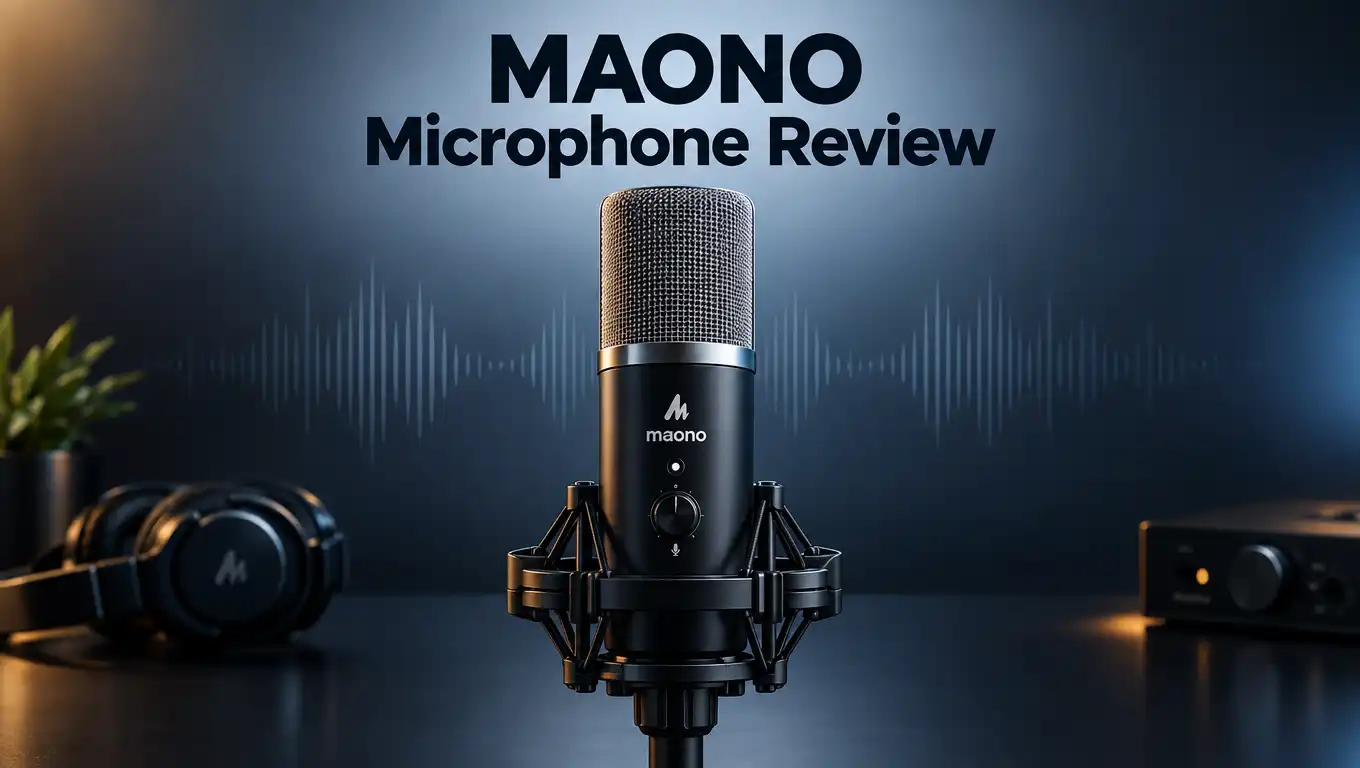
MAONO Microphone Review 2026: Worth the Splurge?
Are you tired of muddy audio ruining your recordings? The Maono microphone promises to fix that problem. But does it really deliver on its claims?
This review dives deep into the Maono PD200X. We test its sound quality, build, and features. You will see exactly what makes this mic stand out.
Many creators struggle to find a mic that sounds professional. They also want something that just works, without complex setups. The Maono microphone aims to solve both issues.
In a Nutshell
- Sound quality beats expectations. It even outperforms the classic Shure SM58 in raw audio clarity.
- Cardioid pattern rejects background noise. This keeps your voice sharp and focused during recordings.
- Multi-knob controls give you hands-on power. You can adjust gain, headphone volume, and monitor mix instantly.
- Metal construction feels premium. It survives daily studio use without wobbling or cracking.
- Weight is a minor tradeoff. At 1.2 lbs, it is heavier than typical travel mics, so portability suffers slightly.
- XLR multi-mic setups need extra gear. Solo creators will not notice this, but podcast panels might need an interface.
- Works smoothly on both Windows and Mac. No driver headaches or compatibility issues here.
Key Features and Specifications
The Maono PD200X combines dynamic microphone technology with modern USB convenience. This dual connectivity option means you can plug it straight into your computer or connect it to an XLR interface for studio setups.
The cardioid pickup pattern focuses on what’s directly in front of the mic. Side and rear sounds get rejected naturally. This design keeps your voice clean and isolated from room noise, keyboard clicks, or ambient chatter during recording sessions.
You get hands-on control through the multi-knob interface on the mic body. The gain knob lets you adjust input levels without touching your computer settings. A separate headphone volume control means you monitor your own audio in real time. The high-pass filter on select models removes low-frequency rumble automatically, which helps eliminate desk vibrations and HVAC noise.
Zero-latency monitoring stands out as a practical feature. You hear yourself through the headphone output with no delay. Remote interviewers and voiceover artists appreciate this because they can catch mistakes instantly without awkward audio lag.
The metal construction feels solid in your hands. Unlike plastic mics that flex or rattle, this build stays rigid during use. The weight of 1.2 lbs reflects the premium materials inside. It sits stable on a desk stand and won’t tip over easily.
Windows and Mac systems recognize the Maono immediately. No driver installation needed for basic USB operation. Plug it in, select it as your input device, and start recording within seconds.
The mic measures compact enough to fit most studio setups. It doesn’t dominate your desk space like larger condenser models do. The included stand adapter connects to standard boom arms and shock mounts, giving you flexibility for different recording environments.
Audio detail reproduction captures vocal nuances clearly. Sibilance stays controlled, and mid-range frequencies shine through. Whether you’re recording podcasts, streaming, or voiceovers, the frequency response handles speech naturally without harsh peaks or dull spots.

- Pro Sound Chipset 192kHz/24Bit: This Condenser Microphone has been designed with professional sound chipset, which allows the USB microphone to hold high resolution sampling rate. Smooth, flat frequency response, Extended frequency response is excellent for studio, speech and voice-over. Performed well in reproducing sound, high quality mic ensures your exquisite sound reproduces on the internet
- Plug and Play: microphone has USB data port, which is easy to connect with your computer, and no need extra driver software or external sound card. Simply plug the USB cable into your laptop to start using mic immediately, offering seamless integration with various operating systems. That makes it easy to sound good on podcasting, live-streaming, video call, recording (Note: Not compatible with XBOX)

Last update on 2026-09-23 / Affiliate links / Images from Amazon Product Advertising API Some of the links on this website are affiliate links, which means that at no additional cost to you, I earn a commission if you click through and make a purchase. I only recommend products and services that I believe will add value to my readers. Thank you for your support!
Design and Build Quality
The Maono PD200X feels solid the moment you pick it up. The metal construction gives it a premium feel that matches professional studio gear. You won’t find cheap plastic here. The body resists dents and scratches from daily use, so it survives rough handling without falling apart.
The microphone weighs 1.2 lbs, which makes it heavier than typical portable mics. This extra weight comes from the sturdy metal frame. If you move your setup frequently, you’ll notice the heft. For stationary studio work, this weight becomes an advantage because it stays put on your desk.
The design keeps everything accessible. Multi-knob controls sit on the mic body itself. You can adjust gain, headphone volume, and monitor mix without touching your computer. Some models include a high-pass filter knob for cutting low-frequency rumble. These controls feel responsive and intuitive under your fingers.
The cardioid pattern design shapes how the microphone picks up sound. It focuses on audio coming directly in front of the mic. Sound from the sides and back gets rejected naturally. This means your voice stays crisp while background noise fades away. The pattern works well for solo recording sessions.
The metal grille protects the capsule inside. It looks industrial and professional. The grille can handle accidental bumps without damaging the sensitive parts underneath. The overall shape is compact enough to fit most boom arm mounts and mic stands.
The USB connection sits at the base. It plugs directly into your computer for instant recognition. The XLR port sits alongside it, giving you flexibility for different setups. Both connections use standard connectors, so you won’t hunt for proprietary cables.
The build quality speaks for itself. This microphone prioritizes durability over light weight. You get a tool that handles studio demands day after day. The materials and construction show that Maono designed this mic to last through countless recording sessions. Creators who value reliability will appreciate the no-nonsense approach to build quality.
Audio Performance and Sound Quality
The Maono PD200X delivers crisp, clear vocals with impressive detail that rivals much more expensive options. The dynamic microphone technology captures vocal nuances without adding unwanted artifacts or noise floor issues. Your words come through sharp and focused, making this mic ideal for podcasts, voiceovers, and streaming content.
The cardioid pickup pattern is where audio performance truly shines. This design focuses on sound coming directly in front of the microphone while rejecting background noise from the sides and rear. You get cleaner recordings even in less than perfect room conditions. Ambient noise, keyboard clicks, and room reflections stay out of your final audio.
Zero-latency monitoring changes how you work during recording sessions. You hear yourself in real time through the headphone output without any delay. Remote interviews become smoother because you catch audio issues instantly. Voiceover artists appreciate the immediate feedback when adjusting mic distance or technique.
The multi-knob control system puts audio shaping directly in your hands. You adjust gain without touching your computer. Headphone volume stays independent from recording levels. Some models include a high-pass filter knob that removes low frequency rumble automatically. This hands-on approach means fewer clicks through software menus during active recording.
Metal construction protects the capsule inside and improves durability. The grille shields the sensitive diaphragm from accidental bumps. The solid build resists vibration transfer to your desk or microphone stand. You get consistent audio performance session after session without mechanical drift.
Frequency response captures both vocal clarity and natural warmth. The microphone does not sound thin or harsh even during loud passages. Soft vocals remain intelligible without requiring heavy processing later. This balanced sound profile works across different voice types and speaking styles.
Windows and Mac systems recognize the Maono immediately through USB. No driver installation needed on most computers. The plug-and-play setup means you record within seconds of connecting the cable. Audio performance remains consistent across different operating systems and hardware configurations.
Top 3 Alternatives
Audio-Technica AT2020

- The price/performance standard in side address studio condenser microphone technology
- Ideal for project/home studio applications
Last update on 2026-09-18 / Affiliate links / Images from Amazon Product Advertising API Some of the links on this website are affiliate links, which means that at no additional cost to you, I earn a commission if you click through and make a purchase. I only recommend products and services that I believe will add value to my readers. Thank you for your support!
The Audio-Technica AT2020 is a cardioid condenser microphone that captures clear vocal recordings. This microphone works well for podcasters, streamers, and content creators who need professional sound quality.
The AT2020 features a tight pickup pattern. This means it records your voice while reducing background noise. You get crisp audio without much editing work afterward. The microphone connects via XLR cable, so you’ll need an audio interface to use it with your computer.
Many users praise its durability and consistent performance. It handles loud sounds without distortion. The build quality feels solid, and it lasts for years with basic care.
Rode NT1

- RICH TONE - Rode took no shortcuts when designing the Signature Series condenser microphone. A familiar 1-inch large-diaphragm HF6 condenser capsule with a cardioid polar pattern ensures the rich tonal qualities expected of a traditional NT1.
- DYNAMIC RANGE - Low-noise (4dBA) capture for record-breaking condenser clarity and Ultra-high SPL handling accommodates tracking at all dynamics.
Last update on 2026-09-23 / Affiliate links / Images from Amazon Product Advertising API Some of the links on this website are affiliate links, which means that at no additional cost to you, I earn a commission if you click through and make a purchase. I only recommend products and services that I believe will add value to my readers. Thank you for your support!
The Rode NT1 is another XLR condenser microphone option. It delivers warm, smooth sound that works great for vocals and instruments alike.
This microphone has a low self-noise rating, which means you hear less hissing in your recordings. The capsule design captures detailed audio across a wide frequency range. You’ll notice rich tones in both high and low sounds.
The NT1 includes a shock mount and pop filter in the package. These accessories help reduce vibrations and plosive sounds. Setup takes just minutes, and the microphone feels lightweight yet sturdy.
Blue Yeti USB

- Custom three-capsule array: This professional USB mic produces clear, powerful, broadcast-quality sound for YouTube videos, Twitch game streaming, podcasting, Zoom meetings, music recording and more
- Blue VO!CE software: Elevate your streamings and recordings with clear broadcast vocal sound and entertain your audience with enhanced effects, advanced modulation and HD audio samples
Last update on 2026-09-18 / Affiliate links / Images from Amazon Product Advertising API Some of the links on this website are affiliate links, which means that at no additional cost to you, I earn a commission if you click through and make a purchase. I only recommend products and services that I believe will add value to my readers. Thank you for your support!
The Blue Yeti USB connects directly to your computer with a USB cable. No audio interface needed. This makes it perfect for beginners who want simple setup.
The Yeti features four pickup patterns you can switch between. Use cardioid mode for solo recording or omnidirectional mode for group conversations. The microphone has physical buttons for mute and volume control right on the device.
This microphone works instantly on Windows and Mac. The blue LED light shows recording status. Many streamers and remote workers choose this option for its ease of use and reliable performance.
Connectivity and Ease of Setup
The Maono microphone connects to your computer in seconds without extra software or drivers. You plug the USB cable into your device, and the system recognizes it immediately on both Windows and Mac. This plug-and-play approach means you skip the frustration of hunting for installation files or troubleshooting connection issues.
The physical setup is equally straightforward. The USB connection sits at the base of the mic, making cable management simple. The microphone stands on a sturdy base that keeps everything stable during your recording session. You won’t deal with wobbling or accidental repositioning once you place it.
Control happens right on the microphone body through the multi-knob interface. You adjust gain, headphone volume, monitor mix, and the high-pass filter without opening menus or software panels. This hands-on approach lets you fine-tune your audio in real time while you speak or sing.
The zero-latency monitoring output deserves special attention here. When you plug in headphones, you hear yourself instantly without delay. This feature transforms remote interviews and voiceover work because you catch audio problems as they happen. You don’t wait for feedback to loop through your computer.
The cardioid pickup pattern means the mic focuses on what’s directly in front of it. This design choice simplifies setup because you get good sound without complex positioning tricks. Point it at your mouth, and the microphone does the rest.
The metal construction keeps everything durable through regular use. The grille protects the capsule inside, and the solid build handles daily studio work without issues. You can move it between locations without worrying about damage.
Setup takes minutes, not hours. The entire process involves connecting the USB cable, adjusting your system audio input, and opening your recording software. No additional interfaces, adapters, or configuration steps clutter the process. This simplicity makes the Maono ideal for creators who want to start recording immediately rather than spending time on technical setup.
Zero-Latency Monitoring and Control Options
The zero latency monitoring feature on the Maono PD200X transforms how you work during live recording sessions. This capability lets you hear yourself in real time through the headphone output without any delay. You can monitor your vocal performance instantly as you speak or sing.
The headphone volume knob sits front and center on the microphone body. You adjust your monitoring level with one simple turn. This puts complete control in your hands without needing to dig through software menus.
Direct monitoring changes everything for remote interviews and voiceover work. You hear exactly what the microphone is capturing at the moment it happens. This eliminates the guessing game of wondering if your audio sounds good. You can make instant adjustments to your mic technique or positioning based on what you hear.
The monitor mix knob lets you blend between your microphone input and your computer’s audio output. This means you can hear both yourself and your interview guest at balanced levels. You stay connected to the conversation while maintaining awareness of your own vocal quality.
The high pass filter option on certain Maono models adds another layer of control. This feature removes low frequency rumble and handling noise from your recordings. You toggle it on or off directly from the microphone without touching your computer.
The multi knob interface keeps everything accessible and intuitive. You don’t need to memorize keyboard shortcuts or navigate complex software. Every adjustment happens through physical controls you can feel and see.
This hands on approach to monitoring and control means less time troubleshooting and more time creating. Whether you’re recording podcasts, conducting interviews, or capturing voiceovers, you stay focused on your performance. The microphone responds to your needs in real time, giving you the feedback and control that professional work demands.
Pros and Cons
Pros
- Delivers crisp, clear vocals that rival much more expensive microphones
- Zero-latency monitoring output lets you hear yourself in real time during recording
- Sturdy metal construction protects the capsule and lasts through regular use
- Plug-and-play USB setup works instantly on Windows and Mac without extra software
- Multi-knob controls put gain, headphone volume, and monitor mix right at your fingertips
Cons
- Weighs 1.2 lbs, which makes it less ideal if you need to move it around frequently
- Recording multiple microphones via XLR requires additional equipment and setup beyond the standard USB connection
- Cardioid pattern picks up some sound from the sides, so background noise needs careful management in untreated spaces
Who Should Buy It
The Maono microphone works best for creators who record solo content. Podcasters, voiceover artists, and streamers find it matches their workflow perfectly. You get professional sound without needing complex setup or multiple microphones.
Remote interviewers should pay close attention to this mic. The zero-latency monitoring output means you hear yourself instantly during calls. This feature prevents awkward delays when you’re recording interviews or conducting remote sessions. You can adjust your performance in real time based on what you actually hear.
Content creators who work from home offices benefit greatly. The mic sits on your desk and handles vocals with crisp clarity. You don’t need a soundproof studio or expensive acoustic treatment to get good results. The cardioid pattern naturally rejects background noise from the sides and rear.
Musicians recording at home find value here too. The metal construction handles repeated takes without wear. Direct monitoring lets you layer vocals or instruments without latency issues. You can record multiple takes and hear exactly what the microphone captures each time.
Streamers appreciate the straightforward control layout. All knobs sit right on the microphone body. You adjust gain, headphone volume, and monitor mix without touching your computer. This matters when you’re focused on your audience or performance.
Desktop professionals who need reliable audio should consider this option. The plug-and-play setup means no driver installation or software configuration. Your Windows or Mac system recognizes it immediately. You start recording within seconds of connecting the USB cable.
The Maono works less well for people who move between locations constantly. The 1.2 lb weight isn’t heavy, but frequent travel might push you toward lighter alternatives. If you need to record multiple people simultaneously via XLR, you’ll need additional equipment beyond the standard setup.
Solo creators in any field find this microphone matches their needs. Whether you produce audio content, stream live, or record voiceovers, the combination of sound quality, direct monitoring, and simple controls creates a complete solution. You get professional results from a desktop setup.
Final Verdict
The Maono microphone earns its spot as a top pick for anyone who records solo audio. Its sound quality stands out in a crowded field of USB microphones.
This mic works best as a long term investment. The metal build means it survives daily use without wearing down.
Beginners will appreciate how simple the setup feels. You plug it in and start recording within minutes.
Professionals will notice the audio clarity right away. Podcast hosts, voiceover artists, and streamers all get reliable results.
The microphone shines brightest for people who work from one main location. If you record from a home studio or office desk, this mic fits your workflow perfectly.
Musicians who track vocals at home will find the sound quality matches pricier alternatives. That makes this microphone a smart choice for solo music production too.
Some users need more flexibility. If your work involves recording multiple people through XLR connections, you might need extra gear to make that happen smoothly.
Traveling creators should also think twice before choosing this model. The weight and size favor a fixed setup rather than a mic you toss in a bag.
For everyone else, the Maono microphone delivers real value where it counts most: audio quality. It handles vocals with a level of detail that many competing microphones struggle to match.
The controls stay simple, even for first time users. You get professional level monitoring without a steep learning curve.
Our final take: this microphone suits solo creators, remote professionals, and home studio owners who want dependable sound. It may not replace multi mic setups or portable rigs, but it excels in its intended use case.
If you want strong audio quality and simple controls in one package, the Maono microphone deserves serious consideration. It checks the right boxes for solo recording work across many creative fields.
Frequently Asked Questions
Does the Maono microphone work with both USB and XLR connections?
Yes. The Maono PD200X supports both USB and XLR inputs. You can plug it directly into your computer via USB for instant recording. If you want to connect it to an audio interface or mixer, use the XLR output instead. This flexibility lets you grow your setup over time without replacing the microphone.
Can I hear myself while recording without delay?
Absolutely. The zero-latency monitoring output means you hear your voice in real time. This feature matters most for remote interviews and voiceover work. You get instant feedback without the frustrating lag that comes with software monitoring. Just plug your headphones into the headphone jack and adjust the volume with the dedicated knob.
Is this microphone good for streaming and podcasting?
Yes. The cardioid pattern picks up your voice clearly while rejecting side and rear noise. The multi-knob controls let you adjust gain and monitor mix on the fly. Streamers and podcasters appreciate how simple the layout feels. You can make adjustments without touching your computer or hunting through menus.
What’s the main difference between this and the Shure SM58?
The Maono delivers crisp, clear vocals with impressive detail that actually outperforms the SM58 in raw audio quality. The SM58 is a legendary stage microphone, but the Maono captures more clarity for studio recording. Plus, the Maono includes built in monitoring and USB connectivity, while the SM58 needs additional equipment to function as a USB microphone.
Will it work on my Mac or Windows computer?
Both. The Maono works instantly on Windows and Mac without requiring any special software or drivers. Just plug in the USB cable and start recording. Your operating system recognizes it immediately.

Hello, I’m Juniper Harkness, a tech enthusiast and the creator of TechReviewz.blog, where I dive deep into the latest technology products available on Amazon.