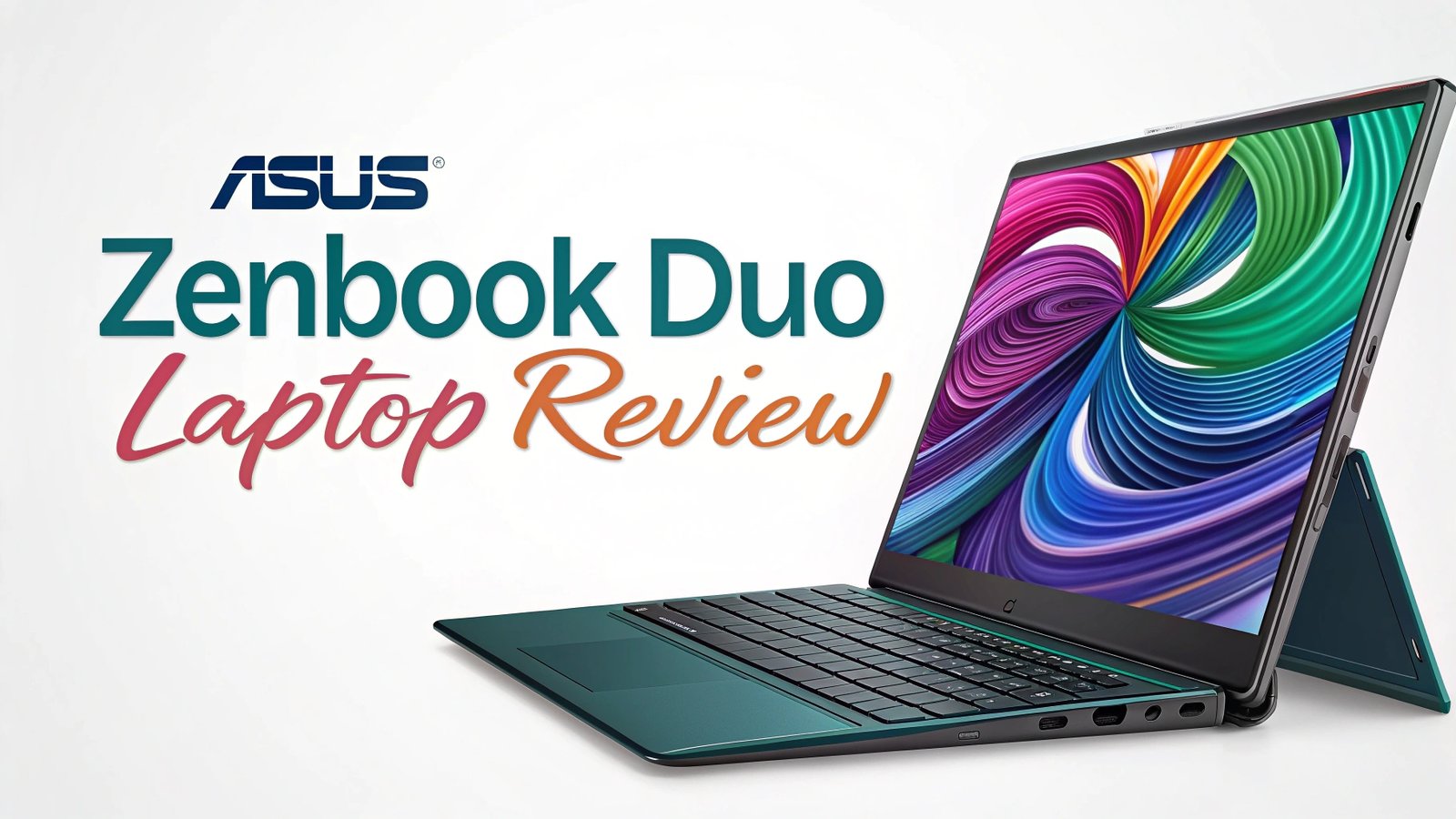
ASUS Zenbook DUO Laptop Review: Dual Screen Innovation
The laptop market has seen many innovations over the years, but few have been as revolutionary as the ASUS Zenbook DUO. This remarkable dual screen laptop represents a bold leap forward in portable computing design.
The device features two stunning OLED displays that work together to create an unprecedented user experience.
Whether you’re a creative professional, business executive, or tech enthusiast, this laptop promises to transform how you work and play.

Key Takeaways
- Revolutionary Dual Display Design: The Zenbook DUO features two 14-inch OLED displays with 2.8K resolution and 120Hz refresh rates, providing exceptional visual clarity and smooth performance for multitasking scenarios.
- Powerful Intel Core Ultra Performance: Equipped with the latest Intel Core Ultra 9 285H processor and up to 32GB RAM, this laptop delivers outstanding processing power for demanding applications and creative workflows.
- Exceptional Build Quality: ASUS has engineered a premium construction with innovative hinge mechanisms that ensure both displays operate seamlessly while maintaining structural integrity and portability.
- Comprehensive Connectivity: Multiple Thunderbolt 4 ports, USB-C connections, and modern wireless standards provide extensive connectivity options for professional and creative use cases.
- Advanced AI Integration: The laptop includes Intel AI Boost NPU technology delivering up to 11 TOPS of AI processing power, enabling smart performance optimization and enhanced user experiences.
- Professional Grade Features: From color accurate displays to robust security options, the Zenbook DUO offers enterprise level capabilities in a consumer friendly package.

ASUS Zenbook DUO Overview and Design Philosophy
The ASUS Zenbook DUO represents a fundamental shift in laptop design thinking. Traditional laptops have remained largely unchanged for decades, but ASUS has reimagined what portable computing can be. The dual screen approach isn’t just about adding more display area; it’s about creating new possibilities for how we interact with our devices.
The laptop’s design philosophy centers around productivity enhancement through intelligent screen management. The primary 14-inch display serves as your main workspace, while the secondary screen functions as an adaptive extension. This configuration allows users to keep reference materials visible while working on primary tasks, dramatically improving workflow efficiency.
Build quality stands out as exceptional throughout the device. The hinge mechanism represents years of engineering refinement, allowing smooth transitions between different usage modes. The chassis construction uses premium materials that feel solid and durable, despite the complexity of housing two high-quality displays.
The overall aesthetic maintains ASUS’s signature elegance while incorporating functional design elements. Color options include sophisticated finishes that appeal to professional users without appearing overly flashy. The keyboard layout and trackpad positioning have been carefully optimized to work harmoniously with the dual display configuration.
Display Technology and Visual Experience
The heart of the Zenbook DUO experience lies in its stunning display technology. Both screens feature 14-inch OLED panels with 2880 x 1800 resolution, delivering incredible detail and vibrant colors. The 120Hz refresh rate ensures smooth visual performance across all applications, from productivity software to multimedia content.
OLED technology brings significant advantages over traditional LCD displays. Color accuracy reaches professional standards with wide color gamut coverage, making this laptop suitable for photo editing, video production, and other color-critical work. The deep blacks and infinite contrast ratios create an immersive viewing experience that traditional displays cannot match.
Brightness levels are optimized for various lighting conditions, with intelligent adaptive brightness that adjusts based on ambient light sensors. The displays maintain excellent visibility even in challenging lighting situations, ensuring consistent productivity regardless of environment.
Touch functionality on both displays opens up new interaction possibilities. The secondary screen can serve as a giant trackpad, drawing surface, or specialized control panel depending on the application. This versatility makes the laptop adaptable to different work styles and preferences.
Performance Specifications and Processing Power
Under the hood, the Zenbook DUO packs serious computational muscle. The Intel Core Ultra 9 285H processor represents the latest in mobile CPU technology, featuring 16 cores and 22 threads that handle demanding multitasking scenarios with ease. This processor architecture is specifically designed for modern workloads that benefit from parallel processing capabilities.
Memory configuration options include up to 32GB of LPDDR5X RAM, providing ample capacity for memory-intensive applications. This high-speed memory ensures smooth operation when running multiple applications across both displays simultaneously. The generous RAM allocation prevents bottlenecks that could limit the dual screen experience.
Storage solutions feature PCIe Gen 4 NVMe SSDs up to 1TB capacity, delivering exceptional read and write speeds. Fast storage is crucial for the dual display experience, as the system needs to manage multiple high-resolution displays while maintaining responsive file access and application loading.
The integrated Intel Arc graphics provide capable performance for most computing tasks, including light gaming, video editing, and 3D modeling. While not designed for hardcore gaming, the graphics subsystem handles the dual display output efficiently while maintaining good battery life.
Top 3 Alternatives for ASUS Zenbook DUO


Operating System Integration and Software Features
Windows 11 integration with the Zenbook DUO showcases Microsoft’s commitment to supporting innovative hardware designs. The operating system includes specific optimizations for dual screen devices, enabling features like snap layouts that work intelligently across both displays.
ASUS has developed proprietary software utilities that enhance the dual screen experience. These tools include display management software that allows users to customize how applications interact with both screens. Window management becomes more intuitive with specialized tools for organizing multiple applications efficiently.
Productivity applications benefit significantly from the dual screen design. Email clients can display message lists on one screen while showing email content on the other. Spreadsheet applications can show data on the primary display while keeping formulas or charts visible on the secondary screen.
The learning curve for dual screen usage is surprisingly gentle. Most users adapt to the configuration within days, discovering new workflows that weren’t possible with traditional single-screen laptops. The software intelligence helps guide users toward effective dual screen usage patterns.
Battery Life and Power Management
Battery performance represents one of the most impressive aspects of the Zenbook DUO design. Despite powering two high-resolution OLED displays, the laptop achieves respectable battery life through intelligent power management. Real-world usage typically yields 6-8 hours of mixed productivity work.
Power optimization features include adaptive brightness controls, intelligent CPU scaling, and display-specific power management. The system can automatically reduce power consumption on the secondary display when it’s not actively being used, extending overall battery life significantly.
Charging capabilities support fast charging through USB-C Power Delivery, allowing rapid battery replenishment during short breaks. The 65W power adapter provides adequate power for normal operation while charging the battery simultaneously.
Users can customize power profiles based on their usage patterns. Gaming or intensive creative work modes prioritize performance over battery life, while productivity modes balance performance with extended runtime. These profiles can be switched easily based on current needs.
Keyboard and Input Experience
The keyboard design required significant engineering consideration to accommodate the dual screen layout. ASUS has managed to maintain a comfortable typing experience despite the space constraints imposed by the secondary display. Key travel and feedback feel natural for extended typing sessions.
Trackpad functionality becomes more interesting with the dual screen setup. The secondary display can function as an adaptive trackpad area, providing haptic feedback and customizable control surfaces. This feature proves especially useful for creative applications that benefit from specialized input controls.
Stylus support adds another dimension to the input experience. The included active stylus works seamlessly across both displays, enabling digital art creation, note-taking, and precise navigation. Pressure sensitivity and palm rejection work reliably across different applications.
Ergonomic considerations have been carefully addressed in the design. The laptop maintains comfortable viewing angles for both displays while keeping the keyboard at a natural typing height. Extended use sessions remain comfortable thanks to thoughtful design proportions.
Connectivity and Port Selection
Modern connectivity standards are well represented in the Zenbook DUO’s port selection. Multiple Thunderbolt 4 ports provide high-speed data transfer, display output, and charging capabilities through a single connection. This versatility proves crucial for professional users who need to connect various peripherals.
USB Type-A ports ensure compatibility with legacy devices that many users still rely on. The inclusion of traditional USB ports alongside modern connections creates a balanced approach that serves both current and future connectivity needs.
Wireless connectivity features the latest WiFi 7 standard, providing exceptional wireless performance and reduced latency. Bluetooth 5.3 support ensures reliable connections with wireless peripherals, audio devices, and other accessories that enhance the mobile computing experience.
Display output options allow users to extend their workspace even further by connecting external monitors. The laptop can simultaneously drive its dual internal displays plus additional external displays, creating expansive multi-monitor setups for demanding professional workflows.
Gaming and Entertainment Capabilities
While not primarily designed as a gaming laptop, the Zenbook DUO offers interesting gaming possibilities. The dual screen configuration allows for unique gaming experiences, such as displaying game maps, inventory management, or strategy guides on the secondary display while gaming on the primary screen.
Performance levels handle most modern games at medium to high settings, depending on the specific title and resolution preferences. The Intel Arc graphics provide adequate frame rates for casual gaming and competitive esports titles at native resolution.
Entertainment consumption benefits tremendously from the dual display setup. Users can watch videos on one screen while browsing social media or working on other tasks on the second display. This multitasking capability enhances the overall entertainment experience.
Audio quality through the built-in speakers provides clear sound reproduction suitable for video calls, media consumption, and casual gaming. The speaker positioning has been optimized to work effectively with the dual screen configuration.
Professional and Creative Workflows
Creative professionals represent a key target market for the Zenbook DUO, and the laptop delivers impressive capabilities for this audience. Photo editing becomes more efficient with tools and palettes displayed on the secondary screen while keeping the main image workspace uncluttered on the primary display.
Video editing workflows benefit significantly from the additional screen real estate. Timeline controls, effect panels, and preview windows can be distributed across both displays, creating a more desktop-like editing experience in a portable form factor.
Business productivity scenarios see substantial improvements with the dual screen setup. Presentations can be prepared on one display while reference materials remain visible on the other. Video conferences can utilize one screen for participants while keeping notes or documents accessible on the second display.
Software compatibility spans a wide range of professional applications, with many programs offering specific optimizations for dual screen setups. Adobe Creative Suite, Microsoft Office, and various development environments all benefit from the expanded display capabilities.
Thermal Management and Cooling System
Thermal engineering represents a significant challenge when designing laptops with dual high-resolution displays. ASUS has implemented an advanced cooling system that manages heat generation from both the processor and display controllers effectively.
Fan noise levels remain reasonable during normal operation, with intelligent fan curves that adjust cooling performance based on workload demands. Even under heavy loads, the cooling system maintains acceptable noise levels for professional environments.
Temperature management keeps both displays and internal components within safe operating ranges. The laptop’s thermal design prevents hot spots that could affect user comfort or component longevity.
Performance throttling is minimal thanks to effective heat dissipation. The laptop maintains consistent performance levels even during extended intensive tasks, ensuring reliable operation for professional workflows that demand sustained performance.
Price and Value Proposition
Pricing strategy for the Zenbook DUO reflects its position as a premium innovation in the laptop market. Starting configurations around $1,500 provide good value considering the dual OLED displays and modern processor technology included in the package.
Higher-end configurations with additional RAM and storage push the price higher but deliver corresponding performance improvements. The top-spec models with Core Ultra 9 processors and 32GB RAM represent excellent value for professionals who need maximum capability.
Comparison shopping reveals that few alternatives offer similar dual screen functionality at comparable price points. The Zenbook DUO’s pricing appears competitive when considering the unique features and build quality included.
Long-term value prospects look positive given ASUS’s track record for laptop longevity and the forward-thinking design that should remain relevant for years. The investment in this innovative technology pays dividends through improved productivity and unique capabilities.
User Experience and Real World Usage
Daily usage patterns with the Zenbook DUO quickly evolve to take advantage of the dual screen capabilities. Most users report discovering new workflows and productivity improvements within the first week of ownership.
Learning resources and community support help new users maximize their investment in the technology. ASUS provides comprehensive guides and tutorials that demonstrate effective dual screen usage techniques.
Professional feedback from early adopters indicates high satisfaction levels with both the hardware quality and software integration. The laptop meets or exceeds expectations for most intended use cases.
Upgrade considerations for existing laptop users should account for the different usage patterns enabled by the dual screen design. The transition requires some adjustment but generally results in improved productivity and user satisfaction.
Frequently Asked Questions
How long does the battery last with both screens active?
The ASUS Zenbook DUO typically delivers 6-8 hours of mixed usage with both screens active. Battery life varies based on screen brightness, application demands, and power management settings. Users can extend battery life by adjusting display brightness and utilizing power-saving modes when needed.
Can I use the secondary screen independently from the main display?
Yes, the secondary screen operates independently and can display different applications or serve various functions. You can customize its behavior through ASUS’s software utilities, allowing it to function as an extended desktop, app launcher, or specialized control surface depending on your needs.
Is the laptop suitable for gaming?
While not specifically designed for gaming, the Zenbook DUO handles most modern games at medium to high settings. The Intel Arc graphics provide adequate performance for casual gaming and esports titles. The dual screen setup can enhance gaming by displaying maps, guides, or system monitoring tools on the secondary display.
How durable are the hinges with daily use?
ASUS has engineered robust hinge mechanisms that undergo extensive testing for durability. The hinges are designed to handle thousands of open and close cycles while maintaining smooth operation. Regular use patterns should not cause premature wear or mechanical issues with proper care.
Does the laptop work well for video conferencing?
The Zenbook DUO excels at video conferencing scenarios. You can display participants on one screen while keeping notes, calendars, or other work materials visible on the secondary display. The built-in camera and microphone provide good quality for professional video calls.
Can I connect external monitors in addition to the dual screens?
Yes, the laptop supports additional external displays through its Thunderbolt 4 and USB-C ports. You can create expansive multi-monitor setups that include the dual internal displays plus one or more external monitors, providing maximum screen real estate for complex workflows.
How does typing feel with the modified keyboard layout?
The keyboard maintains comfortable typing characteristics despite space constraints from the dual screen design. Key spacing, travel distance, and tactile feedback feel natural for extended typing sessions. Most users adapt quickly to any layout differences from traditional laptops.
Is the laptop heavy compared to standard notebooks?
The Zenbook DUO weighs more than typical single-screen laptops due to the additional display and supporting hardware. However, ASUS has optimized the design to keep weight reasonable for a dual-screen device. The added functionality generally justifies the modest weight increase for most users.