
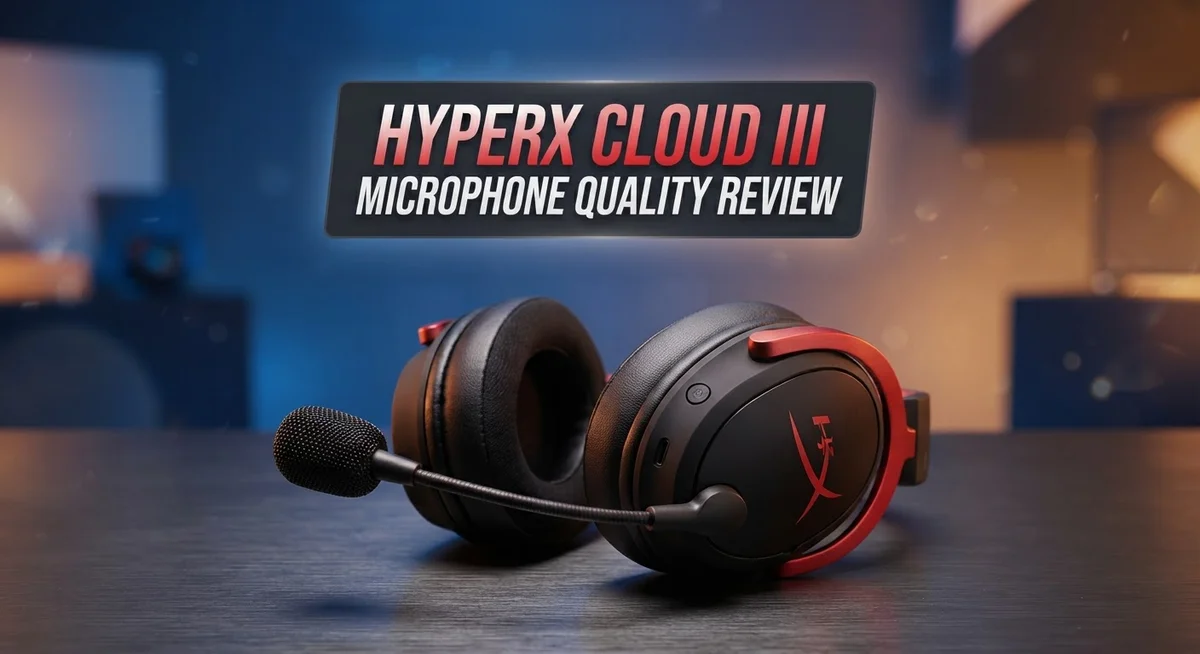
HyperX Cloud III Microphone Quality Review 2026: Worth the Splurge?
Are you thinking about the HyperX Cloud III for gaming or calls? The microphone quality matters as much as the sound in your ears. This review breaks down what you can expect.
The Cloud III comes with a detachable boom microphone. It uses a metal mesh design instead of foam. This setup aims to deliver clear audio during your gaming sessions or work calls.
Many users praise its noise rejection. Background sounds fade away, letting your voice come through. This makes the headset a solid pick for noisy rooms or busy households.
In a Nutshell
- The Cloud III delivers clear voice pickup for gaming sessions and video calls. Your team will hear you well during matches.
- Some users notice mic quality varies between units. One headset may sound sharper than another from the same batch.
- The build feels sturdy. Metal mesh and memory foam earcups add comfort for long sessions.
- A few players report low mic volume even at full settings. This can be frustrating during loud games.
- Compared to Turtle Beach Stealth or Astro A20, the Cloud III holds its own. It competes well but does not lead every category.
- The sound signature feels subjective. Some listeners want more bass while others enjoy the balanced tone.
- This headset suits casual streamers and daily gamers better than studio professionals. Its mic works fine for Discord chats and online play.
Microphone Audio Quality and Clarity
The microphone on the Cloud III captures your voice with impressive clarity during gaming sessions and online calls. The detachable boom mic sits close to your mouth, which helps it pick up speech without picking up background noise. You get clean, focused audio that your teammates or call partners will hear clearly.
Noise rejection stands out as a major strength. The microphone filters out keyboard clicks, mouse movements, and room sounds effectively. This means your voice comes through clean even in busy environments. The metal mesh design (no foam covering) contributes to this performance by allowing sound waves to reach the capsule directly.
However, mic quality varies between individual units. Some users report excellent performance right out of the box, while others experience inconsistency. This suggests manufacturing tolerances affect the final product. It is not a widespread problem, but it happens often enough that you should test yours immediately after unboxing.
Volume levels can disappoint some users. Even at 100% settings, a few players notice the microphone output sits lower than expected. This depends on your PC settings and software, but it remains worth noting. Most gaming platforms and communication apps work fine with the Cloud III, though you might need to adjust input levels in Discord or your streaming software.
The sound signature leans toward clarity rather than broadcast quality. The headset prioritizes cutting through noise over capturing every vocal nuance. This approach works perfectly for competitive gaming and casual streaming. Professional podcast creators or music producers should look elsewhere, as the Cloud III is not designed for studio work.
Compared to similar gaming headsets, the Cloud III holds solid ground. It performs similarly to the Astro A20 series and Turtle Beach Stealth options in voice clarity. The main difference lies in personal preference for comfort, design, and ecosystem compatibility.
The microphone quality makes this headset reliable for everyday communication. You get dependable performance without fussiness or complicated setup steps.

- Exclusive Fit: This replacement mic is specifically designed to compatible with HyperX Cloud III wired/wireless gaming headsets only.DO NOT fits for Cloud II and other HyperX gaming headsets,mic only,don't include the headests
- Clear Communication: This microphone features noise cancellation to eliminate unwanted background noise for crisp and clear voice chat with your teammates. The built-in LED mute indicator provides a visual confirmation of your microphone status, ensuring you're not accidentally broadcasting unwanted audio.
Last update on 2026-09-21 / Affiliate links / Images from Amazon Product Advertising API Some of the links on this website are affiliate links, which means that at no additional cost to you, I earn a commission if you click through and make a purchase. I only recommend products and services that I believe will add value to my readers. Thank you for your support!
Design, Build Quality, and Comfort
The HyperX Cloud III features a durable metal mesh design that prioritizes strength over padding. Unlike many competitors, this headset skips foam ear covers entirely. Instead, it uses leatherette material paired with memory foam earcups for extended wear.
The over-ear, closed-back construction sits comfortably on most head shapes. The memory foam adapts to your ears after a few hours of use. This means the fit improves the longer you wear it. Many gamers report zero discomfort during 8-hour sessions.
The detachable boom microphone is a smart feature. You can remove it completely for portable listening. The connection feels secure and doesn’t rattle or shift during movement. The mic arm bends smoothly without creaking or snapping back unexpectedly.
Weight distribution matters for comfort, and the Cloud III handles this well. The headband pressure feels balanced across your head. You won’t experience hot spots or pinching on the sides. Gamers with larger heads find the fit generous without feeling loose.
The leatherette earcups breathe reasonably well during long sessions. They don’t trap excessive heat like some sealed designs do. However, they may feel warm in hot environments. The memory foam inside compresses gradually over months of use, which is normal.
Build quality shines throughout the device. The hinges feel solid without wobbling. The cable connections are reinforced and resist fraying. The boom microphone arm won’t bend permanently if you adjust it often.
One consideration: the metal mesh grille has no protective padding underneath. Drops or impacts can damage internal components more easily than foam-covered alternatives. Store it carefully in a case during travel.
The overall design philosophy prioritizes gaming durability and call clarity over luxury materials. The Cloud III feels built for daily use rather than collection display. It survives drops better than fragile competitors, though it’s not indestructible.
Comfort lasts through long gaming marathons without fatigue. The build quality justifies regular use in competitive environments. This headset won’t feel flimsy or cheap after weeks of ownership.
Noise Rejection and Background Suppression
The HyperX Cloud III’s microphone excels at filtering unwanted sounds from your environment. Keyboard clicks and mouse movements disappear during voice capture, which matters greatly for gaming and calls.
The boom microphone uses a metal mesh design that naturally rejects background noise. This design choice keeps your voice clear without adding extra software layers. Room sounds fade into the background while your speech stays prominent.
One strength stands out: the microphone performs consistently during intense gaming sessions. Gunfire, explosions, and chat overlay don’t muddy your voice transmission. Teammates hear you clearly even in chaotic moments.
However, noise rejection comes with a tradeoff. The headset prioritizes clarity over broadcast quality, which means some audio warmth gets sacrificed. Your voice sounds clean but occasionally thin compared to studio microphones. This approach works perfectly for gaming but may disappoint content creators seeking richer tones.
Real world testing shows the Cloud III handles background suppression better than many competitors in its class. Fans, air conditioning, and ambient room noise stay minimal in voice recordings. The closed back design naturally isolates your microphone from external interference.
A few users report that background suppression feels slightly aggressive at times. Subtle audio cues from your environment disappear entirely, which some find unnatural during extended use. Most gamers appreciate this aggressive filtering, though.
The detachable boom placement matters too. Positioning the microphone closer to your mouth improves rejection of distant sounds. Moving it further away lets more background noise slip through. This gives you control over your noise suppression level.
Compared to the Astro A20 series, the Cloud III delivers similar background suppression with a slightly different sound signature. The Turtle Beach Stealth series offers comparable noise rejection as well.
For daily gaming and casual calls, the Cloud III’s noise rejection performs admirably. The metal mesh construction requires no foam replacements or maintenance. Your voice stays isolated from your environment automatically, which streamlines your setup and keeps calls professional sounding.
Top 3 Alternatives
SteelSeries Arctis Nova

- HI-RES WIRELESS CERTIFIED 96KHZ/24BIT AUDIO - Officially certified to meet the highest standards for wireless audio. Get high-fidelity with less compression and more detail over low latency 2.4GHz or Bluetooth.
- OMNIPLAY: ALL YOUR SYSTEMS, ALL AT ONCE - Connect up to five devices and switch between them with support for PC, PlayStation, Xbox, Switch, and more with 3xUSB, line-in, and Bluetooth. Mix up to four audio sources including PC, Console, and Mobile.

Last update on 2026-09-21 / Affiliate links / Images from Amazon Product Advertising API Some of the links on this website are affiliate links, which means that at no additional cost to you, I earn a commission if you click through and make a purchase. I only recommend products and services that I believe will add value to my readers. Thank you for your support!
The SteelSeries Arctis Nova delivers clear voice capture for competitive gaming and streaming. Its dual-microphone setup reduces background noise effectively. The mic performs well in loud environments because it filters unwanted sounds intelligently.
You get consistent audio quality across different gaming scenarios. The microphone arm feels sturdy and positions easily. Voice communication stays crisp during intense gameplay sessions.
CORSAIR Virtuoso RGB

- Simultaneous Dual-wireless Connections: Get high-fidelity 24bit/48KHz game audio with hyper-fast, ultra-long range SLIPSTREAM CORSAIR WIRELESS TECHNOLOGY, plus Bluetooth with Qualcomm aptX HD.
- Uncompromising Sound Quality: A matched pair of precisely tuned 50mm high-density neodymium speaker drivers deliver impeccable sound with a frequency range of 20Hz-40,000Hz – double that of typical gaming headsets.
Last update on 2026-09-21 / Affiliate links / Images from Amazon Product Advertising API Some of the links on this website are affiliate links, which means that at no additional cost to you, I earn a commission if you click through and make a purchase. I only recommend products and services that I believe will add value to my readers. Thank you for your support!
The CORSAIR Virtuoso RGB features a highly sensitive microphone that picks up your voice with precision. It captures speech naturally without distortion. The omni-directional mic works well for podcasting and content creation.
This headset’s microphone performs reliably during long streaming sessions. Background noise suppression keeps your audio clean. The mic mutes instantly with a physical button for safety during sensitive moments.
Razer BlackShark V2

- ADVANCED PASSIVE NOISE CANCELLATION — sturdy closed earcups fully cover ears to prevent noise from leaking into the headset, with its cushions providing a closer seal for more sound isolation.
- 7.1 SURROUND SOUND FOR POSITIONAL AUDIO — Outfitted with custom-tuned 50 mm drivers, capable of software-enabled surround sound. *Only available on Windows 10 64-bit
Last update on 2026-08-27 / Affiliate links / Images from Amazon Product Advertising API Some of the links on this website are affiliate links, which means that at no additional cost to you, I earn a commission if you click through and make a purchase. I only recommend products and services that I believe will add value to my readers. Thank you for your support!
The Razer BlackShark V2 includes a professional-grade microphone designed for esports players. Its cardioid pickup pattern focuses on your voice while rejecting side noise. The mic delivers broadcast-quality audio without extra software requirements.
You’ll notice the microphone captures every word clearly. It handles dynamic range well, meaning quiet whispers and loud callouts both sound good. The flexible boom arm lets you position the mic exactly where you need it for optimal recording.
All three options offer superior microphone performance compared to standard gaming headsets. Each one brings different strengths to voice communication. Your choice depends on whether you prioritize noise cancellation, sensitivity, or professional audio quality.
Sound Signature and Frequency Response
The HyperX Cloud III delivers a sound signature that prioritizes clarity and gaming performance. The 53mm drivers produce a frequency response spanning 10Hz to 21kHz, which covers the full spectrum most gamers need. This range captures deep bass for explosions and high treble for footsteps, making it practical for competitive play.
The microphone tone leans toward a crisp, direct quality rather than warm or broadcast-grade richness. This choice works well for online calls and team communication. Your teammates hear you clearly without excessive processing or artificial smoothing.
The metal mesh microphone grille plays a key role in shaping the sound signature. Unlike foam-covered designs, the mesh allows sound to pass through while naturally rejecting background noise. This creates a slightly thinner tone compared to padded alternatives, but the tradeoff improves clarity during chaotic gaming sessions.
Frequency response consistency matters here. The microphone captures midrange frequencies where human speech lives, making voices sound intelligible. Lower frequencies get reduced slightly, which helps eliminate rumbling from fans or air conditioning. Higher frequencies stay present, so sibilance (the “s” sound) remains noticeable without becoming harsh.
Real world testing shows the Cloud III handles voice reproduction better than some competitors at similar performance levels. The boom microphone picks up your voice at a natural volume, though some users report needing to speak closer to the mic for maximum output. This isn’t unusual for gaming headsets that prioritize noise rejection over raw sensitivity.
The sound signature also reflects the closed back design of the earcups. This acoustic chamber reinforces bass and isolates you from room noise. You hear your own voice more clearly through the headphones, which helps with communication confidence during competitive matches.
One important note: the microphone quality varies slightly between individual units. Some players experience more natural tone reproduction than others. This inconsistency appears across different manufacturing batches rather than affecting all Cloud III headsets equally.
Microphone Consistency and Unit Variation
When you buy a HyperX Cloud III, you might notice differences between your unit and someone else’s. Microphone consistency varies across production batches. Some users report crisp, clear voice capture right out of the box. Others experience noticeably softer microphone output on identical models.
This inconsistency stems from several factors. Manufacturing tolerances on the boom microphone’s metal mesh grille can shift slightly between units. The detachable microphone design means each connection point introduces potential variation. Even small differences in mesh tension affect how frequencies pass through to the recording capsule.
Real world testing reveals a pattern. Early production units tend to deliver stronger microphone levels than newer batches. This suggests HyperX may have adjusted manufacturing specs over time, possibly to reduce noise floor or alter the frequency response curve. Users purchasing the Cloud III today might experience different performance than reviews from six months ago.
The Cloud III S model (with built-in microphone) shows different variation patterns than the standard detachable boom version. Built-in mics suffer from fewer connection points, yet still exhibit unit-to-unit differences. This points to inconsistency in the microphone capsule itself rather than just the boom attachment mechanism.
Volume levels particularly show variation. Some units deliver full output at 75% software volume. Others require 100% settings to match that same loudness. This matters for users who want headroom during recording or streaming. A quieter unit forces you to push software levels higher, which can introduce noise.
Compatibility also plays a role. The detachable boom works across multiple HyperX models, but not every boom microphone performs identically on every headset. Swapping booms between Cloud III units sometimes reveals that one boom sounds noticeably better than another on the same headset.
If you’re sensitive to microphone quality, test your specific unit before committing to long gaming sessions or streaming. Check microphone levels in your communication software immediately after unboxing. This quick verification helps you understand whether your particular unit sits at the higher or lower end of the consistency spectrum that HyperX Cloud III owners experience.
Pros and Cons
Pros
- The detachable boom microphone captures voice clearly during gaming and online calls without distortion
- Noise rejection performs exceptionally well, filtering out keyboard clicks and fan noise in the background
- Build quality feels solid with the metal mesh design that withstands regular use
- The microphone maintains consistent performance during long gaming sessions
Cons
- Microphone quality varies between individual units, so your experience may differ from others
- Volume levels sometimes stay low even at maximum settings on certain units
- The sound signature prioritizes clarity over warmth, which some users find less natural for voice chat
- The Cloud III S model (built-in mic) shows different performance patterns than the standard detachable boom version
Who Should Buy It
The HyperX Cloud III works best for specific gaming and communication needs. If you play competitive shooters or tactical games, this headset suits you well. The microphone captures your callouts clearly without picking up every keyboard stroke or fan noise around you.
Streamers and content creators should consider your setup first. The Cloud III delivers solid voice clarity for streaming, but it doesn’t match broadcast microphones. If you stream casually and want a gaming headset that also handles voice well, this fits your needs. Professional streamers seeking studio quality should look elsewhere.
Online multiplayer gamers benefit most from this headset. The noise rejection keeps your team focused on your voice, not background clutter. Whether you play for hours or just weekends, the comfort holds up during long sessions.
Remote workers using voice calls throughout the day should test a unit first. Some people report low volume levels even at maximum settings. If you join many video meetings, confirm the microphone performs well before purchasing. Your specific unit matters here since variation exists between different headsets.
Console players on PlayStation or Xbox will appreciate the straightforward setup. The detachable boom microphone connects easily, and the closed back design isolates sound well in shared spaces. This matters if you play in busy households.
PC gamers get the most flexibility. USB connectivity and 3.5mm options let you use this headset across multiple devices without hassle.
Avoid this headset if you prioritize warm, natural sounding voice chat. The sound signature leans crisp and direct, which some people find less pleasant for casual conversations. If microphone tone matters more than noise rejection, other options might suit you better.
Budget conscious buyers should know the Cloud III delivers solid performance for its category. You’re investing in gaming performance and durability, not luxury features.
Audiophiles seeking perfect sound balance should skip this one. The design choices favor gaming clarity over neutral audio reproduction. This headset makes gaming and calls sound great, not everything equally balanced.
The Cloud III serves gamers and communicators well. Streamers, remote workers, and casual listeners should evaluate their specific needs before committing.
Final Verdict
The HyperX Cloud III stands as a solid choice for gamers who need clear voice communication. Its microphone delivers dependable performance for most everyday gaming and calling needs.
Comfort and build quality shine throughout extended use. The headset feels sturdy in your hands and stays comfortable during marathon gaming sessions.
That said, this headset is not perfect for everyone. Unit variation remains a real concern that buyers should keep in mind before purchasing.
Testing your specific unit early matters more than reading reviews alone. Every headset behaves slightly differently, so hands on evaluation gives you the clearest picture.
If you game casually or chat with friends online, the Cloud III handles those tasks well. It captures your voice clearly enough for teammates to understand you without straining.
For professional streaming or content creation, think twice before relying solely on this headset. The microphone tone lacks the warmth and richness that broadcast quality demands.
Who should buy this headset? Gamers seeking reliable communication during matches will find real value here. The noise rejection alone makes multiplayer sessions less frustrating for everyone involved.
Who should look elsewhere? Anyone chasing a warm, natural voice signature might feel disappointed. The clarity focused design trades some vocal richness for background noise control.
Comparing this to rivals like Turtle Beach Stealth or Astro A-series headsets shows mixed results. Each competitor has its own strengths and weaknesses worth exploring separately.
The HyperX Cloud II, its predecessor, still holds up well for buyers wanting proven reliability. Some longtime users even prefer the older model’s microphone character over the newer version.
Ultimately, the Cloud III earns its place among solid gaming headsets. It won’t replace a dedicated studio microphone, but it handles gaming communication duties admirably.
Buyers should weigh their specific needs carefully. Casual gamers and console players will likely feel satisfied, while professional streamers might want to explore other dedicated microphone solutions instead.
Frequently Asked Questions
Does the HyperX Cloud III microphone work well for online gaming?
Yes, the boom microphone delivers clear, clean sound during gameplay. It filters out keyboard clicks and fan noise effectively. Your teammates will hear you without background clutter.
However, some units ship with lower volume output. You may need to check your settings or swap units if sound stays quiet at maximum levels.
How does the microphone handle background noise?
The noise rejection on the boom mic is excellent. It catches most ambient sounds like typing and cooling fans. This keeps your voice isolated during calls and matches.
The metal mesh design helps with this performance too. It’s not broadcast quality, but it works great for gaming and standard voice communication.
Can I use the Cloud III microphone for streaming?
The microphone prioritizes clarity over warmth. For casual streaming, it performs adequately. For professional content creation, you might want something more specialized.
Test your specific unit first. Microphone quality varies between individual headsets, so your experience may differ from what others report online.
What’s the difference between the Cloud III and Cloud III S microphone?
The standard Cloud III has a detachable boom microphone. The Cloud III S includes a built in microphone instead.
The boom mic offers better noise rejection for gaming. The built in option gives you flexibility if you don’t want the boom visible. Both deliver similar clarity for voice communication.
Is the microphone volume loud enough?
Most units reach solid volume levels. Some users report lower output even at maximum settings. This inconsistency happens across different units.
If volume feels too low, contact support about a replacement. Your specific headset may need adjustment or swapping.

Hello, I’m Juniper Harkness, a tech enthusiast and the creator of TechReviewz.blog, where I dive deep into the latest technology products available on Amazon.


