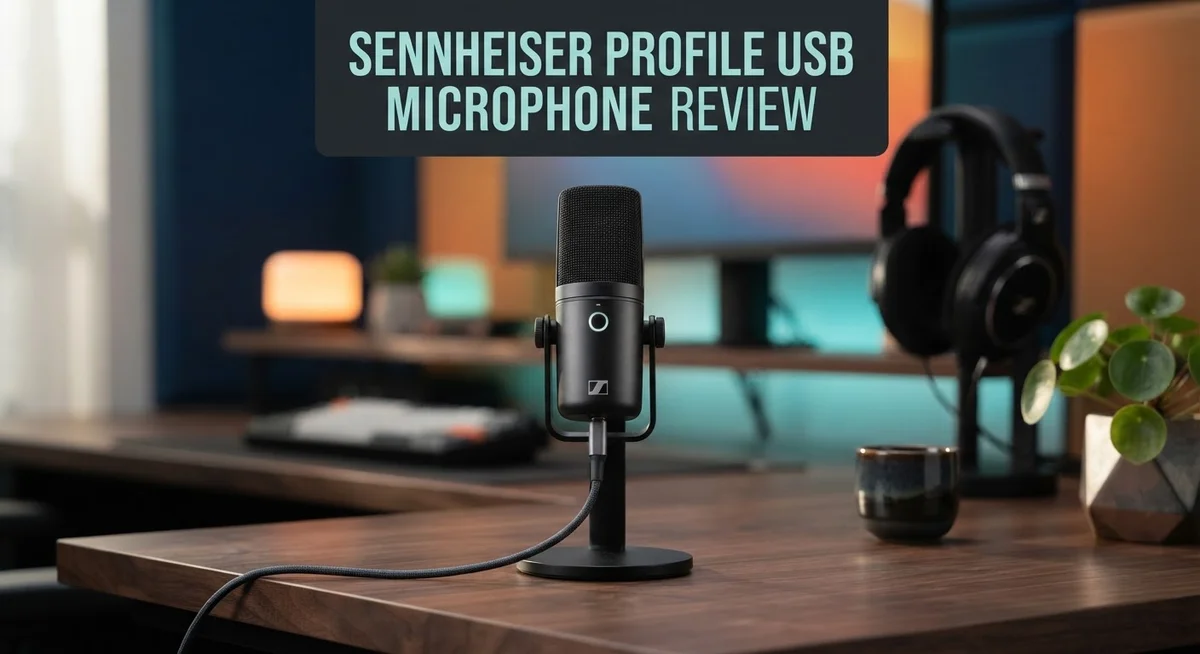
Sennheiser Profile USB Microphone Review 2026: Complete Guide
Looking for a microphone that makes your voice sound crisp and clear? The Sennheiser Profile USB Microphone might be your answer. This microphone brings studio quality sound to your desk. It works great for podcasts, streaming, and video calls.
The cardioid pattern picks up your voice clearly. It also blocks out background noise around you. Many users love how clean the audio sounds. Even without a pop shield, plosive sounds stay minimal.
Handling noise is barely noticeable too. You can move the mic without worrying about extra bumps or taps in your recordings. This microphone connects through USB-C. Setup is quick and simple for beginners and pros alike.
In a Nutshell
- Sound quality stands out. This mic handles plosives well, even without a pop shield attached.
- Users give it top marks. Many reviewers award it five stars for everyday recording tasks.
- The included stand sits low. You may need a boom arm to get the mic closer to your mouth.
- It competes with strong rivals. The Rode NT-USB and Shure MV7+ offer similar features, but each has different strengths.
- Setup feels simple. Plug it in through USB-C and start recording right away.
- Best suited for streamers and podcasters. Anyone wanting clear vocal capture without extra gear will enjoy this mic.
Audio Quality and Sound Performance
The Sennheiser Profile USB Microphone delivers crisp, professional audio that stands out in its category. The condenser design captures your voice with remarkable clarity, making every word sound natural and well defined.
Plosive handling is exceptional on this microphone. You can record vocals without a pop shield and still avoid harsh “p” and “b” sounds that plague many budget options. This means fewer retakes and less post production cleanup work.
Handling noise stays virtually silent during recording sessions. When you move the mic or adjust the stand, the audio remains clean. This matters a lot for streamers and podcasters who need to stay mobile during broadcasts.
The cardioid pattern focuses sound capture directly in front of the microphone. Background noise gets rejected effectively, so your room ambience won’t muddy your recordings. This isolation helps your voice remain the star of every session.
Gain leveling requires some attention during initial setup. You’ll need to find the sweet spot between too quiet and distorted audio. Once you dial it in, the microphone maintains consistent levels throughout your recording.
The USB C connection ensures fast, stable audio transmission to your computer. Setup takes just minutes. Plug in the cable, install basic drivers if needed, and you’re ready to record.
User feedback consistently praises the audio quality. Many reviewers award five star ratings specifically for vocal clarity and minimal noise. Content creators report that the Profile outperforms microphones in similar categories.
The desktop stand works fine for stationary recording, but sits lower than ideal for most desk heights. Your chin may end up too far above the microphone, changing your vocal tone. A boom arm solves this problem and lets you position the mic at mouth level.
The cardioid pattern and condenser technology work together to produce studio grade sound on your desktop. Whether you’re recording podcasts, streaming, or conducting interviews, the Profile delivers the audio quality professionals expect. The combination of clean sound, low handling noise, and effective plosive rejection makes this microphone a solid performer for serious content creators.

- Plug-and-play simplicity – We understand that setting up a podcast session or live stream can be overwhelming but capturing pristine audio doesn’t have to be. With the Profile, one simple connection is all you need to achieve the sound you’re looking for
- The sound you’re looking for – If you’re just getting started or you’re a seasoned pro looking to simplify your setup, the Profile delivers a natural, warm sound that accentuates the body and presence of the human voice

Last update on 2026-10-03 / Affiliate links / Images from Amazon Product Advertising API Some of the links on this website are affiliate links, which means that at no additional cost to you, I earn a commission if you click through and make a purchase. I only recommend products and services that I believe will add value to my readers. Thank you for your support!
Design, Build, and Physical Setup
The Sennheiser Profile USB Microphone features a sleek, compact design that fits modern streaming setups. The body uses a minimalist aesthetic with a matte finish that resists fingerprints and dust buildup.
The microphone itself is cylindrical and lightweight. You can hold it comfortably in one hand during setup or repositioning. The USB-C port sits at the base, making cable connections straightforward and secure.
Build quality feels solid throughout. The microphone body uses durable materials that withstand regular handling. Internal components are well-protected, so accidental bumps won’t damage the audio capture system. Users report that the microphone maintains consistent performance even after months of daily use.
The included desktop stand provides stability on flat surfaces. However, the stand sits lower than many competing models. Most users find they need a boom arm to position the microphone at mouth level, which prevents unnecessary desk vibrations from reaching the capsule.
Physical setup takes just minutes. You plug the USB-C cable into your computer, and the microphone appears as an audio input device immediately. No driver installation is required on most systems. Windows and Mac computers recognize it automatically.
The microphone’s compact size makes it portable. Streamers and podcasters can easily pack it into a bag for recording sessions elsewhere. The lightweight design means no strain when mounting it on a boom arm or adjustable stand.
The cardioid pattern is built into the capsule design. This directional focus means the microphone captures your voice clearly while rejecting sounds from the sides and rear. Desktop clutter and background noise have minimal impact on your recordings.
Cable management is simple with the USB-C connection. Unlike older USB-A designs, the USB-C port accepts reversible connectors, so you won’t waste time figuring out cable orientation. The cable itself is reinforced to prevent damage from repeated plugging and unplugging.
Overall, the physical design prioritizes function over flashiness. Every element serves a purpose in capturing clean audio. The modest footprint makes it ideal for crowded desks where space is limited. Whether you’re recording in a bedroom, home office, or professional studio, the Profile adapts to your environment without taking up excessive room.
Connectivity and Ease of Use
Connecting the Sennheiser Profile USB Microphone takes just seconds. You plug the USB-C cable into your computer, and the microphone appears as an audio device instantly. No driver downloads or software installations are needed.
The microphone works with Windows, Mac, and Linux systems right out of the box. Your operating system recognizes it immediately as a plug-and-play device. This means you can start recording within moments of unboxing.
Setup feels straightforward for beginners and professionals alike. Most users report they were recording quality audio on their first try. The USB-C connection ensures fast, stable audio transmission to your computer without lag or dropouts.
One area requires your attention during setup. Gain leveling can feel tricky at first. You’ll need to adjust the input level to match your voice and speaking distance. Take a few minutes to test different settings before your first recording session.
The included desktop stand provides stability on flat surfaces. However, the stand sits lower than ideal for most desk heights. Many users find that a boom arm improves positioning significantly. This lets you position the microphone closer to your mouth for better vocal capture.
Cable management stays simple thanks to the USB-C connection. You have just one cable to route across your desk. The microphone’s compact size makes it portable, so you can move it between rooms or take it to different locations.
Once positioned, the microphone stays put. Handling noise stays virtually silent during recording sessions, so you won’t hear bumps or vibrations through your audio. The cardioid pattern focuses sound capture directly in front of the microphone, which means it picks up your voice clearly while rejecting side and rear sounds.
Physical setup takes just minutes. The entire process from unboxing to first recording typically takes less than five minutes. You won’t struggle with complicated menus or confusing controls. Everything works the way you’d expect from a modern USB microphone designed for content creators.
Top 3 Alternatives
Audio-Technica AT2020 USB
No products found.
The Audio-Technica AT2020 USB delivers professional sound quality for content creators and streamers. This microphone features a cardioid condenser design that captures clear vocals and instruments with minimal background noise. The USB connection makes setup simple—just plug it into your computer and start recording.
The AT2020 USB includes a built-in headphone jack for zero-latency monitoring. You can hear yourself while recording without delay. The microphone sits on a sturdy stand and connects via a standard USB cable. Audio professionals appreciate its flat frequency response, which means it captures sound accurately without artificial coloring.
Blue Yeti USB Microphone

- Custom three-capsule array: This professional USB mic produces clear, powerful, broadcast-quality sound for YouTube videos, Twitch game streaming, podcasting, Zoom meetings, music recording and more
- Blue VO!CE software: Elevate your streamings and recordings with clear broadcast vocal sound and entertain your audience with enhanced effects, advanced modulation and HD audio samples
Last update on 2026-09-18 / Affiliate links / Images from Amazon Product Advertising API Some of the links on this website are affiliate links, which means that at no additional cost to you, I earn a commission if you click through and make a purchase. I only recommend products and services that I believe will add value to my readers. Thank you for your support!
The Blue Yeti USB Microphone offers versatility with four pickup patterns. You can switch between cardioid, omnidirectional, bidirectional, and stereo modes depending on your recording situation. This flexibility makes it excellent for podcasts, gaming, music production, and interviews.
The Blue Yeti includes touch-sensitive controls on the microphone body itself. You can adjust volume, mute the mic, and switch patterns without touching your computer. The microphone sits on a sturdy base and comes with a pop filter to reduce wind noise and plosives. Many users appreciate its bright, punchy sound character.
Rode NT-USB Mini

- PLUG AND PLAY USB: connects straight to Mac, PC or iPad over USB, no interface or drivers needed
- STUDIO SOUND ON A DESK: condenser capsule with built-in pop filter tuned for voice, calls and streams
Last update on 2026-10-03 / Affiliate links / Images from Amazon Product Advertising API Some of the links on this website are affiliate links, which means that at no additional cost to you, I earn a commission if you click through and make a purchase. I only recommend products and services that I believe will add value to my readers. Thank you for your support!
The Rode NT-USB Mini brings professional quality in a compact form factor. This smaller microphone fits easily on desks and in portable setups without taking up much space. The cardioid pattern isolates your voice while rejecting side and rear noise.
The NT-USB Mini includes a built-in pop shield and shock mount. These accessories come standard, so you save money and get better sound immediately. The microphone connects via USB-C, offering modern connectivity. Podcasters and streamers love its lightweight design and excellent audio clarity in a package that travels well.
Gain Control and Recording Flexibility
The Sennheiser Profile USB Microphone gives you real control over your recording levels through its gain adjustment features. You can fine tune the input sensitivity directly from your computer’s audio settings or through Sennheiser’s software interface.
Gain adjustment requires some hands on work during initial setup. Most users find they need to spend a few minutes getting the levels just right for their specific voice and recording space. Once you dial in your preferred settings, the microphone maintains consistent audio capture without constant tweaking.
The microphone’s sensitivity works well for both quiet spoken word content and more energetic streaming. You won’t struggle with the microphone being too hot or too quiet right out of the box. The cardioid pattern naturally helps you maintain clean levels by focusing on sound directly in front of the microphone.
Recording flexibility extends to how you use the microphone in different spaces. The USB C connection means you can move between your desktop computer, laptop, and even some tablets without needing adapters or drivers. Your recording setup stays portable and adaptable to your needs.
The included desktop stand provides a stable foundation for stationary recording sessions. Many users pair it with a boom arm to achieve better microphone positioning at eye level. This combination gives you more control over mic placement and helps you maintain optimal distance from the sound source.
Peak level management works smoothly during recording. The microphone handles sudden volume spikes without distortion, so you get clean audio even when your voice gets louder. This reliability means you spend less time re recording takes due to clipping or distortion issues.
The real strength here is consistency. Once your gain levels are set correctly, the microphone delivers predictable results session after session. You get the same clean, crisp audio quality whether you’re recording your first take or your hundredth. This predictability matters when you’re working on projects that require matching audio across multiple recording sessions.
The microphone integrates smoothly with common recording software like OBS, Audacity, and professional DAWs. Your gain adjustments carry across different applications without requiring constant reconfiguration.
Noise Handling and Plosive Protection
The Sennheiser Profile USB Microphone handles unwanted noise with impressive effectiveness. The cardioid pattern naturally rejects sound from the sides and rear, so background noise stays out of your recordings.
Plosive protection stands out as a real strength here. You can record harsh consonants like “P” and “B” sounds without a pop shield, and the microphone delivers clean results. Most users report minimal distortion even during energetic speech or loud vocals. The capsule design absorbs these plosive bursts before they reach the audio signal.
Handling noise presents another advantage. The microphone body isolates vibrations from your desk, so bumps and movements don’t translate into your recording. The included desktop stand helps keep vibrations separate from your surface. If you move the microphone during recording, you won’t hear unwanted thumps or rustles in your audio.
Environmental noise rejection works well for typical indoor spaces. The cardioid pattern focuses on what’s directly in front of the microphone, which means fan noise, keyboard clicks, or conversations nearby get reduced naturally. This makes the Profile USB suitable for home studios and casual streaming setups.
One consideration involves gain settings. If you push the gain too high, the microphone can pick up more ambient sound. Finding the right balance takes a few minutes of adjustment, but once you set it, the microphone maintains consistent performance.
The microphone performs best when you position it correctly. Pointing the front of the capsule directly at your mouth gives you the cleanest audio and strongest noise rejection. Moving it off axis increases background noise pickup, so consistent positioning matters.
For users who want additional protection, adding a pop filter works fine with the Profile USB. Some people use one for extra insurance during loud recording sessions, though the microphone handles plosives well on its own.
The noise handling capabilities make this microphone reliable for content creators, podcasters, and streamers. You get professional audio quality without needing extra accessories for basic plosive and handling noise protection.
Pros and Cons
Pros
- Clean, crisp audio output that captures voice and instrument detail with clarity
- Minimal plosive distortion when recording harsh consonants like “P” and “B” sounds without a pop shield
- Negligible handling noise means you can move the microphone during recording without unwanted bumps
- Cardioid pattern focuses sound capture directly in front, rejecting side and rear noise effectively
- Works immediately on Windows, Mac, and Linux with zero driver hassles
Cons
- The included desktop stand sits low on your desk, so you’ll likely need a boom arm for better mic placement
- Gain leveling requires hands-on adjustment during setup to get your recording levels just right
- No boom arm included in the box, meaning you may need to buy one separately for optimal positioning
- Gain control demands some trial and error to dial in the sensitivity for your specific voice or content
Who Should Buy It
The Sennheiser Profile USB Microphone suits several specific user groups well. Content creators who stream regularly find this microphone delivers the audio clarity their audiences expect. Podcasters benefit from the clean, crisp output that captures voice detail without requiring extensive post-production work.
Musicians and voice actors appreciate how the cardioid pattern isolates their sound. The microphone rejects background noise effectively, so you record only what matters. If you work in a typical home or office space, the environmental noise rejection handles everyday distractions smoothly.
Gamers who prioritize audio quality over convenience will love this mic. The negligible handling noise means you can adjust your position without creating unwanted bumps in your recording. Streamers who speak intensely or with passion benefit from the plosive protection. You can record harsh consonants like “P” and “B” sounds without distortion, even without a separate pop shield.
This microphone works best for stationary recording setups. You’ll position it at your desk and keep it there during sessions. If you move your microphone frequently between locations, this might feel less convenient than a portable option.
Users who want a plug and play experience will appreciate the zero driver setup. Windows, Mac, and Linux all recognize the Profile USB immediately. You connect it and start recording without software hassles.
However, the Profile USB requires some comfort with gain adjustment. You’ll spend a few minutes during initial setup getting your levels right. If you prefer automatic settings that just work, you might find this frustrating.
The ideal buyer understands that this microphone demands proper positioning. The included desktop stand sits low, so you’ll likely want to add a boom arm for optimal mic placement. You’re willing to make this small investment to get the positioning right.
This mic suits professionals and serious hobbyists who value audio quality above all else. If you stream, podcast, create voiceovers, or record music at home, the Sennheiser Profile USB delivers exceptional results. You simply need to accept that setup requires a bit of hands on work and possibly additional mounting hardware.
Final Verdict
The Sennheiser Profile USB Microphone earns its reputation as a solid choice for anyone serious about audio quality. Real user feedback backs this up, with many buyers giving it top ratings across review platforms.
This mic stands out in a crowded market. Compared to the Rode NT-USB or Shure MV7+, the Profile holds its own in sound clarity and build quality.
Sennheiser’s decades of audio engineering experience shine through in this product. The brand name alone carries weight for anyone who values trusted audio gear.
Build quality feels solid and should last through years of regular use. The metal construction gives it a professional feel that matches its performance.
If you compare it to the HyperX Quadcast or SteelSeries Alias Pro, the Profile leans more toward simplicity and raw audio performance rather than flashy RGB lighting or gaming-focused extras.
Who should buy this mic? Anyone recording podcasts, voiceovers, or music vocals from a fixed desk setup will benefit most. The mic rewards users who take time to set it up properly.
Who might want to skip it? If you need a mic that moves around often or travels with you, this may not fit your workflow. The low stand and gain setup work better for permanent desk setups.
Overall, this microphone delivers where it matters most: clean audio capture. Small drawbacks like stand height and gain tuning are minor compared to the sound quality you get.
For creators who want dependable audio without fuss over drivers or software, the Sennheiser Profile USB Microphone makes a strong case. It rewards patience during setup with reliable, professional sound every time you hit record.
Simple in design, strong in performance. That combination makes this mic worth serious consideration for your home studio or desk setup.
Frequently Asked Questions
Does the Sennheiser Profile USB need a pop filter?
No, you don’t need one. The microphone handles plosive sounds (hard P and B sounds) remarkably well on its own. Most users record clean audio without any pop shield attached. If you do heavy vocal work or speak very close to the mic, a pop filter can help, but it’s optional rather than essential.
Can I use this mic while moving around?
Not really. The Profile USB works best when you stay in one spot. The cardioid pattern captures sound directly in front, so moving the mic during recording creates unwanted bumps and shifts. This microphone suits stationary desk setups far better than mobile recording situations.
What if I’m not comfortable adjusting gain levels?
Gain leveling takes some hands on work during setup. You’ll need to test your voice levels and make adjustments before hitting record. If you want a mic that handles levels automatically, this may feel like extra work. However, once you dial it in, the process becomes simple and fast.
How does the Profile USB compare to the Rode NT-USB?
Both are solid USB condensers for desktop recording. The Rode includes a built in pop filter, which some users prefer. The Sennheiser Profile focuses on clean audio and minimal handling noise instead. The Rode feels more like an all in one solution, while the Profile demands you invest in proper positioning with a boom arm.
Is the included stand good enough?
The desktop stand sits low on your desk. Most users find it works for initial testing, but you’ll want a boom arm for optimal mic placement at mouth level. This gives you better sound quality and more comfortable recording sessions.

Hello, I’m Juniper Harkness, a tech enthusiast and the creator of TechReviewz.blog, where I dive deep into the latest technology products available on Amazon.