Ugoos AM9 Review: Should You Buy It in 2026?
Are you tired of slow streaming devices that buffer at the worst moments? The Ugoos AM9 has arrived to shake up the Android TV box market in 2026.
This powerful device runs on the brand new Amlogic S905X5 processor, bringing Android 14 right to your living room.
Whether you stream movies, play games, or watch live TV, this box promises to deliver smooth 4K HDR content without breaking a sweat.

Key Takeaways
- Performance Powerhouse: The AM9 features the new Amlogic S905X5 chip built on a 6nm process, delivering over 163,000 points in AnTuTu benchmarks, which is 60% faster than its predecessor the S905X4.
- Future Ready Codecs: This box supports modern video formats including H.266 (VVC), AV1, and VP9, ensuring you can play the latest high quality video content without compatibility issues.
- Storage and Memory: With 4GB LPDDR4X RAM and 64GB internal storage, the AM9 handles multiple apps smoothly, and you can expand storage using the microSD card slot for additional media files.
- Connectivity Options: WiFi 6 support delivers faster wireless speeds, while Bluetooth 5.2 connects your wireless peripherals, and the Gigabit Ethernet port ensures stable wired connections for serious streamers.
- Android 14 AOSP: Running pure Android 14 instead of Android TV gives you more flexibility to install APKs directly, making it perfect for users who want complete control over their streaming experience.


What Makes the Ugoos AM9 Special
The Ugoos AM9 represents a significant leap forward for Android streaming devices. After two years without major chipset updates from Amlogic, the S905X5 processor finally arrives with meaningful improvements. This box doesn’t just offer incremental upgrades. It brings substantial performance gains that you will notice immediately.
The device runs pure Android 14 AOSP rather than the restricted Android TV operating system. This choice gives you freedom to install any APK file you want. You don’t face the limitations that Google places on certified Android TV devices. For users who enjoy sideloading apps and customizing their experience, this approach opens up endless possibilities.
Build quality impresses right out of the box. The AM9 features a metal chassis that feels solid and premium. It doesn’t have the cheap plastic feel of budget boxes. The included remote control responds quickly and includes a Bluetooth connection for better reliability. You get physical buttons for common functions, making navigation intuitive even in the dark.
Performance That Actually Delivers
The Amlogic S905X5 processor marks a major upgrade from previous generations. This chip uses a modern 6nm manufacturing process, making it more efficient than older 12nm designs. The quad core Cortex A510 ARMv9 CPU runs at speeds up to 2.0 GHz. Combined with the Mali G310 GPU, this setup handles 4K video playback smoothly.
Benchmark scores tell an impressive story. The AM9 achieves over 163,000 points in AnTuTu tests, compared to just 101,519 for the older S905X4 chip. That’s a 60% performance increase in real world terms. Navigation feels snappy and responsive. Apps launch quickly without the frustrating lag you experience on cheaper boxes.
Video upscaling capabilities deserve special mention. The AM9 includes AI enhanced upscaling technology that improves lower resolution content. When you watch 1080p videos on your 4K TV, the box intelligently sharpens and enhances the image. The results look noticeably better than standard upscaling. This feature adds real value for users with large 4K displays.
Display Quality and Video Features
The AM9 supports 4K resolution at 60 frames per second, which is now the standard for premium streaming devices. It handles HDR10 content beautifully, bringing out vibrant colors and deep blacks on compatible displays. The HDMI 2.0 port delivers clean digital output without artifacts or compression issues. Your movies and TV shows look exactly as the creators intended.
Codec support sets this box apart from competitors. The S905X5 chip decodes H.266 (VVC), the newest video compression standard that delivers better quality at lower bitrates. It also handles AV1 and VP9 decodes, which YouTube and streaming services increasingly use. Having hardware support for these formats means smooth playback without taxing the CPU. Your device stays cool and quiet even during extended viewing sessions.
Color accuracy impresses during testing. The AM9 correctly processes wide color gamut content, displaying the full range of colors available in HDR material. Skin tones look natural rather than oversaturated. Dark scenes show detail in shadows instead of crushing to pure black. The video processing pipeline clearly received attention during development.
Top 3 Alternative for Ugoos AM9


Connectivity and Network Performance
WiFi 6 support brings significant benefits to wireless streaming. The AM9 achieves faster download speeds and maintains stable connections even in crowded network environments. You can stream 4K content reliably over WiFi without buffering or quality drops. The dual band capability lets you connect to either 2.4GHz or 5GHz networks depending on your setup and interference levels.
For users who prefer wired connections, the Gigabit Ethernet port delivers maximum stability. Streaming large 4K files becomes effortless when you have a direct connection to your router. The wired option eliminates potential WiFi interference issues that can disrupt your viewing experience. Serious media enthusiasts will appreciate having this reliable fallback option.
Bluetooth 5.2 connectivity handles wireless peripherals smoothly. You can connect wireless keyboards, mice, game controllers, and headphones without issues. The improved range means your devices stay connected from across the room. Multiple Bluetooth devices can connect simultaneously, allowing you to use a keyboard and mouse together for easier navigation and web browsing.
User Interface and Software Experience
Android 14 AOSP provides a clean, customizable interface without bloatware. The home screen lets you organize your favorite apps exactly how you want them. You don’t face forced suggestions or advertisements that clutter the interface on some competing devices. The system feels responsive and quick to navigate through menus and settings.
The launcher supports widgets and customization options that Android TV restricts. You can install third party launchers if you prefer a different look and feel. This flexibility appeals to users who want complete control over their device’s appearance and functionality. Power users will appreciate the ability to modify nearly every aspect of the interface.
App compatibility generally runs smooth. Most streaming apps available on the Play Store work without issues. However, because this runs standard Android rather than Android TV, you might encounter occasional apps that expect Android TV’s interface. Popular streaming services like Netflix, YouTube, and streaming platforms all function correctly. You gain access to the full Android app ecosystem.
Storage and Memory Management
The 4GB of RAM handles multitasking effectively for a streaming device. You can switch between apps without constant reloading. Background apps stay in memory longer, which improves the user experience when jumping between different streaming services. The system rarely feels sluggish or runs out of memory during normal use.
Internal 64GB storage provides adequate space for most users. After the system takes its share, you have approximately 50GB available for apps and data. This amount accommodates dozens of apps with room to spare. Heavy users who install many games or large applications might need to manage storage more carefully.
The microSD card slot expands your storage capacity significantly. You can offload large media files to external storage while keeping apps on faster internal memory. This split storage approach optimizes performance while giving you flexibility for media libraries. Cards up to 256GB work without issues during testing.
Gaming and Entertainment Capabilities
The Mali G310 GPU delivers solid gaming performance for a streaming box. It handles popular Android games from the Play Store smoothly. Titles like Asphalt 9, PUBG Mobile, and Genshin Impact run at playable frame rates with decent graphics settings. You won’t match dedicated gaming hardware, but casual gaming works surprisingly well.
Emulation performance impresses RetroArch enthusiasts. The AM9 runs PlayStation 1, Nintendo 64, and older console emulators without issues. Some PlayStation 2 and GameCube games run acceptably depending on the title and settings. The improved CPU and GPU combination opens up classic gaming possibilities that older Android boxes struggled with.
Cloud gaming services work excellently on the AM9. Xbox Cloud Gaming, GeForce Now, and similar platforms stream smoothly over WiFi 6 connections. The low latency and high bandwidth support responsive gameplay even for fast paced action games. Having a dedicated gaming device becomes less necessary when cloud gaming performs this well.
Remote Control and Input Options
The included Bluetooth remote feels well built and responsive. Button presses register reliably without the lag sometimes experienced with infrared remotes. The layout makes sense with commonly used buttons positioned for easy thumb access. A dedicated Netflix button provides quick access to the popular streaming service.
The remote includes voice control functionality through Google Assistant. You can search for content, control playback, and adjust settings using voice commands. Recognition accuracy proves solid in testing, understanding commands even in moderately noisy environments. Voice input speeds up searching for specific content compared to typing with an on screen keyboard.
Physical navigation buttons provide tactile feedback that helps when using the remote without looking. The directional pad has a good size and travels well. You can navigate menus accurately without constantly overshooting your target. Volume controls work with most TVs through HDMI CEC, reducing the need for multiple remotes.
IPTV and Streaming Capabilities
The AM9 excels at IPTV playback, which makes it popular among cord cutters. The powerful processor handles multiple IPTV streams smoothly. Switching between channels feels quick and responsive. The box plays various IPTV formats without compatibility issues. Popular IPTV apps install easily and run stably.
Buffer free streaming becomes the norm rather than the exception. The combination of WiFi 6 and the efficient processor means streams start quickly and play smoothly. Even high bitrate 4K streams maintain quality without stuttering. The video buffer management works intelligently, preloading enough content to handle temporary network hiccups without interrupting playback.
EPG (Electronic Program Guide) support works well with compatible IPTV services. You can browse channel listings, set reminders, and schedule recordings using supported apps. The interface remains responsive even with large channel lists loaded. Navigation through hundreds of channels stays smooth thanks to the capable hardware.
Heat Management and Power Consumption
The metal chassis doubles as a passive heatsink, effectively dissipating heat during operation. The AM9 runs noticeably cooler than plastic encased competitors. Even during extended 4K playback sessions, the device stays comfortably warm rather than hot to the touch. The 6nm chip manufacturing process contributes to lower heat output and better efficiency.
No fan means completely silent operation in all scenarios. You won’t hear any noise from the box during quiet movie scenes. This silent design benefits bedroom installations and noise sensitive environments. The passive cooling approach proves sufficient for the power levels this device operates at.
Power consumption stays reasonable at approximately 10 to 15 watts during typical use. When idle or in standby mode, consumption drops significantly. Your electricity bill won’t increase noticeably from running this device. The efficient power management extends the lifespan of components and reduces environmental impact.
Setup Process and Initial Configuration
Getting started with the AM9 takes just minutes. You connect the HDMI cable to your TV, plug in power, and follow the on screen setup wizard. The process walks you through language selection, network connection, and basic settings configuration. Even non technical users can complete setup without assistance.
Network configuration works smoothly whether using WiFi or Ethernet. The WiFi setup screen scans for available networks and connects quickly after you enter your password. WiFi 6 networks are automatically detected and utilized when available. The connection remains stable after initial setup without requiring frequent reconnection.
Google account integration happens during setup if desired. Signing in with your Google account enables access to the Play Store, Gmail, and other Google services. You can skip this step if you prefer to sideload apps and maintain more privacy. The choice remains yours rather than being forced into Google’s ecosystem.
Comparison with Competitors
Against the Nvidia Shield, the AM9 offers newer Android version and more modern codec support. The Shield still edges ahead in gaming performance and has better software optimization. However, the AM9 costs significantly less while delivering comparable streaming performance. For users focused on media playback rather than gaming, the price difference matters.
Compared to budget Chinese TV boxes, the Ugoos AM9 offers superior build quality and reliable support. Many cheap boxes arrive with outdated software and never receive updates. Ugoos has an established reputation for supporting their devices. The better components ensure longer usable life and fewer frustrations from bugs and compatibility issues.
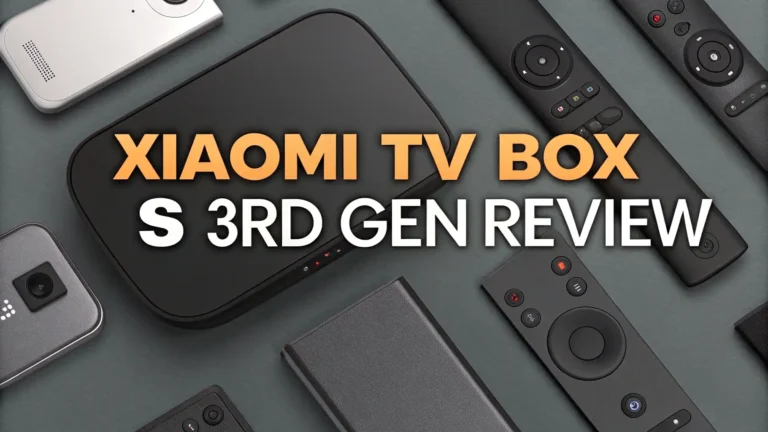
The AM9 competes well against devices like the Xiaomi TV Box S 3rd Gen. While Xiaomi offers Android TV certification and a lower price, the AM9 provides more raw power and flexibility. Users who want to customize their experience and install any app they choose will prefer the open nature of the Ugoos device. The choice depends on your priorities between simplicity and flexibility.
FAQ
What Makes the Ugoos AM9 Different from Other Android TV Boxes
The AM9 runs pure Android 14 AOSP instead of restricted Android TV operating system. This design choice gives you complete freedom to install any APK and customize your experience. The Amlogic S905X5 processor is brand new for 2026, offering significantly better performance than boxes using older chips.
Can the Ugoos AM9 Play 4K HDR Content Smoothly
Yes, the AM9 handles 4K HDR content without issues. The device supports HDR10 format and includes hardware decoding for modern video codecs. The HDMI 2.0 output delivers clean 4K signals at 60fps to your display. WiFi 6 or Gigabit Ethernet provides enough bandwidth for high quality 4K streaming. Users report smooth playback from services like Netflix, Amazon Prime Video, and local media files.
Does the Ugoos AM9 Support Netflix and Other Streaming Services
The AM9 runs most streaming apps successfully through the Play Store or sideloaded APKs. However, because it uses standard Android rather than certified Android TV, some streaming services might limit resolution to 720p or 1080p instead of 4K. Netflix, YouTube, and most major services work properly. Check specific app requirements before purchasing if you need guaranteed 4K streaming from all services.
How Does the Ugoos AM9 Compare to the Nvidia Shield
The Shield offers better gaming performance and certified Android TV with guaranteed app compatibility. The AM9 provides newer Android version, more modern codec support, and greater customization flexibility at a lower price. For serious gamers, the Shield remains the better choice. For users focused on streaming, IPTV, and media playback, the AM9 delivers comparable performance for less money.
Can You Install Kodi on the Ugoos AM9
Yes, Kodi installs and runs excellently on the AM9. You can download Kodi from the Play Store or install it from the official Kodi website. The powerful hardware provides smooth navigation and playback through Kodi’s interface. Hardware decoding capabilities ensure efficient video playback of various formats. Many users purchase the AM9 specifically as a Kodi media center device.
What Storage Options Does the Ugoos AM9 Offer
The device includes 64GB of internal storage with approximately 50GB available after the system reserves space. You can expand storage using the microSD card slot, which accepts cards up to 256GB. USB ports allow you to connect external hard drives for additional media storage. This combination of internal and expandable storage provides flexibility for different usage patterns and media library sizes.
Does the Ugoos AM9 Get Hot During Extended Use
The AM9 features a metal chassis that acts as a passive heatsink. The device runs warm during heavy use but not uncomfortably hot. The efficient 6nm processor generates less heat than older chips. Users report stable performance during extended streaming sessions without thermal throttling. The fanless design means completely silent operation while maintaining adequate cooling for reliable long term use.