
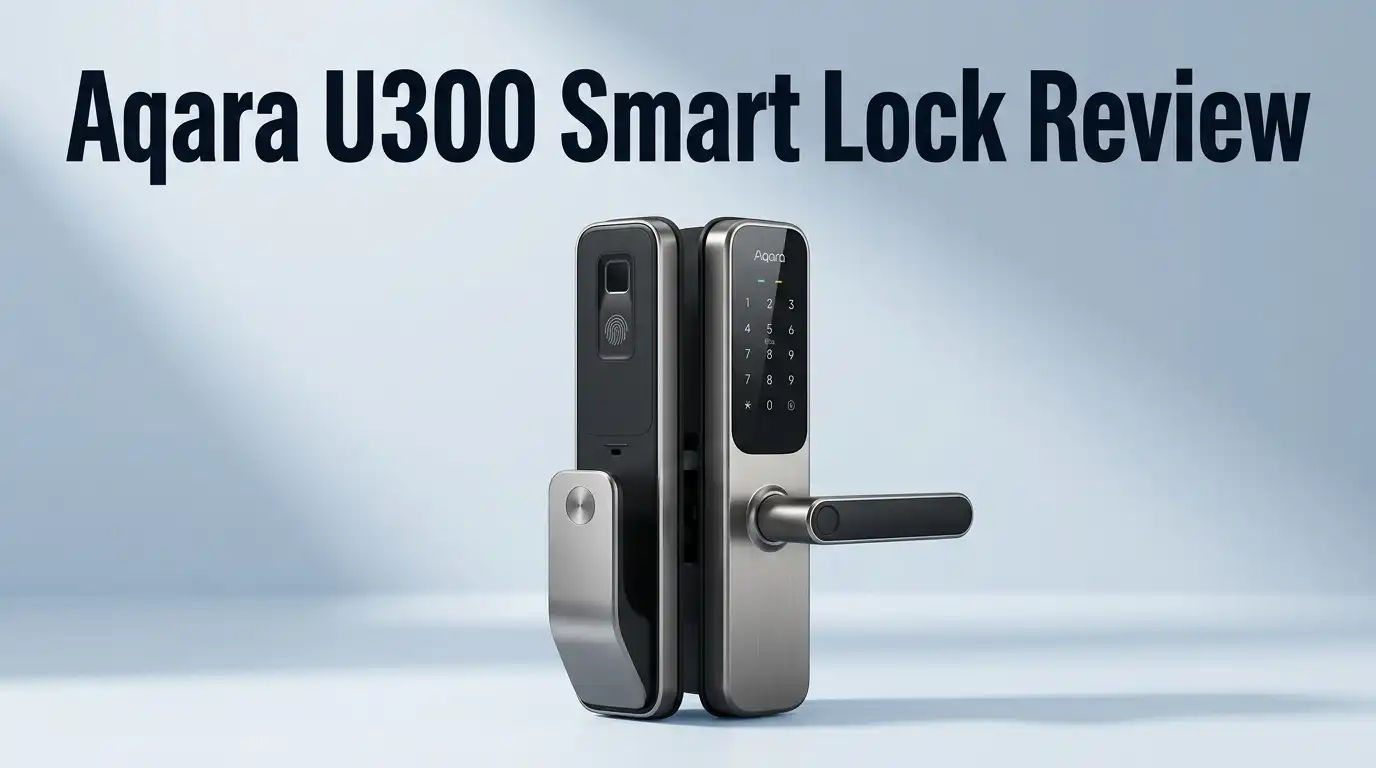
Aqara U300 Smart Lock Review 2026: Worth Buying?
Smart locks promise freedom from keys. Most of them deliver frustration instead. Dead batteries, slow fingerprint readers, and apps that forget your door exists have burned plenty of buyers.
The Aqara U300 takes a different path. It is a lever style handle lock with a fingerprint sensor built into the handle itself. You grab the door, and the door opens. No fumbling, no keypad tapping, no phone.
This review covers the unboxing, the install, the daily use, and the parts Aqara does not advertise. I also cover who should skip this lock entirely, because the U300 is not right for every door.
In A Nutshell:
- The fingerprint handle is the star feature. The sensor sits exactly where your thumb lands. Recognition takes roughly 0.3 seconds, and the false acceptance rate sits below 0.0001%. It reads clean, dry fingers almost every time.
- You get seven ways inside. Fingerprint, touchscreen PIN, Apple Home Key, NFC card, Bluetooth, app, and two physical keys. A USB C emergency port on the side keeps you from ever standing outside a dead lock.
- Matter over Thread is the connectivity backbone. Battery life stretches to roughly 10 months on four AA cells. The tradeoff is real though: you need a Thread border router and Matter controller for remote features. A HomePod mini, Apple TV, or Aqara Hub M3 fills that role.
- Price sits around $229 to $250 at most retailers, which lands below the Schlage and Yale flagships while offering more unlock methods.
- It has genuine weak spots. Android setup has been rocky for many users, the IPX4 rating is modest, the handle is plastic, and the inner panel is bulky. This is a lever lock, so it will not fit a deadbolt only door.
What Is The Aqara U300 Smart Lock?

- 【Apple Home and Home Keys Integration】The U300 is a smart door lock seamlessly integrated with Apple Home (requires an Apple 2-in-1 Matter Controller & Border Router). You can unlock it effortlessly using Apple Home Keys by simply tapping your iPhone or Apple Watch, even when your device is out of power. Additionally, door access can be easily managed and shared with guests directly through the Apple Home app.
- 【Smart Automations with Aqara and Third-Party Devices】When paired with an Aqara Thread-enabled Matter Hub (like the M3), the U300 supports smart home automations and remote unlocking. Thanks to the Matter over Thread protocol, it’s also compatible with third-party ecosystems such as Google Home, Alexa, IFTTT, and Samsung SmartThings. This flexibility allows seamless integration into a variety of smart home setups for enhanced automations and convenience.(Tips: After adding the door lock to the Aqara Home app, only the administrator's fingerprint or password can reset the door lock.)
Last update on 2026-09-12 / Affiliate links / Images from Amazon Product Advertising API Some of the links on this website are affiliate links, which means that at no additional cost to you, I earn a commission if you click through and make a purchase. I only recommend products and services that I believe will add value to my readers. Thank you for your support!
The U300 is a full replacement lever lock. It swaps out your existing handle and latch assembly completely. That separates it from retrofit locks, which bolt onto the inside of a deadbolt you already own.
Aqara markets it as the first lever lock with both Matter support and Apple Home Key. That claim held up when it launched, and rivals have been slow to copy it.
The lock ships in two colors, black and silver. Both use tempered glass on the keypad with an anti fingerprint coating. The finish resists smudges better than the glossy plastic panels found on cheaper locks.
Physically you get two panels. The outer panel measures 140 x 76 x 73.5mm and carries the keypad, handle, fingerprint sensor, NFC reader, speaker, and hidden key cylinder. The inner panel measures 159 x 74.5 x 76mm and holds the four AA batteries plus a passage mode button.
Local storage is generous. The lock keeps 25 fingerprints, 75 PIN codes, 10 NFC records, and 10 Matter users in its own memory. That matters more than people realize. Codes and prints work with zero internet, zero hub, and zero app. The intelligence lives in the lock, not in a cloud server.
Total weight comes to 2290g, or just over 5 pounds. It feels substantial in hand, closer to a commercial lock than a consumer gadget.
Unboxing The Aqara U300: First Impressions
The box arrives compact and dense. Aqara packs the two panels in molded foam trays with a thin fabric sleeve over the glass keypad.
Lift the top tray and you find the accessory layer. Inside sits a printed user manual, a paper installation diagram, four AA batteries, two mechanical keys, a mounting backplate, a strike plate, and a small accessories kit with screws and spindles.
The included batteries deserve a mention. Plenty of manufacturers make you supply your own. Aqara does not, so you can install and test the lock the same hour it arrives.
First touch of the outer panel is reassuring. The matte finish feels dry and grippy, and the glass keypad has almost no flex. Tap it once and the numbers glow white, which looks genuinely sharp at night.
The handle is where opinions split. It is textured plastic, not solid metal. It feels light when you pull it, and it does not carry the weight of a brass Baldwin or Schlage lever. Flex is minimal and nothing creaks, but budget conscious buyers expecting a metal handle at this price will notice the difference immediately.
Pry the fingerprint sensor cover outward and the physical key cylinder appears underneath. That hidden design keeps the clean look while preserving a real backup.
The paper diagram is printed at actual size. You can hold it against your door to check the hole spacing before you pick up a single screwdriver. Small touch, big time saver.
Installation Experience: How Hard Is It?
Plan on 30 to 45 minutes if your door already has a standard lock. Add time if you are drilling fresh.
Door requirements are specific. You need a backset of 2 3/8 inch or 2 3/4 inch, a door thickness between 1 3/8 inch and 2 11/64 inch, and a bore hole diameter of 2 1/8 inch. Those figures cover most North American residential doors, but measure first. Odd European doors and metal commercial slabs often fall outside the range.
The sequence runs simple. Remove the old lock and strike plate. Fit the new latch into the edge bore. Slide the outer panel through the main hole. Screw the inner mounting bracket onto the outer panel studs. Route the ribbon cable carefully, plug it into the inner panel, then seat the inner panel onto the bracket.
Cable routing is the one step where people go wrong. Pinch that ribbon and the lock behaves erratically or refuses to power on. Take an extra minute and tuck it flat.
A rubber gasket sits behind the outer panel for weather sealing. Press it evenly or water can creep behind the plate during heavy rain.
App pairing comes next. You scan a QR code printed on the lock body, and the Aqara Home app walks you through voice prompted setup. The iPhone experience is smooth and usually finishes in under five minutes.
Android is a different story. Several reviewers and owners have reported the app refusing to connect on Android during first pairing, with standard troubleshooting failing to fix it. Aqara has pushed updates since launch, but this remains the most common install complaint.
Top 3 Alternative for Aqara U300 Smart Lock
No products found.
Aqara Smart Lock U200

- 【Apple Home and Home Key Support】The U100 is a smart door lock that is fully integrated into Apple Home. It can be unlocked with the Apple home keys by simply tapping an iPhone or Apple Watch, even when the iPhone or Apple Watch is out of power. Moreover, you can manage and share door access for your guests in Apple Home. (NOTE: To share Apple Home Keys, you need an Apple Home Hub)
- 【Fingerprint and More Ways to Unlock】The Smart Lock U100 offers multiple ways to unlock, including a high-precision fingerprint reader for up to 50 fingerprints, remotely configurable passwords via the Aqara Home app (An Aqara Zigbee 3.0 hub is required), one-time local passwords for visitors, and a mechanical key for emergency use. * The NFC card is not included and is sold separately.
Last update on 2026-09-12 / Affiliate links / Images from Amazon Product Advertising API Some of the links on this website are affiliate links, which means that at no additional cost to you, I earn a commission if you click through and make a purchase. I only recommend products and services that I believe will add value to my readers. Thank you for your support!
Aqara Smart Lock U100

- MORE WAYS TO ENTER: Hands full of groceries? This keyless entry door lock recognizes when you’re home and unlocks automatically. For everyone else, there’s a keypad, full smartphone and Apple Watch control, or a backup key if all else fails.
- CONTROL FROM ANYWHERE: This electronic door lock puts home security in your pocket - connecting directly to 2.4 or 5 GHz Wi-Fi without a hub or bridge. Lock up, let someone in, and get real-time alerts with the Yale Access app (US & Canada Only).

Last update on 2026-09-13 / Affiliate links / Images from Amazon Product Advertising API Some of the links on this website are affiliate links, which means that at no additional cost to you, I earn a commission if you click through and make a purchase. I only recommend products and services that I believe will add value to my readers. Thank you for your support!
Yale Assure Lock 2 with WiFi
Fingerprint Sensor Performance: Is It Actually Fast?
Yes. This is the feature that justifies the purchase.
The sensor uses a 160 x 160 pixel semiconductor array. Most consumer smart locks use smaller arrays, which is why their readers hesitate or reject good fingers. More pixels means more ridge detail captured per scan.
In practice you walk up, wrap your hand around the handle, and the door unlocks before your arm finishes moving. Aqara quotes 0.3 seconds. Real world use feels closer to instant, with the keypad flashing white to confirm success.
Placement is the underrated genius here. Keypad only locks force a deliberate stop at the door. Deadbolt mounted sensors force you to reach at an awkward angle. The U300 puts the sensor under your thumb during the motion you were already making.
Enrollment takes about 20 seconds per finger. Register two fingers per person, ideally a thumb from each hand. The lock holds 25 prints total, which covers a large family plus cleaners, dog walkers, and visiting relatives.
Now the honest part. Wet fingers fail. Dusty fingers fail. Come in from rain or from sanding drywall and you will get a rejection beep. Wiping your hand on your shirt fixes it, but the failure is real and it happens.
Cold weather also thickens skin and slightly lowers the hit rate. The outer panel itself operates down to minus 22F, so the hardware survives winter fine. Your fingertips are the limiting factor, not the sensor.
Matter Over Thread And Smart Home Integration
Aqara built the U300 on Thread rather than WiFi, and that choice drives almost everything good about the lock.
Thread uses a low power mesh network. Each mains powered Thread device relays traffic for its neighbors. Commands travel locally, so lock and unlock actions fire in under a second instead of routing through a distant server.
Battery life benefits enormously. Aqara rates the lock at roughly 10 months on four AA cells, based on 10 fingerprint unlocks per day. WiFi locks in the same class often need fresh batteries every three to five months.
Here is the requirement people miss. Thread needs a border router, and Matter needs a controller. The lock cannot reach the internet on its own. A HomePod mini, Apple TV 4K, Echo Hub, Nest Hub second generation, SmartThings Station, or the Aqara Hub M3 can serve that role.
Without one, you still get fingerprint, PIN, NFC, key, and Bluetooth access from nearby. You lose remote locking, notifications, temporary passwords, and voice control.
Supported platforms include Apple Home, Amazon Alexa, Google Home, SmartThings, IFTTT, Home Assistant, and Aqara Home. Apple Home Key support is the standout, letting you tap an iPhone or Apple Watch to the lock. It works even when the phone battery is fully drained, thanks to the express card power reserve.
Home Assistant users report solid local control once the lock is added through a Matter controller, though some Aqara specific settings stay app only.
Passage Mode And Auto Lock Explained
Passage mode holds the latch retracted so the door opens freely without any verification. Auto lock does the opposite, securing the door automatically after a set delay.
Toggling between them takes a fingerprint or PIN followed by a press of the button on the inner panel. Aqara made this deliberately local. You cannot switch passage mode on remotely, only off. That is a safety decision, and it is the correct one, since an accidental app tap should never leave your front door open all day.
The use cases are genuinely practical. Host a backyard party and nobody needs a code. Work in a garage workshop with gloves on and the door stops fighting you. Run a small office where staff come and go all morning.
Reviewers consistently name passage mode as a favorite feature, and it is one of the few areas where the U300 beats every mainstream competitor.
Auto lock timing is adjustable in the app. Set it to a few seconds for maximum security or a minute or two if you carry groceries. Pair auto lock with a door sensor and you avoid the classic failure where the bolt fires into an open frame.
Temporary passwords round out the access controls. One time passwords generate algorithmically, producing eight valid sets per hour, so you can issue a code even while the hub sits offline. Periodic passwords cover date ranges, which suits Airbnb hosts and contractors.
Battery Life And Emergency Power
Four AA batteries ship in the box and slot into the inner panel. Aqara quotes roughly 10 months of life at 10 fingerprint unlocks per day.
Real world results vary with usage. Households hammering the lock 30 times daily should expect closer to five or six months. Light users on a side door may cross a full year.
The app sends low battery warnings well before the cells die. Notifications require a working Matter controller, so hubless owners should watch the battery icon on the lock instead.
The USB C emergency port is the safety net. If the batteries die completely, plug any power bank into the port on the left side of the outer panel and the lock wakes immediately. Five volts is all it needs.
Two mechanical keys provide the second backup. The cylinder hides behind the fingerprint sensor cover, which pries outward.
Between a power bank and a physical key, getting locked out is close to impossible. That redundancy is worth more than any spec sheet number.
One honest gripe: AA batteries feel dated in 2026. The cheaper U200 uses a rechargeable pack you pop out and charge over USB C. Aqara chose replaceable cells for the U300 to maximize runtime and cold weather reliability, and that logic holds, but some buyers would prefer the rechargeable route.
What The Aqara U300 Does Not Do Well
Every review that skips this section is selling you something. Here are the real limitations.
Android setup remains inconsistent. Multiple reviewers have hit walls pairing the lock on Android phones, with documented cases of the app refusing to connect entirely. iPhone users rarely see this.
No built in WiFi. No hub means no remote anything. Budget an extra $50 to $130 if you lack a Thread border router.
IPX4 is modest. That rating covers splashing water, not driving rain or pressure washing. A fully exposed door with no overhang is a bad match.
The inner panel is bulky. At 159mm tall and 76mm deep, it protrudes noticeably into the room. Narrow hallways and doors near walls can feel cramped.
The handle is plastic. It feels sturdy and shows little flex, but it does not match the heft of premium metal hardware at similar prices.
Lever locks are more vulnerable to loiding than deadbolts, meaning card shimming attacks on the angled latch. A door stop moulding blocks this, but bare frames stay exposed. Security minded buyers on a main entry should weigh this carefully.
No camera and no doorbell. You need Aqara’s separate G4 doorbell for video, which adds cost.
Lock and leave is missing compared to some rivals, and the inner panel has no fingerprint reader, so exiting always means turning the handle.
Pros And Cons Of The Aqara U300
Pros
- Fastest fingerprint reader in its class, unlocking in roughly 0.3 seconds from a natural handle grab
- Seven unlock methods covering fingerprint, PIN, Apple Home Key, NFC card, Bluetooth, app, and mechanical key
- Matter over Thread gives local control, sub second response, and platform freedom across Apple, Google, Alexa, SmartThings, and Home Assistant
- Roughly 10 months of battery life on four AA cells, well above typical WiFi lock runtimes
- USB C emergency power port removes any realistic lockout risk
- Passage mode with local only activation, ideal for workshops, offices, and gatherings
- Offline one time passwords that work even with the hub down
- Generous local storage at 25 prints, 75 codes, 10 NFC records, and 10 Matter users
- Handles cold down to minus 22F on the outer panel
- Both handing directions supported for left and right opening doors
Cons
- Requires a Thread border router and Matter controller for every remote feature
- Android pairing problems reported by multiple owners and reviewers
- IPX4 only, so fully exposed doors are risky
- Plastic handle rather than metal at a premium price
- Bulky inner panel that protrudes into the room
- Lever design invites loiding more than a deadbolt does
- AA batteries instead of the rechargeable pack found on the U200
- Fails on wet or dusty fingers until you wipe your hand
- Strict door compatibility on backset, thickness, and bore diameter
Aqara U300 vs U200 vs U100: Which One Fits You?
Aqara sells three locks that confuse shoppers constantly. The difference is mostly about door hardware, not smarts.
The U300 is a lever lock. It replaces your handle and latch. Pick it when you want fingerprint access built into the handle itself, or when your door uses a lever rather than a deadbolt. Garage doors, side entries, offices, and workshops suit it perfectly.
The U200 is a retrofit deadbolt. It mounts over your existing deadbolt and keeps your original keys working. Installation is faster and less invasive, and it uses a rechargeable battery pack. Fingerprint reading lives on a separate keypad unit rather than the handle. Renters should look here first, since the change is reversible.
The U100 is a full deadbolt replacement with a keypad and fingerprint reader on the exterior escutcheon. It uses WiFi through an Aqara hub rather than Thread, carries an IP65 rating, and typically sells for less.
Choose the U300 for handle mounted fingerprint speed and Thread efficiency. Choose the U200 for easy retrofit on a deadbolt door. Choose the U100 for the lowest price and better weather sealing on a deadbolt.
Note that all three share the same Aqara Home app, the same code and print management, and the same commitment to local operation. Whichever you pick, the software experience stays consistent.
Who Should Buy The Aqara U300?

- 【Apple Home and Home Keys Integration】The U300 is a smart door lock seamlessly integrated with Apple Home (requires an Apple 2-in-1 Matter Controller & Border Router). You can unlock it effortlessly using Apple Home Keys by simply tapping your iPhone or Apple Watch, even when your device is out of power. Additionally, door access can be easily managed and shared with guests directly through the Apple Home app.
- 【Smart Automations with Aqara and Third-Party Devices】When paired with an Aqara Thread-enabled Matter Hub (like the M3), the U300 supports smart home automations and remote unlocking. Thanks to the Matter over Thread protocol, it’s also compatible with third-party ecosystems such as Google Home, Alexa, IFTTT, and Samsung SmartThings. This flexibility allows seamless integration into a variety of smart home setups for enhanced automations and convenience.(Tips: After adding the door lock to the Aqara Home app, only the administrator's fingerprint or password can reset the door lock.)
Last update on 2026-09-12 / Affiliate links / Images from Amazon Product Advertising API Some of the links on this website are affiliate links, which means that at no additional cost to you, I earn a commission if you click through and make a purchase. I only recommend products and services that I believe will add value to my readers. Thank you for your support!
Buy it if you already own Apple gear. HomePod mini or Apple TV owners get Home Key, remote control, and automations with zero extra hardware. The tap to unlock experience with an Apple Watch is the single most convenient entry method available today.
Buy it if your door uses a lever. Very few smart lever locks support Matter, and none match the U300 on fingerprint placement.
Buy it for a secondary door. Garages, workshops, home offices, and side entries benefit most. Passage mode shines in these spaces, and the moderate weather rating matters less under cover.
Buy it if you hate managing keys. Contractors, cleaners, and guests get codes with expiry dates. You stop cutting spares forever.
Skip it if you rent. You will be drilling and replacing hardware. The U200 retrofit is the smarter pick.
Skip it if you have no Thread border router and no budget for one. The lock still works locally, but you paid for connectivity you cannot use.
Skip it if your door faces the weather with no overhang. IPX4 will let you down eventually.
Skip it if you want metal hardware. Traditional door hardware buyers will find the plastic handle underwhelming.
At $229 to $250, the U300 delivers more unlock methods and faster biometrics than most $300 competitors. The value is genuine, provided you match it to the right door.
Final Verdict: Is The Aqara U300 Worth It In 2026?
The U300 earns a strong recommendation with clear conditions attached.
The fingerprint handle works better than any consumer lock I have used. Matter over Thread gives real local control and long battery life. Passage mode solves problems competitors ignore. The USB C port and physical keys mean you will never sleep in your car.
The compromises are equally real. Android setup is shaky, the hub requirement adds cost, the plastic handle undersells the price, and the lever design is less resistant to shimming than a deadbolt.
Rating: 4.3 out of 5. For an Apple household with a lever door under some cover, this is the best smart lock available. For a bare main entry on Android with no Thread hub, look elsewhere.
Buy it for the fingerprint speed. Stay for the local reliability.
Frequently Asked Questions
Does the Aqara U300 need a hub?
Not for basic use. Fingerprints, PIN codes, NFC cards, keys, and Bluetooth all work with no hub at all. You do need a Thread border router and Matter controller for remote locking, push notifications, temporary passwords, voice control, and automations. A HomePod mini, Apple TV 4K, Echo Hub, SmartThings Station, or the Aqara Hub M3 all qualify.
How long do the batteries last?
Aqara rates it at roughly 10 months on four AA cells, based on 10 fingerprint unlocks per day. Heavy households should expect five to seven months. A USB C emergency port on the side of the outer panel accepts any power bank if the cells die completely.
Does the Aqara U300 work with Apple Home Key?
Yes. Tap an iPhone or Apple Watch to the lock and it opens. The feature works even when the phone battery is fully drained, thanks to Apple’s express card power reserve. You need a Thread enabled Apple Matter controller, meaning a HomePod mini, HomePod, or Apple TV 4K.
Can it replace my deadbolt?
No. The U300 is a lever handle lock. It replaces a handle and latch assembly, not a deadbolt cylinder. If your door has a deadbolt, look at the Aqara U200 retrofit or the U100 full replacement instead.
How many fingerprints can it store?
The lock holds 25 fingerprints, 75 PIN codes, 10 NFC records, and 10 Matter users in local memory. All of this data stays on the lock with AES encryption, so access works without internet.
Is the Aqara U300 waterproof?
The outer panel carries an IPX4 rating, which covers splashing water from any direction. It is not rated for heavy driving rain, submersion, or pressure washing. The outer panel operates from minus 22F to 131F, while the inner panel handles 14F to 131F.
Does it work with Android?
It supports Android through the Aqara Home app, but several reviewers and owners have reported pairing failures on Android during initial setup. Firmware and app updates have improved this since launch. iPhone setup is far more reliable, and Apple users get Home Key on top.
What happens if the batteries die while I am out?
You have two options. Plug a USB C power bank into the emergency port to wake the lock instantly, or use one of the two mechanical keys. The key cylinder hides behind the fingerprint sensor cover, which pries outward.

Hello, I’m Juniper Harkness, a tech enthusiast and the creator of TechReviewz.blog, where I dive deep into the latest technology products available on Amazon.


