
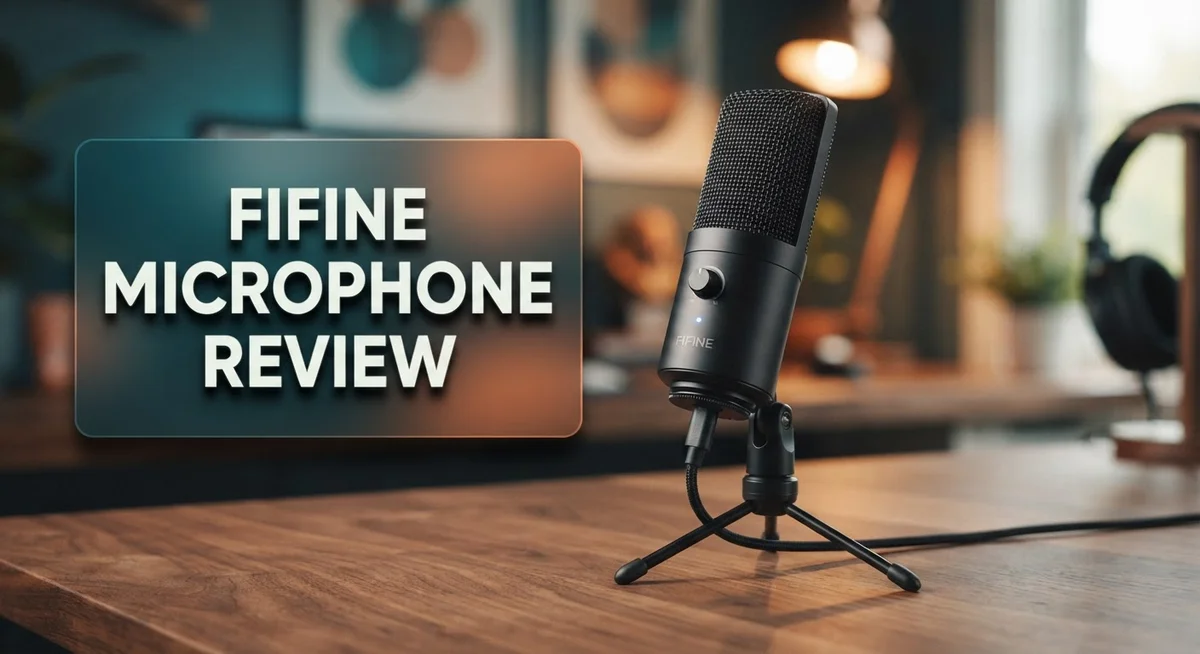
FIFINE Microphone Review 2026: Live Up To The Hype?
FIFINE makes microphones for gamers, streamers, and podcasters. The brand offers models like the Tank6, AM8, AM8 Pro, K688, K669D, and Ampligame A6. Each mic promises clear sound and simple use.
Are you searching for a microphone that fits your setup? FIFINE mics support both USB and XLR connections. This gives you flexibility for any recording style.
Many users love the clear audio quality these mics deliver. They work well for gaming sessions, live streams, and podcast recordings. Some models even offer professional grade sound.
In a Nutshell
- Overall Verdict: FIFINE mics offer solid performance for gamers, streamers, and podcasters who want flexible connection options without hassle.
- RGB Lighting Quirk: The AM8 model keeps its RGB lights on even after you power it off. This small issue bothers some users.
- Gain Calibration Matters: You get the best sound only after you adjust mic placement and gain levels properly. Skipping this step lowers audio quality.
- Model Variety: Options like Tank6, K688, K669D, and Ampligame A6 give you different features to match your specific setup.
- Build Quality: These mics show some entry level limitations in construction. They work well but do not feel like premium studio gear.
- Best For: Choose FIFINE if you want a reliable starter mic for content creation. Skip it if you need broadcast level durability.
Key Features and Specifications
FIFINE microphones pack several standout features that appeal to content creators. Let’s break down what makes these mics work for your setup.
USB and XLR Connectivity
Most FIFINE models offer dual connection options. You can plug directly into your computer via USB or connect to an audio interface using XLR. This flexibility means you start simple and upgrade your setup later without buying a new microphone.
Dynamic Microphone Design
FIFINE uses dynamic microphones across its lineup. Dynamic mics pick up sound from close range and reject background noise well. This makes them ideal for gaming streams, podcast recording, and voice chat where you sit near the microphone.
Clear Audio Output
The microphones deliver crisp, clear sound at their performance level. Voices come through without excessive harshness or muddiness. You hear natural tone reproduction that works well for speech and vocals.
Multiple Model Options
The Tank6, AM8, AM8PROT, K688, K669D, and Ampligame A6 give you choices based on your needs. Some models include features like pop filters or shock mounts built in. Others keep things simple and minimal.
Gain Control and Adjustment
Each model includes gain knobs or software controls. You can dial in the right input level for your voice and room. Proper gain adjustment makes a huge difference in final sound quality.
RGB Lighting on Select Models
Some FIFINE mics feature RGB lighting for aesthetic appeal. However, note that certain models like the AM8 maintain lighting even when powered off. You may want to check this detail if you prefer complete shutdown.
Compact and Lightweight Build
FIFINE mics stay relatively small and portable. They don’t take up much desk space and move easily between locations. This matters if you stream from different rooms or travel with your setup.
Plug and Play Functionality
Setup takes minutes with most FIFINE models. Windows and Mac systems recognize them quickly. You skip complicated driver installations and start recording fast.
These features combine to create mics that work straight out of the box while offering room to grow as your content creation skills advance.

- [Natural Audio Clarity] Operated with frequency response of 50Hz-16KHz, the podcasting XLR mic delivers balanced audio range, likely to resonate with your audience. Directional cardioid dynamic microphone corded will not exaggerate your voice, while rejects unwanted off-axis noise for vocal originality and intelligibility during your PS5 gaming streaming video recording. (Tips: Keep the top of end-addressing XLR dynamic microphone AM8 facing audio source, and suggested recording range is 2 to 6 in.)
- [XLR Connection Upgrade-Ability] To use XLR connection, connect the podcast microphone to an audio interface (or mixer) using a separate XLR cable (NOT Included) . Well-connected and smooth operation improves audio flexibility to make you explore various types of music recording singing. The streaming mic isolates the pristine and accurate sound from ambient noise with greater no interference and fidelity. (RGB and function key on mic are INACTIVE when using XLR connection.)
Last update on 2026-09-21 / Affiliate links / Images from Amazon Product Advertising API Some of the links on this website are affiliate links, which means that at no additional cost to you, I earn a commission if you click through and make a purchase. I only recommend products and services that I believe will add value to my readers. Thank you for your support!
Audio Quality and Sound Performance
FIFINE microphones deliver clear, punchy sound that works well for gaming, streaming, and podcasting. The dynamic microphone design captures your voice without picking up too much background noise. This makes them reliable for creators who record in less than perfect spaces.
The audio quality depends heavily on how you set up your microphone. Proper gain calibration is essential. You need to adjust the gain knob until your voice sounds balanced, not too loud or too quiet. Microphone placement also matters a lot. Keep the mic about 6 inches from your mouth for the best results.
FIFINE mics produce a warm, natural tone that many users prefer. The sound comes across as professional without sounding overly processed. When you use the XLR connection, you get access to external audio interfaces, which can improve sound quality even more.
The USB connection offers simplicity. Just plug it in and start recording. No extra equipment needed. However, the XLR option gives you more control over your audio chain. You can add compressors, EQs, and other effects.
One thing to watch is the frequency response. FIFINE mics tend to emphasize mid and high frequencies. This makes voices stand out but can sound harsh if your gain is too high. Lower your gain slightly if you hear any harshness in playback.
Noise rejection performs decently for the category. These mics pick up less room noise than cheaper alternatives. Still, they are not studio condenser microphones. You will hear some ambient sound, especially if your room is noisy.
The audio performance stays consistent across FIFINE’s lineup. The Tank6, AM8, K688, and K669D all deliver similar sound quality. The main differences come from build materials and additional features, not audio output.
For streaming and gaming, the sound quality is more than adequate. Your audience will hear clear, crisp audio. For podcasting, you might want to add a pop filter for better results. This reduces plosive sounds from letters like P and B.
Overall, FIFINE microphones punch above their weight in audio performance.
Connectivity and Setup Options
FIFINE microphones give you flexibility when it comes to how you connect them. Most models support both USB and XLR connections, which means you can plug directly into your computer or route through an audio interface.
The USB connection works great for beginners. You plug it in, and your computer recognizes it immediately. No drivers needed for most setups. This makes getting started fast and simple.
If you want more control, the XLR option lets you connect to an audio interface or mixer. This opens up professional workflows. You can add compression, EQ, or other effects before the signal reaches your computer.
Setup takes just a few minutes for most FIFINE models. The microphone mounts on a standard boom arm or desk stand. You adjust the gain knob on the mic body itself. Some models also include software controls for additional tweaking on your computer.
One important step is proper placement. Position the microphone about 6 to 8 inches from your mouth. Angle it slightly off axis to reduce plosives and harshness. This placement makes a real difference in how your audio sounds.
The gain calibration matters more than many people realize. Start with the gain knob around the middle position. Speak at your normal streaming or recording volume. Watch your levels on your computer. Adjust up or down until you hit around 6 dB of headroom. This prevents distortion and keeps your audio clean.
FIFINE mics work with Windows, Mac, and Linux systems. They integrate with popular streaming software like OBS and XSplit without issues. Podcast recording apps recognize them immediately too.
The dual connectivity approach means you’re not locked into one setup. Start simple with USB while you learn. Later, upgrade to an audio interface and use XLR when you’re ready. This flexibility lets your setup grow with your needs.
Top 3 Alternatives
Audio-Technica AT2020

- BUNDLE INCLUDES: Audio-Technica AT2020 Cardioid Condenser Studio Microphone with Pop Filter for Broadcasting and Recording Microphones Desktop Boom Arm Microphone Stand, TX 100 Black Closed Back Studio Monitor Headphones, Basic Microphone Shock Mount for 48 53mm Microphones, 25 Feet XLR Male to Female Microphone Cable
- DURABLE: With rugged construction for durable performance, the microphone offers a wide dynamic range and handles high SPLs with ease
Last update on 2026-09-18 / Affiliate links / Images from Amazon Product Advertising API Some of the links on this website are affiliate links, which means that at no additional cost to you, I earn a commission if you click through and make a purchase. I only recommend products and services that I believe will add value to my readers. Thank you for your support!
The Audio-Technica AT2020 works great for content creators and musicians. This cardioid condenser mic captures clear, detailed sound with a wide frequency response. You get professional audio quality without complicated setup steps.
The AT2020 connects easily to your computer or audio interface. Its compact design fits any desk setup. Many users love how it handles vocals and acoustic instruments with precision.
Blue Yeti USB

- Custom three-capsule array: This professional USB mic produces clear, powerful, broadcast-quality sound for YouTube videos, Twitch game streaming, podcasting, Zoom meetings, music recording and more
- Blue VO!CE software: Elevate your streamings and recordings with clear broadcast vocal sound and entertain your audience with enhanced effects, advanced modulation and HD audio samples

Last update on 2026-09-18 / Affiliate links / Images from Amazon Product Advertising API Some of the links on this website are affiliate links, which means that at no additional cost to you, I earn a commission if you click through and make a purchase. I only recommend products and services that I believe will add value to my readers. Thank you for your support!
The Blue Yeti USB delivers plug-and-play simplicity for streamers and podcasters. You connect it to your computer and start recording immediately. No extra equipment needed.
This microphone offers four pickup patterns. You can switch between cardioid, omnidirectional, bidirectional, and stereo modes. The built-in mute button and volume control sit right on the mic. Its sturdy base keeps everything stable during recording sessions.
Rode NT1 Microphone

- For Recording and Podcasting with HF6 1" True Condenser Capsule
- Silky, Warm Sound Character with Extremely Low Noise of 4 dBA
Last update on 2026-09-21 / Affiliate links / Images from Amazon Product Advertising API Some of the links on this website are affiliate links, which means that at no additional cost to you, I earn a commission if you click through and make a purchase. I only recommend products and services that I believe will add value to my readers. Thank you for your support!
The Rode NT1 brings broadcast-quality sound to your home studio. This cardioid condenser mic features a low self-noise design that captures clean recordings. You hear your voice clearly without unwanted background hum.
The NT1 includes a shock mount and pop filter. These accessories reduce vibrations and plosive sounds automatically. The microphone works with any standard XLR cable and audio interface. It’s ideal for voiceovers, podcasting, and music recording.
Each option serves different needs. The AT2020 excels at detailed sound reproduction. The Blue Yeti offers convenience and multiple pickup patterns. The Rode NT1 provides professional features with included accessories. Choose based on your recording style and workspace setup.
Design, Build Quality, and Durability
FIFINE microphones use sturdy materials that hold up well during regular use. The Tank6, AM8, and Ampligame A6 all feature metal construction on key components. This metal body protects the internal parts from accidental drops and bumps.
The build quality reflects what you get at this tier. The microphone bodies feel solid in your hands. Cables and connectors attach securely without wiggling loose. You won’t experience cheap plastic that cracks easily.
Durability stands out as a real strength for FIFINE mics. Many users report their microphones working perfectly after months or years of streaming and gaming. The dynamic microphone design means fewer moving parts to break. This simplicity helps them last longer than more complex alternatives.
One design choice worth noting is the RGB lighting feature on select models like the AM8. The lighting looks nice during streams. However, some users report the RGB stays on even after powering off the microphone. This quirk doesn’t affect sound quality, but it’s something to keep in mind.
The microphone stands that come with FIFINE units feel stable. They hold the mic steady during recording sessions. The shock mount design reduces vibrations from your desk or keyboard. This prevents unwanted noise from entering your audio.
Weight distribution on these microphones is excellent. The compact size means they don’t take up much desk space. You can easily move them around if you change your setup. The lightweight design also reduces strain on microphone arms.
Ventilation holes in the body help keep internal components cool. This prevents heat buildup during long streaming sessions. The mesh grille protects the capsule from dust and debris without muffling sound.
The overall construction reflects practical thinking rather than luxury design. FIFINE focuses on making mics that survive daily use and perform consistently. Replacement parts are available if something wears out over time. This practical approach means your microphone keeps working when you need it most.
Use Cases: Gaming, Streaming, and Podcasting
FIFINE microphones shine in three main areas: gaming, streaming, and podcasting. Each use case has different demands, and FIFINE models handle all three with solid performance.
Gaming requires quick response and clear communication. FIFINE mics capture your voice without lag, so teammates hear you instantly. The dynamic design cuts background noise from keyboard clicks and mouse movements. You can use USB mode for plug and play simplicity, or XLR mode if you want to route audio through a mixer for more control.
Streamers benefit from the dual connectivity options. Many content creators start with USB, then upgrade to XLR as their setup grows. FIFINE’s warm, natural tone appeals to audiences during long broadcast sessions. The microphone placement matters here—positioning it correctly prevents plosives and mouth sounds from ruining your stream. Proper gain calibration ensures your audio stays consistent throughout your broadcast.
Podcasters appreciate the flexibility FIFINE offers. Whether you record solo or with multiple hosts, these microphones adapt to your setup. The clear, punchy sound translates well to edited audio. XLR connectivity works perfectly if you want to connect multiple mics to a mixer. USB mode works great for solo podcasters recording directly into their computer.
One thing all three use cases share is the need for stability. FIFINE includes sturdy microphone stands with good weight distribution. This keeps the mic steady during intense gaming sessions or energetic podcast recordings. The build quality holds up through regular use without issues.
The RGB lighting on select models like the AM8 adds visual appeal to your streaming setup or gaming desk. However, note that some users report the lighting stays on even when powered off, so factor that into your decision.
Across gaming, streaming, and podcasting, FIFINE microphones deliver consistent performance. The combination of clear audio, flexible connectivity, and reliable build quality makes them suitable for creators at any experience level. You get professional sound without complicated setup procedures.
Pros and Cons
Pros
- Clear audio quality that performs well across gaming, streaming, and podcasting applications
- USB and XLR dual connectivity gives you flexibility to start simple or upgrade your setup later
- Professional sound capability arrives without requiring complex equipment or expertise
- Sturdy construction and excellent weight distribution keep the microphone stable during use
- Quick setup process gets you recording within minutes on Windows, Mac, or Linux
Cons
- RGB lighting on models like the AM8 stays on even after you power off the microphone
- Sound quality depends heavily on proper microphone placement and gain calibration
- Build materials reflect entry level standards rather than premium durability features
Who Should Buy It
FIFINE microphones work best for people who want professional sound without steep learning curves. You fit this profile if you stream games, create podcasts, or record content regularly.
Gamers benefit most from FIFINE’s quick response times. Your teammates hear clear callouts during competitive matches. The microphone captures your voice without delays that hurt gameplay. You don’t need to adjust complex settings between sessions.
Content creators find real value in the dual connectivity options. You can start with USB on your laptop today. Later, you can switch to XLR when your setup grows. This flexibility means you won’t outgrow the microphone quickly. Streamers especially appreciate this because your audio quality stays consistent as your audience expands.
Podcasters get stability and clarity in one package. Whether you record solo episodes or host group discussions, FIFINE mics handle both scenarios. The sturdy stands keep everything in place during long recording sessions. You won’t deal with microphone drift or wobbling that ruins takes.
People new to audio equipment should seriously consider FIFINE models. Setup takes minutes, not hours. Windows, Mac, and Linux all work without driver headaches. You can start recording immediately after unboxing. This matters if you don’t want to spend days troubleshooting connections.
However, skip FIFINE if you demand absolute premium sound or plan extensive studio customization. These microphones shine in straightforward setups. They work great in home studios but may not satisfy professionals with advanced mixing workflows.
You should also consider FIFINE if you value simplicity over flashy features. The microphones do one thing well: capture your voice clearly. They don’t offer endless adjustment options or software suites. That straightforward approach appeals to creators who want results fast.
FIFINE microphones suit people who want to start creating content today. You get professional sound quality without needing audio engineering knowledge. Your setup stays simple while delivering the clarity your audience expects.
Final Verdict
FIFINE microphones deliver solid performance for everyday users. Whether you pick the Tank6, AM8PROT, K688, K669D, or Ampligame A6, each model brings something useful to the table.
These microphones stand out when compared to competitors like the Behringer XM8500 and Zoom ZDM-1. FIFINE offers more flexibility with its dual connectivity setup across most models.
That said, no microphone works for everyone. If you need studio-grade precision or plan to build a complex home studio, look elsewhere first.
FIFINE fits best for casual streamers, new podcasters, and gamers who want reliable sound. You don’t need audio engineering skills to get good results here.
The RGB lighting quirk on the AM8 is worth noting again. It’s a minor annoyance, not a dealbreaker for most buyers.
Build quality feels solid across the lineup. These microphones survive daily use without falling apart or losing performance over time.
Support and documentation from FIFINE also help beginners. You won’t struggle to find setup guides or troubleshooting tips online.
If you’re comparing multiple entry level microphones, FIFINE deserves a spot on your shortlist. It balances simplicity with genuine audio clarity.
Choose FIFINE if you want a microphone that just works. Skip it only if premium studio features top your priority list.
Overall, this brand fills a specific gap well. It serves people who want to sound professional without a steep learning curve.
Your final choice depends on your specific goals. Gamers, streamers, and podcasters all find something valuable in the FIFINE lineup.
Test your chosen model with different placements and gain settings. Small adjustments make a noticeable difference in your final audio output.
In short, FIFINE earns its spot among solid entry level microphones. It’s a dependable choice for anyone starting their audio journey today.
Frequently Asked Questions
Do FIFINE microphones need special software to work?
No, FIFINE microphones work right out of the box. Windows, Mac, and Linux all recognize them automatically. You plug in the USB cable and start recording within minutes. Some models offer optional software for advanced settings, but it’s not required. Most users never need to install anything extra.
Can I use a FIFINE microphone for both gaming and streaming?
Yes, absolutely. FIFINE models like the AM8 and Tank6 handle both tasks well. Gamers get fast response times for clear callouts during matches. Streamers benefit from the dual USB and XLR connectivity. You can start with USB on your laptop today and upgrade to XLR equipment later without replacing the microphone.
What causes poor sound quality with FIFINE microphones?
Sound quality depends heavily on two things: microphone placement and gain calibration. Position the microphone 6 to 8 inches from your mouth. Adjust the gain so your voice sits in the middle of the audio meter, not too loud or too quiet. Poor placement or incorrect gain settings make even good microphones sound bad. The microphone itself isn’t the problem in most cases.
Is the RGB lighting on FIFINE models a problem?
The RGB lighting on models like the AM8 stays on even after you power off the microphone. Some users find this annoying. If you dislike always-on lights, check the product specs before buying. Other FIFINE models may have different lighting behavior, so verify this feature matches your needs.
Which FIFINE model is best for beginners?
The AM8 works well for people new to audio equipment. Setup takes minutes, not hours. The build feels solid and the microphone stays stable during use. It delivers clear sound for gaming, podcasting, and streaming without requiring complex expertise.

Hello, I’m Juniper Harkness, a tech enthusiast and the creator of TechReviewz.blog, where I dive deep into the latest technology products available on Amazon.


