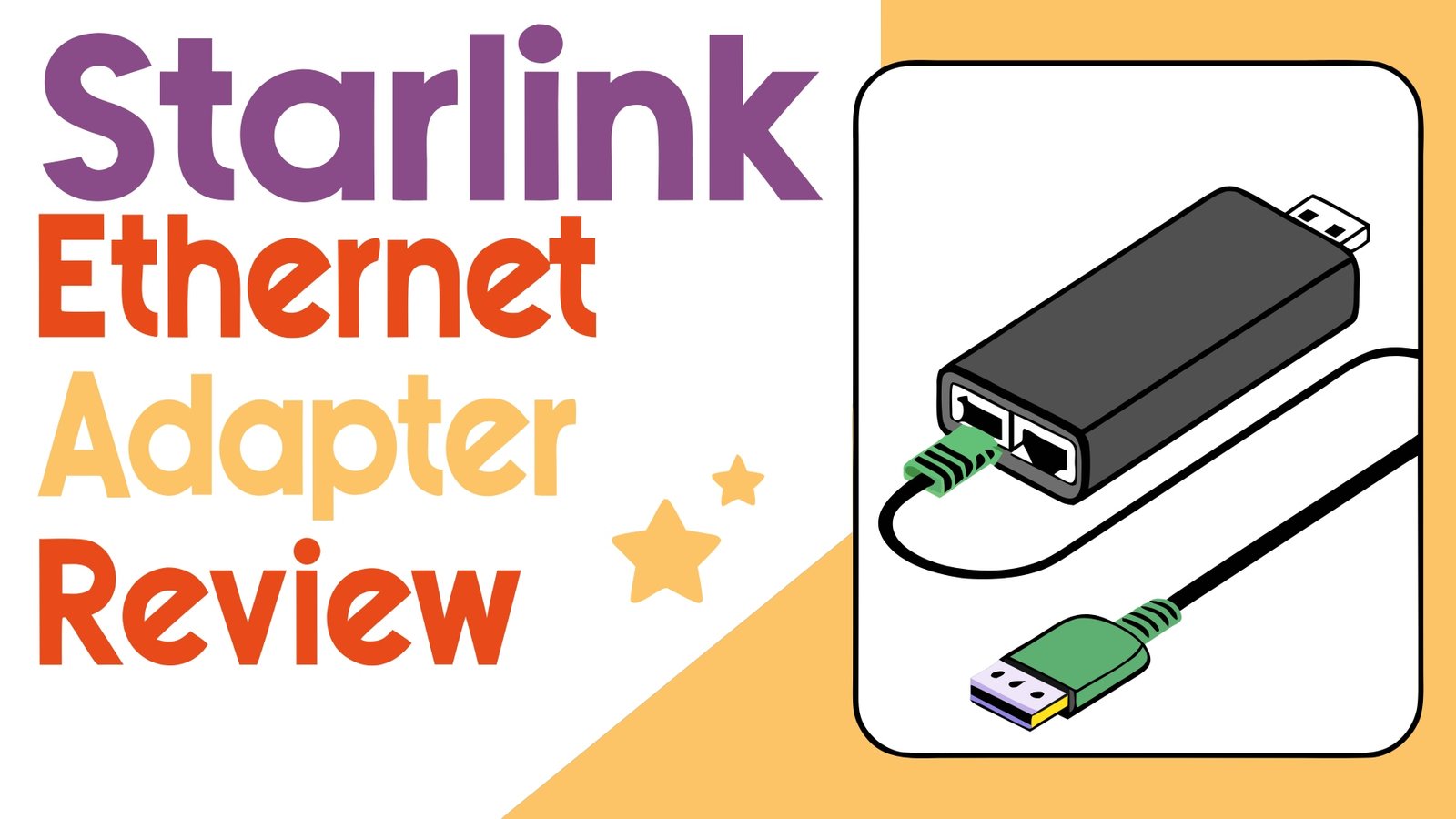
Starlink Ethernet Adapter Review: Speed and Reliability
Are you tired of dealing with unreliable WiFi connections and inconsistent internet speeds with your Starlink setup? The solution might be simpler than you think.
A Starlink Ethernet adapter can transform your satellite internet experience by providing stable, wired connections that eliminate WiFi interference and deliver consistent performance.
This comprehensive review explores the best Starlink Ethernet adapters available on Amazon, helping you choose the perfect solution for your home or office network.

Key Takeaways
- Improved Connection Stability: Starlink Ethernet adapters provide more consistent internet speeds compared to WiFi connections, eliminating interference and signal drops that commonly affect wireless networks.
- Enhanced Gaming and Streaming Performance: Wired connections deliver lower latency and reduced packet loss, making them ideal for online gaming, video conferencing, and 4K streaming applications.
- Multiple Device Connectivity Options: Many modern Ethernet adapters support multiple ports, allowing you to connect several devices simultaneously while maintaining optimal performance across your network.
- Generation Compatibility Matters: Gen 2 and Gen 3 Starlink systems require different adapter types, with Gen 3 routers featuring built-in Ethernet ports while Gen 2 systems need separate adapters.
- Easy Installation Process: Most Starlink Ethernet adapters feature plug-and-play functionality, requiring minimal technical knowledge and setup time to establish wired connections.
- Cost-Effective Network Expansion: These adapters provide an affordable way to expand your network capabilities without investing in expensive networking equipment or complex installations.


Best Starlink Ethernet Adapters for Gen 2 Systems
The Starlink Gen 2 Ethernet Adapter represents one of the most popular choices for users seeking reliable wired connections. This adapter supports speeds up to 1 Gbps, ensuring your internet connection maintains optimal performance for demanding applications.
Key features include its compact design and simple installation process. The adapter connects directly between your Starlink router and satellite dish, creating an Ethernet port for wired devices. Users report consistent performance improvements, especially when connecting gaming consoles, desktop computers, or streaming devices.
The build quality feels solid and durable, with a weather-resistant design that handles outdoor installations. Many customers appreciate the reliable connection it provides, eliminating the WiFi dead zones and interference issues common in large homes or offices.
Installation takes just minutes, requiring you to power down your system, insert the adapter between components, and reconnect everything. The plug-and-play functionality means no complex configuration or technical expertise needed.
Premium Multi-Port Ethernet Solutions
![LUCMO Multi Ports Starlink Ethernet Adapter for Starlink Gen 2 Wired External Network, 2 Ports Starlink Ethernet Adapter 1 to 2 [2 Devices Networked Simultaneously] - Up to 1 Gbps](https://techreviewz.blog/wp-content/plugins/aawp/public/image.php?url=YUhSMGNITTZMeTl0TG0xbFpHbGhMV0Z0WVhwdmJpNWpiMjB2YVcxaFoyVnpMMGt2TkRGc1YyTkpUVVJUTVV3dWFuQm58MTc3MDEyNjU1Mw=)
For users needing multiple wired connections, this dual-port Ethernet adapter offers excellent value and functionality. Supporting simultaneous connections for two devices, it eliminates the need for additional networking hardware like switches or hubs.
The adapter maintains full gigabit speeds across both ports, ensuring neither connection experiences performance degradation. This makes it perfect for home offices where you might need to connect both a desktop computer and a network-attached storage device or printer.
Build quality exceeds expectations with high-grade materials and robust connectors that maintain secure connections. The compact form factor fits easily into most networking setups without creating cable management issues.
Users report excellent stability with this multi-port solution, noting consistent speeds and reliable connections even during peak usage periods. The adapter handles bandwidth-intensive applications like 4K streaming and large file transfers without issues.
Top 3 Alternatives for Starlink Ethernet Adapters


Budget-Friendly Ethernet Adapter Options
This affordable Ethernet adapter provides excellent value for users seeking basic wired connectivity without premium features. Despite its lower price point, it delivers reliable performance and consistent speeds for everyday internet usage.
The adapter supports standard gigabit speeds and works seamlessly with Gen 2 Starlink systems. Its straightforward design focuses on essential functionality without unnecessary extras, making it perfect for budget-conscious users.
Installation remains simple with the same plug-and-play approach found in more expensive models. The compact size and lightweight construction make it easy to integrate into existing setups without modifications.
While it lacks advanced features like multiple ports or enhanced weather resistance, this adapter excels at its primary function of providing stable wired connections. Customer reviews consistently praise its reliability and value proposition.
High-Performance Amazon’s Choice Adapter
Amazon’s Choice recognition highlights this adapter’s exceptional customer satisfaction and proven reliability. With a 4.9-star rating, it represents one of the highest-rated options available for Starlink users.
The adapter delivers consistent 1 Gbps speeds with minimal latency, making it ideal for competitive gaming and professional applications. Its advanced circuitry ensures stable connections even during high-traffic periods.
Superior build quality includes reinforced connectors and improved shielding that prevents electromagnetic interference. The enhanced design provides better durability compared to standard adapters, justifying its premium positioning.
Users particularly appreciate the exceptional customer support and comprehensive warranty coverage that comes with this Amazon’s Choice product. The combination of performance, reliability, and service makes it a standout option.
Gen 3 Compatible Multi-Port Solutions
Gen 3 Starlink systems benefit from this advanced 4-port Ethernet adapter that maximizes connectivity options. While Gen 3 routers include built-in Ethernet ports, this adapter provides additional expansion for larger networks.
The 4-port design supports simultaneous connections for multiple devices while maintaining full gigabit speeds across all ports. This makes it perfect for small offices or homes with numerous wired devices.
Advanced features include individual port LED indicators that show connection status and activity levels. The intelligent switching technology automatically optimizes performance for each connected device based on its requirements.
While the price point is higher than single-port alternatives, the convenience and functionality of having four dedicated Ethernet ports provides excellent value for users with extensive networking needs.
Understanding Starlink Ethernet Adapter Compatibility
Compatibility considerations play a crucial role in selecting the right Ethernet adapter for your Starlink system. Gen 2 systems require external adapters since the router lacks built-in Ethernet ports, while Gen 3 systems include integrated Ethernet connectivity.
Generation differences extend beyond port availability. Gen 3 systems use different connector types and cable specifications, requiring specifically designed adapters for optimal compatibility. Gen 2 adapters won’t work with Gen 3 systems and vice versa.
Cable specifications also matter significantly. Gen 3 systems support PoE+ (Power over Ethernet Plus) technology, enabling advanced features and higher power delivery. This enhanced capability requires compatible adapters designed for Gen 3 specifications.
Future compatibility should factor into your decision. Gen 3 systems represent Starlink’s current technology direction, offering improved performance and expanded features. Consider your upgrade timeline when selecting adapters to avoid compatibility issues later.
Installation Guide and Setup Process
Proper installation ensures optimal performance and prevents connectivity issues. Begin by powering down your entire Starlink system, including both the router and satellite dish. This safety measure protects equipment during installation.
Disconnect the Starlink cable from your router by pressing the release tab and gently removing the connector. Avoid forceful pulling which can damage the delicate connector mechanism. The circular locking design requires proper technique for safe removal.
Install the Ethernet adapter by connecting it between the Starlink cable and router. Ensure secure connections at both ends, listening for the click that indicates proper engagement. Loose connections cause intermittent connectivity issues.
Power restoration should follow reverse order – connect power cables last after all data connections are secure. Wait for system initialization before testing connectivity, as Starlink systems require several minutes to establish satellite connections.
Troubleshooting Common Connection Issues
Connection problems often stem from improper installation or compatibility mismatches. Check all physical connections first, ensuring cables are fully seated and adapters are properly oriented. Connector damage can prevent proper engagement.
LED indicators provide valuable diagnostic information. Solid green lights typically indicate good connections, while flashing or red lights suggest problems. Consult your adapter’s documentation for specific indicator meanings.
Network configuration issues may require router resets or IP address conflicts resolution. Power cycling the entire system often resolves temporary glitches. Factory resets may be necessary for persistent problems.
Cable quality affects performance significantly. Damaged Ethernet cables cause intermittent connections and reduced speeds. Test with known good cables to isolate problems and replace faulty components as needed.
Performance Comparison: WiFi vs Wired Connections
Wired connections consistently deliver superior performance compared to WiFi alternatives. Ethernet adapters eliminate wireless interference from household devices, neighboring networks, and physical obstacles that affect WiFi signals.
Latency improvements represent one of the most significant advantages of wired connections. Gaming applications particularly benefit from reduced ping times and more consistent response. Professional applications like video conferencing also show improved performance.
Bandwidth consistency remains more stable with wired connections. WiFi performance varies based on distance, obstacles, and network congestion. Ethernet connections maintain consistent speeds regardless of physical location within reasonable cable lengths.
Multiple device scenarios highlight wired connection advantages. WiFi bandwidth divides among connected devices, potentially causing performance degradation. Wired connections provide dedicated bandwidth for critical applications while preserving WiFi capacity for mobile devices.
Advanced Features and Technology Benefits
Modern Ethernet adapters incorporate advanced technologies that enhance performance and reliability. Gigabit Ethernet support ensures maximum speed utilization of your Starlink connection, preventing bottlenecks that limit internet performance.
Auto-negotiation features automatically configure optimal settings for connected devices. This intelligent functionality ensures compatibility with various network equipment without manual configuration requirements.
Power management capabilities reduce energy consumption during low-usage periods. Green Ethernet technology automatically adjusts power levels based on cable length and connection requirements, improving efficiency without sacrificing performance.
Surge protection and electromagnetic shielding protect against electrical damage and interference. These built-in safety features extend equipment lifespan and maintain connection reliability in challenging environments.
Cost Analysis and Value Proposition
Pricing varies significantly among Starlink Ethernet adapters, ranging from budget options under $20 to premium multi-port solutions exceeding $50. Value assessment should consider features, build quality, and long-term reliability.
Budget adapters provide basic functionality for simple wired connections. While lacking advanced features, they deliver essential performance for users with straightforward connectivity needs. Cost-effectiveness makes them attractive for temporary or basic installations.
Premium options justify higher costs through enhanced features, superior build quality, and extended warranties. Multi-port designs, advanced materials, and comprehensive support provide additional value for demanding applications.
Long-term considerations include upgrade compatibility and future networking needs. Investing in higher-quality adapters often reduces replacement costs and provides better expandability as your network requirements evolve.
Customer Reviews and Real-World Performance
Customer feedback consistently highlights the significant improvement in connection reliability after installing Ethernet adapters. Users report fewer disconnections, more stable speeds, and improved overall experience with their Starlink service.
Gaming enthusiasts particularly praise the latency improvements and reduced lag experienced with wired connections. Competitive gaming becomes more enjoyable and fair when connection inconsistencies are eliminated through proper Ethernet adapter implementation.
Work-from-home users appreciate the enhanced reliability for video conferencing and file transfers. Professional applications require consistent connectivity, and Ethernet adapters provide the stability needed for productive remote work.
Common complaints typically involve compatibility issues or installation difficulties. Proper research and careful selection based on your specific Starlink generation prevents most problems and ensures satisfactory performance.
Future Developments and Upgrade Considerations
Starlink technology continues evolving rapidly, with newer generations offering improved performance and enhanced features. Current adapter purchases should consider forward compatibility to avoid premature obsolescence.
Gen 4 developments may introduce new connector types or enhanced power requirements, potentially affecting adapter compatibility. Staying informed about upcoming changes helps make smart purchasing decisions.
Network infrastructure trends favor increased bandwidth and lower latency applications. Future-proofing your setup with high-quality adapters ensures compatibility with emerging technologies and increased performance demands.
Investment timing should balance current needs with anticipated upgrades. Quality adapters typically maintain compatibility across multiple generations, making them worthwhile investments for long-term users.
Frequently Asked Questions
Do I really need a Starlink Ethernet adapter?
You need a Starlink Ethernet adapter if you want wired connections for devices like gaming consoles, desktop computers, or network equipment. Gen 2 systems require external adapters since they lack built-in Ethernet ports, while Gen 3 systems include integrated Ethernet connectivity.
Which Starlink Ethernet adapter works best for gaming?
Gaming applications benefit most from adapters that provide low latency and consistent connections. Look for adapters with gigabit speed support and high customer ratings. The Amazon’s Choice options typically offer the best performance for competitive gaming.
Can I use multiple Ethernet adapters with one Starlink system?
You cannot directly connect multiple adapters to a single Starlink system. Instead, choose a multi-port adapter or use an Ethernet switch connected to a single adapter. Multi-port solutions provide better performance and simpler installation.
How long do Starlink Ethernet adapters typically last?
Quality Ethernet adapters typically last 3-5 years with proper installation and normal usage. Higher-end models with better build quality often exceed this timeframe. Proper cable management and environmental protection extend adapter lifespan.
Are third-party Starlink Ethernet adapters reliable?
Third-party adapters can be reliable when purchased from reputable manufacturers with good customer reviews. Amazon’s extensive review system helps identify quality products. Avoid extremely cheap options that may compromise performance or reliability.
What should I do if my Ethernet adapter stops working?
First, check all physical connections and power cycle your system. Inspect cables for damage and test with different devices. If problems persist, contact the manufacturer’s support or consider replacement if the adapter is beyond warranty.