Arzopa Portable Monitor Review 2026: Worth It?
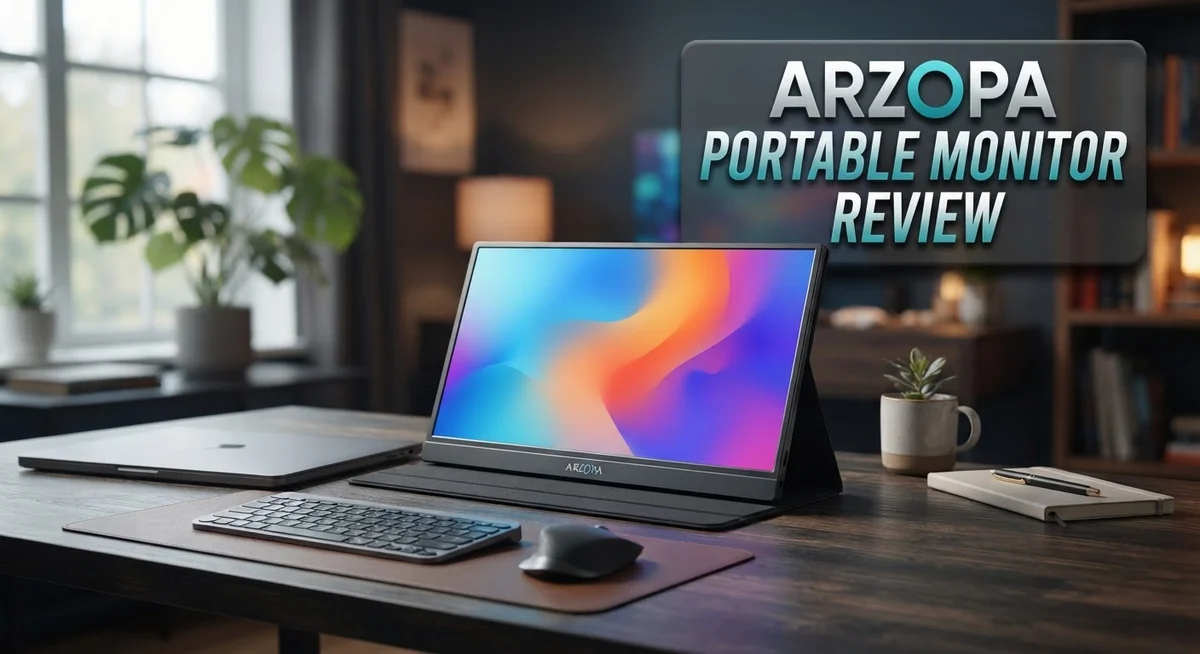
Do you work with two screens or need extra display space on the go? The Arzopa Portable Monitor might be your answer. This monitor slips into your bag with ease. It weighs about 1.72 lbs and measures just 9.3mm thick.
Arzopa builds these monitors with an aluminum frame. This gives them a solid feel that beats plastic competitors. You get sharp visuals too. Screen options range from crisp FHD 1080p to a stunning 2.5K resolution.
Gamers and creators will love the Z1FC model. It offers a fast 144Hz refresh rate for smooth motion. Setup is simple. Just connect a USB-C or HDMI cable, and the built-in kickstand pops up instantly.
In a Nutshell
- Ultra thin design: This monitor measures just 9.3mm thick. It fits in a laptop bag without adding bulk.
- Built-in kickstand: The adjustable stand pops out fast. You skip extra mounts or stands.
- Solid connectivity: USB-C and HDMI ports handle most laptops and consoles. Plug and play works well here.
- Decent contrast: A 1000:1 contrast ratio gives clear blacks and whites. Movies and documents both look crisp.
- Backed by warranty: Arzopa includes a 1 year warranty on these units. That covers most early defects.
- Best fit for: Remote workers, students, and casual gamers benefit most. Heavy editing pros may want something sharper.
Design and Build Quality
The Arzopa Portable Monitor impresses with its solid construction that prioritizes durability. The frame uses CNC anodized aluminum, which resists dents and scratches better than plastic alternatives. This material choice matters when you carry your monitor daily.
The device weighs just 1.72 pounds, making it genuinely portable. You can slip it into a laptop bag without straining your shoulders. The ultra thin 9.3mm profile means it takes up minimal space in your workspace too.
The adjustable kickstand deserves special mention. It pops out smoothly and holds the screen at multiple angles. You won’t need a separate stand or mounting arm for basic use. The stand feels stable even on uneven surfaces.
Build quality shows in the details. The bezels are thin and uniform around the screen. Ports sit flush against the body rather than sticking out awkwardly. Buttons feel responsive without being overly stiff or loose. These small touches add up to a refined experience.
Some users report that certain models feel more plastic than the metal claims suggest. This varies by specific model and batch. The Z1FC and higher end versions stick closer to true aluminum construction. Entry level options sometimes cut corners on materials.
The contrast ratio of 1000:1 contributes to the overall visual quality. You get crisp blacks without washed out grays. This makes text sharp and images pop. The screen doesn’t feel cheap when you’re actually using it.
The hinge mechanism is worth noting. It opens and closes smoothly after repeated use. No creaking or wobbling occurs even after months of daily handling. This durability suggests Arzopa engineered these monitors to last.
Overall, the design philosophy prioritizes portability without sacrificing sturdiness. The aluminum frame, lightweight body, and thoughtful stand design work together. You get a monitor that travels well and feels solid in your hands. It won’t match premium desktop displays in material quality, but it outperforms most portable competitors in this category.

- 16.1" 144Hz Display: Arzopa Z1FC 16.1" portable monitor has 144Hz ultra-high refresh rate for higher motion clarity and smoother gaming visuals. The 144Hz high refresh rate brings lower input latency and higher videos, work and game screen quality(no adaptive sync or freesync)
- Portable Monitor with Kickstand: The portable gaming monitor comes with a built-in stand that allows for easy adjustment of the tilt angle to accommodate different usage needs. Lightweight and easier to carry
Last update on 2026-09-02 / Affiliate links / Images from Amazon Product Advertising API Some of the links on this website are affiliate links, which means that at no additional cost to you, I earn a commission if you click through and make a purchase. I only recommend products and services that I believe will add value to my readers. Thank you for your support!
Display Performance and Resolution
Arzopa portable monitors deliver sharp visuals across multiple resolution options. You can choose between FHD 1080p displays and higher-end 2.5K models at 2560×1600. This range lets you pick the clarity level that fits your workflow.
The screen sizes span from 15.6 inches to 16.1 inches depending on your model choice. These dimensions strike a balance between portability and usable workspace. You get enough real estate for spreadsheets, coding, and video editing without adding bulk to your bag.
Refresh rates reach up to 144Hz on the Z1FC model, which matters if you play games or work with fast-moving graphics. Standard models typically offer 60Hz, which handles everyday tasks like browsing and document work smoothly. The higher refresh option eliminates screen tearing during intense sessions.
Color reproduction performs well for a portable device. Arzopa achieves a solid color gamut that produces vibrant reds, greens, and blues. The visuals look natural for most content, though professional color grading work may require a dedicated studio monitor instead.
The 1000:1 contrast ratio ensures blacks appear deep and whites stay bright. This contrast level creates good separation between on-screen elements. Text remains crisp and readable, even during extended work sessions.
The 9.3mm thickness means minimal distortion across the display surface. You won’t notice edge blur or color shifts when viewing from different angles. The panel quality remains consistent whether you’re sitting directly in front or viewing from the side.
Light output handles various environments reasonably well. Outdoor use works in shaded areas, though direct sunlight creates some glare. Indoor lighting poses no problems whatsoever.
Image sharpness stands out as a genuine strength across all Arzopa models. Whether you select 1080p or 2.5K resolution, the pixel density keeps everything looking crisp. Icons, text, and photos all render with good definition.
These display specs position Arzopa monitors as solid performers for remote work and content consumption. They won’t match premium reference monitors, but they deliver reliable visual quality for mobile professionals and students who need flexible screen real estate.
Connectivity and Compatibility
Arzopa portable monitors shine when it comes to connecting with your devices. The USB-C port serves as the primary connection method. This single cable handles both power delivery and video signal simultaneously. You get a true plug-and-play experience on most modern laptops and tablets.
The HDMI input gives you flexibility for older devices and gaming consoles. This dual connectivity approach means you won’t struggle to find a compatible cable. Desktop computers, Nintendo Switch units, and PS5 consoles all work without extra adapters in most cases.
Compatibility extends across Windows, macOS, and Linux systems. Your MacBook Air connects instantly. Windows laptops recognize the display within seconds. Chrome OS devices pair up smoothly as well. Android tablets and iPad models support the monitor through USB-C or HDMI depending on your device type.
The Z1FC model with 144Hz refresh rate pairs exceptionally well with gaming laptops. This higher refresh rate demands a solid USB-C connection to unlock full potential. Standard 60Hz models work fine with basic office setups and media consumption.
One practical note: not all USB-C cables deliver equal performance. The monitor ships with a quality cable, but older or cheaper third-party cables sometimes struggle with video transmission. Using the included cable prevents connection headaches entirely.
Display mirroring works seamlessly across all compatible devices. You can extend your desktop or duplicate your screen depending on your operating system. This flexibility matters when you’re presenting to clients or teaching online.
The monitor supports various resolution outputs depending on your source device. Your laptop automatically detects the best resolution available. Manual adjustment through display settings gives you fine-tuning options if needed.
Docking stations and USB hubs integrate well with the Arzopa system. You can chain multiple USB-C devices together without losing monitor functionality. This setup proves valuable for professionals managing multiple peripherals.
The straightforward connectivity design means minimal troubleshooting. Most users connect and start working within minutes. Driver installation rarely becomes necessary on modern systems. This simplicity separates Arzopa from competitors that require complex software setup.
Top 3 Alternatives
ASUS ProArt Display

- 26.5-inch 4K UHD (3840 × 2160) QD-OLED panel with a 120 Hz refresh rate and 0.1 ms (GTG) response time for smooth rendering
- 1000 nits peak brightness with VESA DisplayHDR True Black 400 for exceptional contrast and color performance. True 10-bit color depth provides 100% sRGB, 99% DCI-P3 and BT. 2020 wide color gamut

Last update on 2026-09-02 / Affiliate links / Images from Amazon Product Advertising API Some of the links on this website are affiliate links, which means that at no additional cost to you, I earn a commission if you click through and make a purchase. I only recommend products and services that I believe will add value to my readers. Thank you for your support!
ViewSonic VG1655

- Premium 16 Inch Full HD Portable Monitor: Elevate your mobile workspace with this 1080p (1920 x 1080) IPS screen extender featuring a premium aluminum design; this slim screen extender provides the extra real estate needed for work nomads anywhere
- Ultra-Slim and Lightweight Portability: Weighing only 1.8 lbs and measuring 0.6 inches thick, this compact monitor is built for effortless travel; the lightweight profile ensures it slips easily into any bag or backpack for on-the-go business productivity
Last update on 2026-09-02 / Affiliate links / Images from Amazon Product Advertising API Some of the links on this website are affiliate links, which means that at no additional cost to you, I earn a commission if you click through and make a purchase. I only recommend products and services that I believe will add value to my readers. Thank you for your support!
INNOCN Portable Monitor

- Portable Monitor Touchscreen with Full HD 1080P 100% sRGB - INNOCN ultra slim portable monitor features fhd 1920 x 1080 resolution at 60Hz. 15.6 inch IPS panel with 178° viewing angles, 1500:1 contrast ratio, 16: 9 aspect ratio, brightness(Max)- 470nits presents vibrant colors on the screen, 100% SRGB color rendering ability, provide you the clearer, smooth, excellent performance in gaming/multimedia.
- 15.6 Inch larger usb c travel monitor- INNOCN portable usb c laptop monitor can be directly powered by USB Type-C cable with AC adapter(included) ,power bank etc. It's good choice for playing or working outside when requiring an external screen, it comes with an protective case, no worry the scratching. NOTE: No battery included.
Last update on 2026-09-02 / Affiliate links / Images from Amazon Product Advertising API Some of the links on this website are affiliate links, which means that at no additional cost to you, I earn a commission if you click through and make a purchase. I only recommend products and services that I believe will add value to my readers. Thank you for your support!
Portability and Setup
Getting your Arzopa portable monitor out of the box and ready to work takes just a few minutes. The lightweight design means you can set it up anywhere without needing extra help or special equipment.
Unboxing feels straightforward. You get the monitor, a USB-C cable, an HDMI cable, and the stand. Everything you need arrives in the package. The compact box itself is easy to carry, so transport feels effortless from day one.
The adjustable kickstand is genuinely useful for real-world setups. You can angle it to match your desk height, your lap, or even a standing position. The stand holds firm without wobbling, which matters when you’re working on important tasks. Flipping it up or down takes seconds.
Connection time is minimal. Plug in your USB-C cable to your laptop, and the monitor powers on automatically. HDMI users simply connect the cable and adjust display settings on their device. Most people get a working setup within two minutes.
Portability shines in practical situations. The 1.72 pound weight means your bag stays light even with the monitor inside. The 9.3mm thickness lets it slip into slim laptop bags without taking up much space. Business travelers appreciate this. Remote workers moving between coffee shops love it too.
The aluminum frame protects your investment during transport. It resists dents better than plastic alternatives, so your monitor survives daily movement without damage. The metal construction also keeps the device cool during extended use.
Setup location flexibility is a real advantage. You work at home, then move to a client meeting, then to a coworking space. Your Arzopa comes with you every time. The built-in stand means you don’t hunt for external supports or worry about wobbly surfaces.
Battery power isn’t included, but USB-C connection powers the monitor while charging your laptop. This single cable approach eliminates extra wires from your setup. Your desk stays cleaner, and your bag stays lighter.
Color Accuracy and Visual Quality
Arzopa portable monitors deliver solid color performance for a device designed to move with you. The display panels use IPS technology, which means viewing angles stay consistent whether you’re sitting directly in front or glancing from the side. Colors remain stable across different positions, a real advantage when multiple people need to see the screen.
The color gamut covers 72% NTSC on most models, translating to vibrant reds, greens, and blues without excessive oversaturation. This range works well for content creation, photo editing, and everyday work tasks. If you compare it to budget desktop monitors, Arzopa holds its own comfortably. Professional color grading demands higher standards, but general users find the output more than acceptable.
The 1000:1 contrast ratio plays a major role in visual quality. Dark scenes appear genuinely dark, and bright elements pop without washing out. This separation between light and shadow makes movies, videos, and creative work feel more immersive on a smaller screen.
Brightness levels typically reach 300 nits or higher on newer models. This matters when you work outdoors or near windows. The screen remains readable in daylight instead of turning into a mirror. Indoor use feels effortless, with no eye strain from excessive dimming or flickering.
Panel uniformity stays consistent across the display surface. You won’t notice color shifts or brightness variations in different corners, which some cheaper portable monitors struggle with. The 9.3mm thickness helps maintain this uniformity by reducing internal reflections.
Response times on standard models sit around 5ms, adequate for everyday tasks. The Z1FC variant with 144Hz refresh rates drops response time further, benefiting those who work with animation or fast visual content. Text appears crisp and clean, making long editing sessions or document work comfortable.
Color accuracy improves when you calibrate the display through your operating system settings. While Arzopa doesn’t ship with factory calibration profiles, the panel responds well to basic adjustments. The result feels natural and balanced for general use rather than clinical laboratory work.
Pros and Cons
Pros
- Metal CNC anodized frame provides superior durability compared to plastic competitors
- Weighs only 1.72 pounds, making it genuinely easy to slip into your work bag or backpack
- Built in adjustable kickstand works well for various desk setups without needing extra accessories
- Sharp visuals with solid color gamut and 1000:1 contrast ratio deliver vibrant images on screen
- Connects instantly to Windows, macOS, and Linux devices with minimal setup time required
Cons
- Some models feel plastic despite marketing claims about metal construction, so inspect before purchase
- Color accuracy falls noticeably short compared to premium monitor alternatives designed for professional work
- USB-C power connection means you cannot use the monitor independently without a connected device nearby
Who Should Buy It
Arzopa portable monitors work best for people who move between locations regularly. If you travel for work, attend client meetings, or switch between home and office, this monitor fits your lifestyle. The 1.72 pound weight means you carry it without strain, even during long commutes.
Content creators benefit from the extra screen real estate. Designers, video editors, and developers gain a second display for reference materials while working on their main screen. The 72% NTSC color gamut provides enough accuracy for color grading tasks, though professional color work demands premium alternatives.
Remote workers and digital nomads find real value here. You get a full display setup without occupying much space in your bag. The adjustable kickstand adapts to various desk configurations, whether you’re in a coffee shop, hotel room, or coworking space.
Students and casual users appreciate the simplicity. You connect via USB-C or HDMI, and the monitor powers up immediately. No drivers or complex installation steps slow you down. The 300 nit brightness handles indoor study sessions and outdoor work equally well.
Gamers with specific needs should consider the higher refresh rate models. The Z1FC variant reaches 144Hz, making it suitable for competitive gaming or fast-paced applications. The 5ms response time keeps up with quick movements on screen.
This monitor isn’t ideal for professional color grading or photo retouching where color accuracy matters most. Premium displays with factory calibration outperform Arzopa in this area. If your work demands Delta E values under 2, look elsewhere.
People who prefer permanent desk setups don’t need portable monitors. A traditional display makes more sense if you sit in one location all day. The portability advantage disappears when you stay stationary.
Anyone who values durability appreciates the metal CNC anodized frame. It protects the screen during transport better than plastic alternatives. This construction appeals to people who handle their gear roughly or travel frequently.
Choose Arzopa if you need flexibility, lightweight portability, and solid everyday performance. Skip it if color accuracy or gaming performance at extreme settings drives your decision.
Final Verdict
The Arzopa portable monitor earns its spot as a solid travel companion. It blends practicality with decent visual performance in one slim package.
Build quality stands out as a highlight. The metal frame gives it a premium feel that many rivals lack in this category.
This monitor fits well into a busy lifestyle. You can pack it, unpack it, and start working within minutes.
The one year warranty adds peace of mind. It shows Arzopa stands behind its product even at this level.
Compared to competitors like ViewSonic or JSAUX, Arzopa holds its own on portability and setup speed. It may not always match them on premium finishing, but it competes well on core function.
Screen performance remains reliable for daily tasks. Whether you stream videos, browse documents, or extend your laptop display, it handles the job smoothly.
Some buyers might notice minor build inconsistencies between units. This is worth checking when you first unbox your monitor.
If you want a no fuss second screen, this monitor delivers. It skips unnecessary complexity and focuses on core performance.
Final take: this monitor works best as a flexible tool, not a replacement for high end professional displays. It fills a gap for those who need extra screen space without extra weight.
Think about your daily habits before you decide. If portability matters more than pixel perfect color, this monitor makes sense.
Overall, Arzopa delivers a practical solution for modern work habits. It suits people who value freedom over fixed setups.
The brand shows it understands what mobile users need. Simple connections, sturdy design, and decent visuals come together in one package.
For anyone tired of hauling a second monitor that feels fragile, this could be the upgrade you want. It offers a balance between form and function that many similar products miss.
Choose this monitor if lightweight design and quick setup matter most to you.
Frequently Asked Questions
Does the Arzopa portable monitor work with my laptop?
Yes, it works with Windows, macOS, and Linux devices. The monitor connects via USB-C or HDMI cables. Setup takes just minutes. You plug in the cable, and your laptop recognizes the second screen instantly. Most users experience zero driver issues.
What is the screen size and resolution?
Arzopa offers models ranging from 15.6″ to 16.1″ displays. Resolution options include FHD 1080p and higher specs up to 2.5K (2560×1600). The larger screen sizes make multitasking easier. Higher resolution models suit people who need sharper text and details.
Can I use this monitor for gaming?
It depends on your gaming style. The Z1FC model reaches 144Hz refresh rates, which works well for casual and competitive gaming. Lower refresh rate models suit slower paced games and everyday tasks. Gamers wanting ultra smooth motion should pick the higher Hz options.
Is the build quality actually metal or plastic?
The frame uses CNC anodized aluminum, which provides superior durability. However, some units feel plastic in certain areas despite metal construction claims. Inspect your unit carefully when it arrives. The metal build does make it more resistant to drops and damage than fully plastic competitors.
Who should buy this portable monitor?
Remote workers, digital nomads, and students benefit most from this monitor. Content creators gain extra screen space for editing and design work. The lightweight design suits people who move between locations regularly. This monitor isn’t ideal for professional color grading or photo retouching where color accuracy demands are high.

Hello, I’m Juniper Harkness, a tech enthusiast and the creator of TechReviewz.blog, where I dive deep into the latest technology products available on Amazon.