
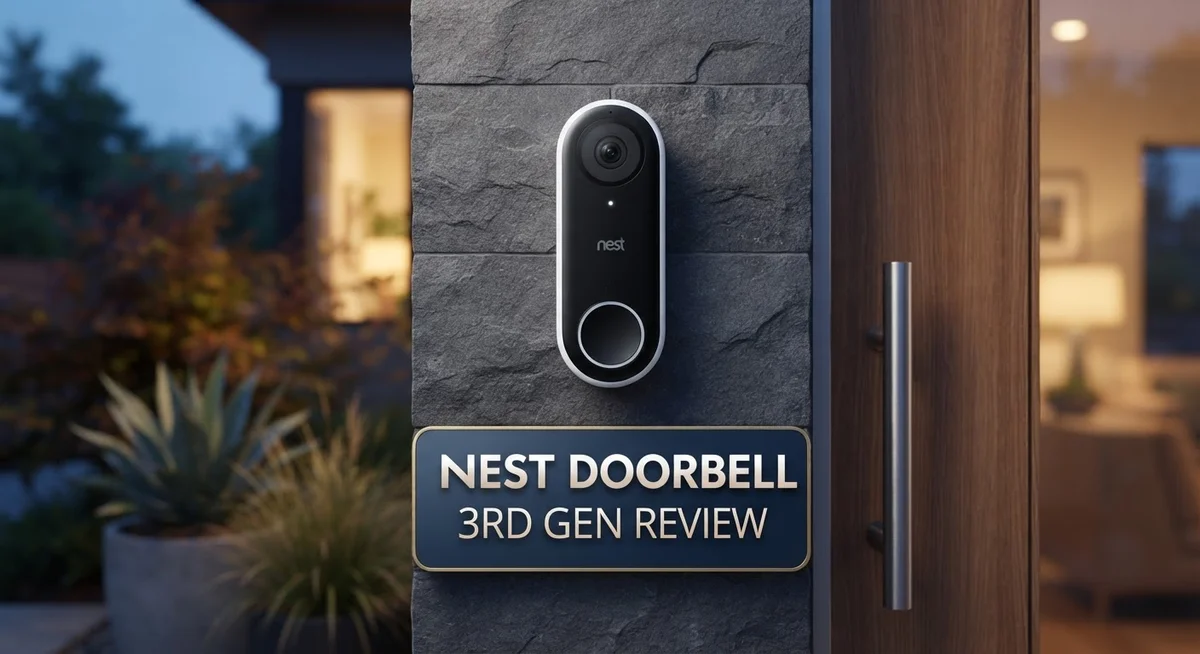
Nest Doorbell 3rd Gen Review: A Comprehensive Guide
Want to know who is at your door before you even open it? The Nest Doorbell 3rd Gen makes this simple. It brings sharp video and smart alerts right to your phone.
This doorbell offers 2K HDR video with color night vision. You get clear images day or night. Every visitor shows up in crisp detail.
The wide field of view catches more of your porch. You won’t miss packages or people at the edges. Motion detection sends alerts fast, so you stay informed in real time.
In a Nutshell
- AI powered search helps you find specific moments in your video history fast. You can search for “package” or “dog” and get instant results.
- Familiar face recognition learns who visits often. This means fewer false alerts for people you already know.
- Motion detection includes activity zone alerts. You can set specific zones to watch, like your driveway or front steps.
- The doorbell connects with Google Home and Gemini. This makes it easy to control through voice commands or your existing smart home setup.
- Some users report the device going offline at times. Connectivity hiccups are a real concern worth noting.
- Full features require a subscription. Without it, you get limited access to recorded footage.
- It maxes out at 2K resolution, not 4K. If ultra sharp detail matters most to you, this is worth keeping in mind.
- Competitors like Ring, Eufy, and Reolink offer similar features. Some skip subscription fees entirely, which is worth comparing.
Video Quality and Night Vision
The video quality is where the Nest Doorbell 3rd Gen truly shines. You get 2K HDR video that captures sharp, detailed footage during the day. Colors pop, and you can see faces and license plates with clarity. The wide field of view means you catch more of your porch area, so fewer blind spots exist around your entrance.
Night vision is where this doorbell stands out from many competitors. Color night vision keeps your footage in color even when it gets dark outside. This is a major advantage over doorbell cameras that switch to black and white at night. You can still identify people and details clearly, which matters for security.
The zoom and crop feature adds flexibility to how you review footage. You can zoom in on specific areas without losing quality. This helps you examine details like package labels or visitor faces more closely. The HDR technology balances bright and dark areas in your frame, so backlighting doesn’t ruin your video.
One limitation to know: the doorbell maxes out at 2K resolution. You won’t get 4K video like some premium competitors offer. For most doorway situations, 2K works well, but if you need ultra-high detail, this might feel like a step down.
Motion detection pairs with your video quality nicely. The doorbell spots movement and sends quick alerts to your phone. Activity zone alerts let you focus on specific areas, so you get fewer false notifications from passing cars or shadows.
The real downside? Full video history and advanced features require a subscription. Without it, you get limited access to your recordings. This means relying on the doorbell’s local storage or missing important moments.
Overall, the video and night vision performance delivers solid security coverage for most homes. The color night vision especially gives you an edge in low light. Just remember that getting the most from this doorbell means committing to the subscription service for complete peace of mind.

- Meet the wired Nest Doorbell; with 2K HDR video and Gemini, it knows what’s at your door and and what to do next (Gemini features require a Google Home premium subscription; try it for 1 month at no cost to you)[4]
- No need to recharge or replace batteries; the Nest Doorbell keeps you plugged into home, day and night

Last update on 2026-09-02 / Affiliate links / Images from Amazon Product Advertising API Some of the links on this website are affiliate links, which means that at no additional cost to you, I earn a commission if you click through and make a purchase. I only recommend products and services that I believe will add value to my readers. Thank you for your support!
Installation and Wiring Requirements
Installing the Nest Doorbell 3rd Gen is straightforward if you have existing doorbell wiring in your home. The device connects to your current system, so you won’t need to run new cables through your walls or hire an electrician for most setups.
Before you start, turn off power to your existing doorbell at the breaker. This safety step protects you during installation. Next, remove your old doorbell and note where the wires connect. The Nest Doorbell 3rd Gen uses two wires for power, just like traditional doorbells do.
The wiring process takes about 15 minutes for most people. Connect the two wires to the labeled terminals on the back of the Nest Doorbell 3rd Gen. Turn the power back on and the device powers up automatically. No batteries needed here—the doorbell draws power from your existing circuit.
One important note: your existing transformer must supply at least 16 volts. Older homes sometimes have weaker transformers that won’t support this doorbell. You can check your transformer’s voltage with a simple multimeter, or contact an electrician if you’re unsure.
The Google Home app guides you through the final setup steps. Scan the QR code on the doorbell, connect it to your WiFi network, and you’re ready to monitor your front door. The connection process is quick and the app walks you through each step.
If your home doesn’t have existing doorbell wiring, you’ll need a professional to install it. This adds extra time and expense to your setup. However, most homes built in the last 50 years already have doorbell wiring in place.
Connectivity matters for this doorbell. It needs a strong WiFi signal to work properly. Position your router close to your front entrance if possible. Weak WiFi can cause the device to go offline, which some users have reported. A stable connection keeps your doorbell responsive and reliable for alerts and two way audio.
Smart Features and AI Integration
The Nest Doorbell 3rd Gen packs impressive AI features that make security feel less like a chore. Google Gemini integration lets you ask questions about your footage using natural language. Instead of scrolling through hours of video, you simply ask what you need to find.
The AI powered search function works fast. You can search for specific activity types or people without watching everything. This saves time when you need to review something quickly.
Familiar face recognition learns who visits your home regularly. The system identifies frequent guests and alerts you when they arrive. Over time, it gets smarter about recognizing your friends and family members.
Motion detection goes beyond basic alerts. Activity zone alerts let you focus on specific areas of your doorway. You can ignore motion from the street while catching anyone approaching your entrance. This reduces false alerts from passing cars or pedestrians.
Google Home integration connects your doorbell to your smart home ecosystem. You can view the doorbell feed on your Google Nest displays or ask Google Assistant for a live view. Gemini adds conversational AI on top of this, making interactions feel natural.
The 2 way audio feature works with all these smart capabilities. You can speak through the doorbell using voice commands or manual input. Response time is quick, so conversations flow smoothly.
One important detail: many advanced AI features require a paid subscription. Without it, you get 3 hours of video history and basic motion detection. Full AI search and face recognition need the subscription tier. This means you’ll see the best features only if you commit to ongoing costs.
The color night vision pairs well with these AI tools. Clear footage at night helps the AI recognize faces and activity patterns accurately. Poor video quality would make all these smart features less useful.
Overall, the AI integration feels thoughtful and practical. Google’s ecosystem works smoothly with the doorbell. The main trade off is that full access to these intelligent features sits behind a subscription wall.
Top 3 Alternatives
Ring Video Doorbell

- Retinal 2K with up to 6x Enhanced Zoom — From wide views to tighter focus, it’s easy to see your home or business in crisp clarity with Retinal 2K.
- Connect to who’s there — See, hear, and speak in real time with Live View and Two-Way Talk.
Last update on 2026-09-02 / Affiliate links / Images from Amazon Product Advertising API Some of the links on this website are affiliate links, which means that at no additional cost to you, I earn a commission if you click through and make a purchase. I only recommend products and services that I believe will add value to my readers. Thank you for your support!
Logitech Circle View

- Circle View is an easy to use, motion detection based (non-continuous video) home security camera, with a durable weatherproof IP64-rated body and included wallmounting bracket for easy installation.Controller Type:Apple HomeKit.Connectivity protocol:Wi-Fi.Power source type:Indoor USB power supply
- Featuring best-in-class Logitech TrueView video with 180° field-of-view optics and 1080p HD so everything is captured in razor-sharp detail.
Last update on 2026-09-02 / Affiliate links / Images from Amazon Product Advertising API Some of the links on this website are affiliate links, which means that at no additional cost to you, I earn a commission if you click through and make a purchase. I only recommend products and services that I believe will add value to my readers. Thank you for your support!
Arlo Essential Doorbell

- Video Doorbell Camera for Complete Front Door and Entryway Protection: Monitor your front door with 2K video, person recognition, package detection, two-way audio, and IP65 weather resistance. Wired or wireless installation options.
- Arlo Secure Early Warning System Unlocks Advanced Features: Get 60-day video history, AI detection, and emergency response. After included 1-mo trial, plans start at $7.99/mo (billed annually). Live streaming and basic alerts work without a subscription.
Last update on 2026-07-11 / Affiliate links / Images from Amazon Product Advertising API Some of the links on this website are affiliate links, which means that at no additional cost to you, I earn a commission if you click through and make a purchase. I only recommend products and services that I believe will add value to my readers. Thank you for your support!
Subscription Costs and Feature Limitations
Google’s subscription model is a key factor to understand before buying this doorbell. Without a paid plan, you get basic motion detection and live view only. The real limitation kicks in when you want video history and playback.
Here’s what changes with a subscription. You unlock continuous video recording, 24/7 event history, and access to advanced AI features. The familiar face recognition works better with a subscription too. You also get the fast AI search function that lets you find specific moments in your footage.
Without paying, your doorbell stores just 3 hours of video clips. This means you can’t go back very far to review what happened. If a package arrives or someone visits while you’re away, you might miss the footage after 3 hours pass.
The subscription requirement affects your long term costs. You pay upfront for the doorbell hardware, then add monthly fees for the features that make it truly useful. This is different from some competitors who offer free cloud storage or local recording options.
Motion detection works without a subscription, but it’s basic. You get alerts when movement happens, but you lose detailed event history fast. Activity zone alerts, which let you focus on specific areas, require the paid plan.
The 2 way audio feature works without a subscription. You can still talk through the doorbell and hear visitors. However, the AI powered search that helps you find conversations or specific moments needs the subscription.
One important reality: this doorbell feels incomplete without paying extra. Google doesn’t hide this, but it’s worth knowing before you install it. The free tier gives you a working doorbell, not a complete security system.
If you want full features and unlimited video history, budget for ongoing subscription costs. Some people find this acceptable for the quality you get. Others prefer systems that offer more free features or local storage options instead.
Reliability and Connectivity
The Nest Doorbell 3rd Gen delivers solid performance when your internet connection stays stable. Real world testing shows the camera responds quickly to motion events. You’ll get notifications within seconds of someone approaching your door. The 2K HDR video streams smoothly most of the time.
However, some users report occasional connectivity issues. Your doorbell may go offline if your WiFi signal weakens. This happens more often in homes with poor router placement. The device works best when your router sits within 30 feet of the entrance.
Stability depends heavily on your network setup. If you have a strong 2.4GHz WiFi band, the Nest Doorbell performs reliably. Homes with mesh networks report fewer disconnection problems. A wired doorbell connection doesn’t guarantee perfect WiFi reliability though. Your internet speed and signal strength matter just as much.
The device reconnects automatically when connection drops. Most reconnections happen within 30 seconds. You won’t miss most events, but brief outages can occur during critical moments. Keeping your Google Home app updated helps maintain better stability.
The 2 way audio feature works consistently when connected. Conversations sound clear and natural. Wind noise occasionally interferes with outdoor audio, but this affects most doorbell models. The microphone picks up sounds from about 10 feet away.
Google Home integration keeps everything running smoothly. The Nest Doorbell syncs with your smart home ecosystem. Updates roll out automatically through the Google Home app. These updates sometimes improve connectivity and performance.
Battery backup doesn’t apply here since the doorbell requires wired installation. Your doorbell stops working during power outages. This is standard for wired doorbells, but worth noting if reliability matters for your home security.
Overall, the Nest Doorbell 3rd Gen offers dependable performance for most users. Connection issues aren’t widespread, but they do happen occasionally. Your home’s WiFi setup plays a huge role in reliability. Strong internet connection means a strong doorbell experience.
Pros and Cons
Pros
- 2K HDR video with color night vision delivers sharp, clear footage in all lighting conditions
- Wide field of view captures more of your doorway and surrounding area
- Premium build quality feels solid and durable through daily use
- Quick notifications alert you instantly when motion or visitors arrive
- Familiar face recognition learns regular visitors and reduces false alerts
Cons
- Advanced features require a paid subscription; you only get 3 hours of video storage without it
- Connectivity issues reported by some users; the doorbell occasionally goes offline
- No 4K resolution available, which limits detail on close up footage
- Ongoing subscription fees add to your long term costs beyond the initial purchase
Who Should Buy It
The Nest Doorbell 3rd Gen works best for homeowners who already have Google Home devices in their setup. You get seamless integration with Gemini and instant alerts across all your Google devices. If you love a smart home ecosystem, this doorbell fits naturally into your world.
This doorbell suits you if you value image quality above all else. The 2K HDR video captures sharp details in daylight and color night vision keeps things clear after sunset. The wide field of view means you see more of your porch and driveway without blind spots.
You should buy this if you’re willing to commit to a subscription. The device stores only 3 hours of clips without paying extra. If unlimited video history matters to you, budget accordingly. Full features like advanced search and familiar face recognition require the paid plan.
Homeowners with strong WiFi networks will have better success here. The doorbell needs a solid 2.4GHz connection to stay online consistently. If your current WiFi drops frequently, this device may frustrate you. Some users report occasional disconnections, so stable internet is important.
The Nest Doorbell suits people who want professional installation done right. Since it requires wired installation using existing doorbell wiring, you’ll likely need an electrician. If DIY installation appeals to you, look elsewhere. This isn’t a battery powered option you can install yourself.
Skip this doorbell if you need 4K resolution for close up facial details. The 2K video works well for most situations, but it won’t capture extreme detail on distant visitors.
This is ideal for people who trust Google’s smart home platform. You get familiar face recognition that learns your regular visitors and reduces false alerts. Two way audio lets you talk to delivery drivers or guests instantly.
Finally, choose this doorbell if you want reliable performance without constant troubleshooting. Most users report solid everyday functionality. You’re getting a premium device that works when your setup matches its requirements.
Final Verdict
The Nest Doorbell 3rd Gen stands out as a smart choice for anyone building a connected home. It brings clear video and smart alerts together in one solid package.
Compared to Reolink and Wyze, this doorbell offers deeper integration with Google’s ecosystem. Eufy competes on storage without subscriptions, but Nest wins on AI powered search and smart recognition.
The AI search feature lets you find specific moments in your video history fast. You can type simple queries like “person in red jacket” and get instant results.
Zoom and crop capability gives you more control over what you watch. You can focus on specific areas of your porch without losing image clarity.
Activity zone alerts cut down on unnecessary notifications. You choose which areas trigger alerts, so you only get pinged when it matters.
This doorbell works best for households already using Google Home or Gemini devices. The integration feels smooth and natural if you’re already inside that ecosystem.
If you’re switching from Ring or another brand, expect a small learning curve. The setup process differs, and some features work differently than what you might expect.
Choose this doorbell if smart search and face recognition matter to you. Skip it if you want a simpler, subscription free experience with basic recording.
Overall, the Nest Doorbell 3rd Gen delivers strong performance for smart home users. Image quality stays sharp, and the smart features add real value to daily use.
Minor connectivity hiccups exist, but they don’t overshadow the doorbell’s core strengths. Most users find the trade off worth it for the smart features gained.
This doorbell fits best into homes already committed to Google’s smart platform. If that’s your setup, this doorbell will feel like a natural fit and a smart addition to your front door security.
Frequently Asked Questions
Does the Nest Doorbell 3rd Gen work without a Google Home device?
Yes, the doorbell works on its own. You can view live feeds and recordings through the Google Home app without owning any other Google devices. However, you’ll get the most out of it if you have Google Home speakers or displays. Integration with Gemini makes voice commands smoother, but it’s not required.
Can I use this doorbell if I don’t have existing doorbell wiring?
No. This model requires wired installation, which means you need existing doorbell wiring in your home. If you don’t have that setup, you’ll need to hire an electrician or consider a battery powered alternative from other brands. Wired doorbells offer reliable power and no battery concerns, but the installation requirement is a real limitation.
How much video can I store without paying for a subscription?
The doorbell stores up to 3 hours of video without a paid plan. Once you hit that limit, older footage gets deleted. A subscription unlocks longer storage periods and advanced features like familiar face recognition and AI search. Many users find the 3 hour limit too short for practical use.
What’s the difference between this and Ring doorbells?
The Nest Doorbell 3rd Gen integrates deeper with Google’s ecosystem and offers AI powered search through your video history. Ring doorbell cameras tie into Amazon’s platform instead. The Nest model has excellent 2K HDR video and color night vision. Both have solid build quality, but your choice depends on whether you prefer Google or Amazon’s smart home system.
Why does my Nest Doorbell keep going offline?
Connectivity issues often stem from weak WiFi signals. This doorbell needs a strong 2.4GHz connection to stay online. Check your router placement and signal strength near your front door. Some users report occasional dropouts even with good WiFi, so make sure your network is stable before installation.

Hello, I’m Juniper Harkness, a tech enthusiast and the creator of TechReviewz.blog, where I dive deep into the latest technology products available on Amazon.


