Koorui 27 Inch Monitor Review: Live Up To The Hype?
Are you looking for a monitor that delivers stunning visuals without breaking your setup budget on features you won’t use? The Koorui 27 Inch Monitor might be exactly what your desk needs.
This monitor packs a punch with its 27 inch display. You get sharp QHD resolution or fast paced FHD options depending on your model choice.
Gamers will love the high refresh rates. Some models hit up to 200Hz with a swift 1ms response time. This means smoother action and fewer blurry frames during intense gameplay.
In a Nutshell
- Multiple resolution choices: Pick from FHD, QHD, or 4K models based on your needs.
- Ultra fast response time of 1ms keeps motion blur away during fast paced games.
- Eye care technology is certified by TÜV Rheinland. This means less strain during long sessions.
- FreeSync compatibility ensures smoother gameplay with fewer screen tears.
- HDR400 support adds depth to visuals, though some highlights appear slightly muted compared to premium panels.
- Flexible ergonomic stands let you tilt, lift, and pivot the screen for a comfortable setup.
- Flicker free technology reduces eye fatigue during extended use.
- Different model variants like the G2722P and G2741L offer slightly different features for various user needs.
Display Specifications and Resolution Options
The Koorui 27 inch monitor offers you multiple resolution paths to fit your specific needs. You can choose between FHD (1920×1080), QHD (2560×1440), or 4K options depending on your workflow and gaming style.
QHD models deliver a sweet spot for most users. You get sharper text and images compared to FHD, while still maintaining smooth frame rates during gaming. The extra pixels make spreadsheets easier to read and give you more screen real estate for creative work.
FHD variants work well if you prioritize frame rates over pixel density. These panels let your graphics card breathe, pushing higher refresh rates without strain. Competitive gamers often prefer this approach for responsive gameplay.
The 4K option brings maximum detail to your screen. Photos, videos, and design work shine with incredible clarity. Keep in mind your GPU needs enough power to handle 4K gaming at smooth frame rates.
All Koorui 27 inch models feature a 1ms response time. This means pixel transitions happen nearly instantly. You won’t see ghosting or blur trails when you pan your camera quickly in shooters or action games.
Refresh rates range from 144Hz to 200Hz across the lineup. Higher refresh rates mean smoother motion on screen. A 200Hz panel shows motion more fluidly than a 144Hz display, though both feel responsive for gaming.
The 95% DCI P3 color accuracy ensures colors appear true to life. Designers and content creators benefit from this wide color gamut. Your reds stay vibrant, blues remain deep, and skin tones look natural.
HDR400 support adds another dimension to visuals. Games and movies display brighter highlights and deeper shadows. Note that some bright details may appear slightly muted compared to premium competitors, but the overall HDR experience remains solid.
Panel type matters too. IPS panels deliver better viewing angles and color consistency. VA panels offer higher contrast ratios for darker blacks. Curved 1500R screens wrap around your field of vision, creating immersion. Flat panels work great for shared workspaces or side by side setups.
Pick the resolution and refresh rate that match your GPU power and use case. The Koorui lineup gives you genuine flexibility without forcing unnecessary features into your setup.

- TRUE COLOR VIVID DETAIL : The 27 inch 144hz computer gaming monitor cover 99% of the SRGB color gamut and 10bit gray level over 16.7M color numbers.It has 20000000:1 color contrast with 1920 x 1080 full hd resolution in a 16:9 aspect ratio presenting stunning, high-quality images with excellent clarity. HDR10 delivers unmatched picture quality for videos and games. See the difference in every scene.
- EXTREMELY VIEWING COMFORT: Find your best viewing position and stay comfortable by tilting the screen up to 5 degrees forward or 15 degrees backward. Flicker-free, Blue light filter, Anti-glare technology that make you can enjoy ultra-smooth gameplay or working for all-day without any eyes uncomfort.
Last update on 2026-09-02 / Affiliate links / Images from Amazon Product Advertising API Some of the links on this website are affiliate links, which means that at no additional cost to you, I earn a commission if you click through and make a purchase. I only recommend products and services that I believe will add value to my readers. Thank you for your support!
Refresh Rate and Response Time Performance
The refresh rate and response time are two critical factors that separate a good gaming monitor from a great one. The Koorui 27 inch monitor excels in both areas, giving you the performance needed for competitive play and smooth everyday use.
Let’s talk refresh rate first. This monitor delivers 144Hz to 200Hz depending on which model you choose. A higher refresh rate means your screen updates more times per second, showing you more frames from your game. The difference is noticeable. When you move your mouse or pan across a scene, everything feels fluid and responsive instead of choppy.
The 1ms response time is where the Koorui really shines. Response time measures how quickly pixels change color. A 1ms rating means pixels respond almost instantly to input. During fast paced games, this eliminates ghosting and motion blur. You see sharp, clean movement even when action happens on screen.
Here’s why this matters for different users. Gamers playing shooters or fighting games benefit most from these specs. Fast refresh rates and quick response times give you the edge in competitive matches. You spot enemies faster and react quicker. Esports players especially appreciate the 200Hz option for ultra smooth gameplay.
Even if you’re not a hardcore gamer, these features help. Scrolling through web pages feels smoother. Dragging windows across your desktop appears more natural. Video playback looks cleaner overall.
The combination of high refresh rate and low response time also reduces eye strain during long sessions. Your eyes don’t work as hard tracking motion that appears choppy or blurry. The TÜV Rheinland eye care certification backs this up with third party testing.
One thing to note: you get the best refresh rates with QHD resolution rather than 4K. If you want 200Hz, stick with the QHD models. The FHD variants also hit high refresh rates if you prioritize frame rates above all else.
The Koorui delivers performance that matches monitors costing significantly more. Whether you game casually or compete seriously, these refresh and response specs keep up with your needs.
Color Accuracy and HDR Capabilities
Color accuracy matters when you want your visuals to look exactly as the creator intended. The Koorui 27 inch monitor delivers 95% DCI P3 color coverage, which means colors stay true across your entire screen. This level of accuracy works great for content creators, designers, and anyone who cares about visual fidelity.
The monitor uses an IPS panel on QHD models, which preserves color consistency even when you view the screen from different angles. You won’t see color shifts or washed out tones when sitting to the side. This makes the Koorui reliable for professional work and casual viewing alike.
HDR400 support brings another layer of visual depth to your experience. HDR expands the range of brightness levels your monitor can display. Bright highlights pop more, and dark areas reveal hidden details you’d normally miss.
However, there’s an honest catch here. The HDR highlights appear slightly muted on some Koorui models compared to premium competitors. You still get the HDR experience, but peak brightness doesn’t reach the absolute maximum. For most users, this difference goes unnoticed during everyday use.
Gaming benefits from both the color accuracy and HDR support. When you play games with HDR enabled, explosions look more dramatic and lighting feels more natural. The combination of fast response time and accurate colors means your competitive advantage stays intact while visuals remain beautiful.
The curved 1500R option on select models enhances color perception by bringing the screen edges closer to your eyes. This creates a more immersive viewing experience without sacrificing accuracy.
For photo editing or video work, the 95% DCI P3 coverage gives you confidence that your edits will translate well to other displays. You’re not guessing about colors. The monitor shows you what’s actually there.
If you compare these specs to entry level monitors, the Koorui stands out clearly. The combination of accurate colors, HDR support, and gaming performance makes this monitor versatile enough for multiple purposes. Whether you edit content or play games, color accuracy and HDR capabilities deliver real value to your daily workflow.
Top 3 Alternatives
ASUS VP28UQG Monitor

- 27-Inch Full HD IPS Panel: Enjoy vivid colors and wide viewing angles for work or movies. This 27 inch monitor is a 1080p computer monitor and IPS desktop display for everyday clarity
- 120Hz Refresh Rate & 1ms MPRT: Experience buttery-smooth web scrolling and blur-free action. This 120Hz gaming monitor features a fast 1ms response time, giving you an upgraded PC gaming screen experience

Last update on 2026-09-02 / Affiliate links / Images from Amazon Product Advertising API Some of the links on this website are affiliate links, which means that at no additional cost to you, I earn a commission if you click through and make a purchase. I only recommend products and services that I believe will add value to my readers. Thank you for your support!
BenQ EW2880U Monitor

- [Show Mac Colors] Calibrated for MacBook with BenQ’s exclusive color tuning, offering a vibrant P3 wide color gamut for MacBook Pro and MacBook Air.
- [Expand MacBook with USB-C] Connect and expand your MacBook display with a single USB-C cable.
Last update on 2026-09-02 / Affiliate links / Images from Amazon Product Advertising API Some of the links on this website are affiliate links, which means that at no additional cost to you, I earn a commission if you click through and make a purchase. I only recommend products and services that I believe will add value to my readers. Thank you for your support!
Dell S2721DGF Monitor

- For Creators: Bring your ideas to life on a screen that shows your work exactly as you intended. With 98% Display P3 coverage and factory-calibrated color accuracy, your photos, videos, and designs look true to life, straight out of the box.
- For Developers: Spread out your code, terminal, and browser across a crisp QHD canvas, and switch between two machines, like a personal laptop and a work device, using a single keyboard and mouse with built-in KVM.
Last update on 2026-09-02 / Affiliate links / Images from Amazon Product Advertising API Some of the links on this website are affiliate links, which means that at no additional cost to you, I earn a commission if you click through and make a purchase. I only recommend products and services that I believe will add value to my readers. Thank you for your support!
Design, Build Quality, and Ergonomic Features
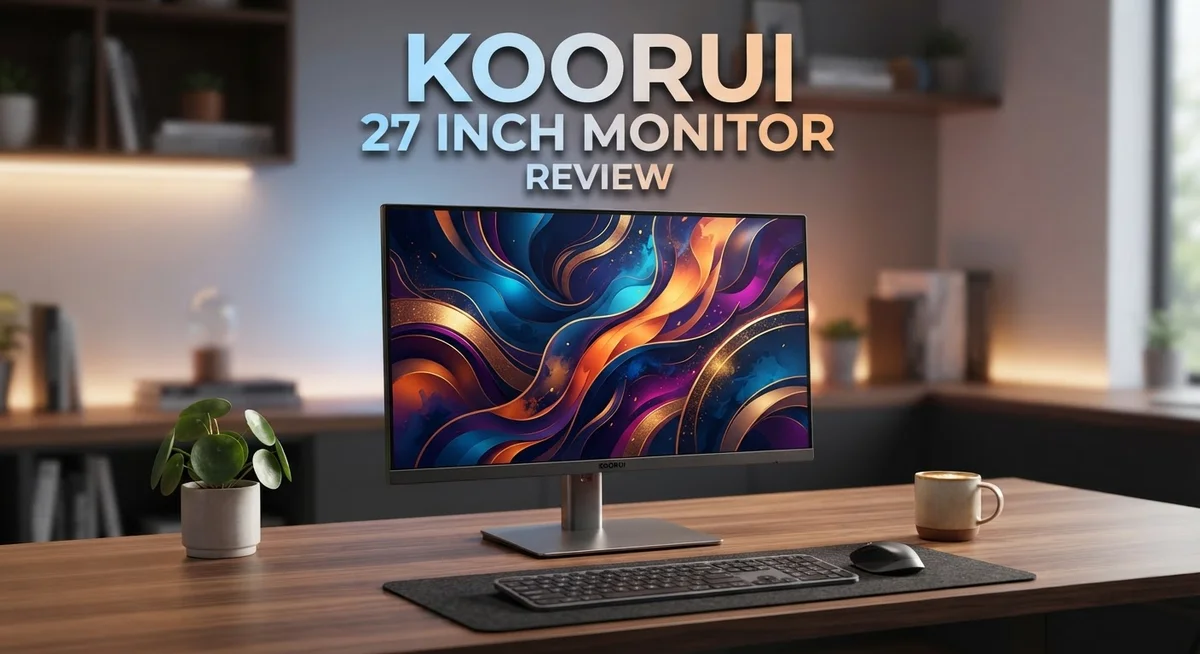
The Koorui 27 inch monitor combines a solid physical design with practical ergonomic features that work well for extended use. The display comes in both curved and flat options, giving you flexibility based on your preference and desk setup.
The curved 1500R variant brings the screen edges closer to your eyes. This design choice improves immersion and reduces the viewing angles you need to rotate your head through. The curvature also enhances color perception across the entire panel. If you prefer a traditional flat screen, that option exists too across the lineup.
The stand on this monitor offers real adjustability. You get tilt, lift, and pivot functions built in. This means you can raise or lower the screen to match your eye level, rotate it to portrait mode if needed, or angle it back slightly for comfort. These aren’t premium extras here—they’re standard on most Koorui models. Proper positioning matters because it reduces neck and shoulder strain during long work or gaming sessions.
Build quality feels solid without unnecessary weight. The monitor uses a sturdy base that stays stable even with the screen tilted or pivoted. The bezels are thin, which maximizes your viewing area without making the overall footprint huge. Cable management clips on the back help keep your desk organized.
Eye care features matter when you spend hours in front of a screen. The Koorui includes flicker free technology and low blue light support. These work together to reduce eye fatigue. The monitor also carries TÜV Rheinland eye care certification, which means independent testing verified these claims.
The overall design philosophy prioritizes function over flashiness. You won’t find RGB lighting or aggressive gaming aesthetics. Instead, the monitor focuses on what actually improves your experience: good visibility from different angles, comfortable positioning options, and features that protect your eyes. This approach appeals to both gamers and professionals who simply want a reliable display that feels good to use every day.
Eye Care and Health Considerations
Your eyes spend hours facing this screen every day. The Koorui 27 inch monitor includes features that actually protect your vision during those long sessions.
The monitor carries TÜV Rheinland eye care certification. This is not just a marketing label. It means independent testing confirmed the display reduces strain on your eyes.
Flicker free technology stops the invisible flickering that happens on many screens. Your eyes don’t detect this flicker consciously, but it causes fatigue over time. The Koorui eliminates this problem entirely.
Low blue light filtering is another built in feature. Blue light from screens can disrupt your sleep if you work late. The monitor reduces these wavelengths without making colors look strange or washed out.
The IPS panels on QHD models maintain color accuracy from different viewing angles. This means you don’t need to sit in one exact spot. You can shift your position without colors shifting. Reduced neck strain follows naturally when you have viewing flexibility.
Brightness levels on the Koorui stay consistent across the display. Uneven brightness creates eye fatigue because your pupils constantly adjust. Consistent brightness means your eyes work less hard throughout your day.
The curved 1500R design on select models brings screen edges closer to your eyes. This reduces the distance your eyes must focus across. Less refocusing means less strain, especially during extended gaming or work sessions.
Response time and refresh rate improvements also support eye health. Smoother motion reduces the jarring visual transitions that strain your eyes. When images move smoothly, your visual system processes them more naturally.
Proper monitor positioning matters too. The ergonomic stand lets you adjust height, tilt, and pivot angle. You can position the screen at eye level, which prevents neck and shoulder strain that radiates to your eyes.
The combination of these features makes the Koorui suitable for people who work at screens all day. Whether you edit photos, code, game, or write, your eyes benefit from the protection built into this monitor. Taking care of your vision now prevents problems later.
Pros and Cons
Pros
- High refresh rates up to 200Hz deliver smooth gaming performance without stuttering or lag
- 95% DCI P3 color accuracy ensures your photos and videos look professional across different devices
- TÜV Rheinland eye care certification protects your eyes during long work sessions
- Flicker free and low blue light technology reduce eye strain throughout the day
- Curved 1500R option brings screen edges closer for better immersion and color perception
Cons
- HDR highlights appear muted on certain models, limiting the full impact of HDR content
- Feature set stays basic compared to premium competitors in the same screen size category
- Limited advanced gaming features for users seeking cutting edge specifications
Who Should Buy It
The Koorui 27 inch monitor works best for specific user groups. Gamers benefit most from the high refresh rates that reach up to 200Hz. Fast action games feel smoother without stuttering or lag.
Content creators find value in the 95% DCI P3 color accuracy. Your photos and videos display true colors on this screen. The QHD IPS models maintain color consistency from different angles, which matters when you review work with colleagues.
Office workers and students gain from the eye care features. The TÜV Rheinland certification means long study sessions cause less strain. Flicker free technology and low blue light filtering protect your eyes during eight hour workdays.
The curved 1500R variant appeals to users who want immersion. Screen edges wrap closer to your eyes. This design helps you focus better during extended work periods.
People who value adjustability should consider this monitor. The ergonomic stand tilts, lifts, and pivots to match your desk setup. You can position the screen at your ideal height and angle.
Streaming enthusiasts appreciate the HDR support. Your broadcast content looks vibrant and detailed. The brightness levels stay consistent across the entire display.
Professionals on tight schedules need reliable performance. This monitor delivers consistent results without demanding constant adjustments. The FreeSync compatibility helps if you use AMD graphics cards.
The Koorui suits anyone upgrading from a basic 1080p screen. The jump to QHD resolution feels significant. Text appears sharper and games look more detailed.
However, skip this monitor if you demand premium features. The HDR highlights appear muted on certain models. You won’t get the full dramatic impact that high end competitors offer.
Budget conscious buyers who game casually fit the target audience perfectly. You get smooth gameplay and solid build quality. The monitor handles everyday tasks without complaints.
Ultimately, the Koorui 27 inch works for gamers, creators, and office workers. Eye care matters to this brand. Performance stays reliable across different use cases. If your needs match these profiles, this monitor deserves serious consideration.
Final Verdict
The Koorui 27 inch monitor delivers a complete package for everyday screen needs. It blends smooth performance with eye friendly features. This combination makes it a smart pick for many users.
Gamers get fluid motion thanks to fast refresh rates. Creative professionals enjoy accurate colors for their projects. Even casual users notice the difference in daily browsing and streaming.
The build quality feels solid for this display class. Stands offer enough movement to find your ideal viewing angle. Screen options range from flat to curved, giving buyers real choice.
Some limitations exist, and we covered those already. Yet these drawbacks rarely affect typical daily use. Most buyers will not notice the gaps unless they compare against high end professional displays.
This monitor works well as a first big upgrade. Someone moving from a small laptop screen will feel the change instantly. Extra screen space alone transforms how tasks get done.
Multitasking becomes easier with the larger canvas. Split screen work feels natural rather than cramped. Documents, spreadsheets, and browsers all get more breathing room.
Long term reliability also stands out based on user feedback. Panels hold their color performance over time. This matters for anyone keeping a monitor for several years.
Setup takes only a few minutes out of the box. Cables connect easily, and menus stay simple to navigate. This makes it friendly for first time monitor buyers too.
We recommend this monitor for people who want dependable performance without complications. It suits home offices, study setups, and casual gaming corners equally well. The mix of features covers most common use cases.
Final thought: if you want a screen that handles work, play, and content viewing without fuss, the Koorui 27 inch monitor earns a solid recommendation. It checks the right boxes for practical, everyday screen use.
Frequently Asked Questions
Is the Koorui 27 inch monitor good for gaming?
Yes, absolutely. The monitor delivers fast refresh rates up to 200Hz with a 1ms response time. This combination keeps motion smooth and reduces blur during fast action scenes. FreeSync support syncs your graphics card output with the display, eliminating screen tearing.
Gamers benefit from the curved 1500R design on select models. The curve pulls screen edges closer to your eyes, making the action feel more immersive.
Can I use this monitor for photo and video editing?
The 95% DCI-P3 color accuracy makes it suitable for content creation work. Your photos and videos display colors consistently, which matters when you share files across different devices.
HDR support adds depth to your edited content during preview. Keep in mind that HDR highlights appear slightly muted on some models, so test your final output on multiple screens before delivering to clients.
Does the monitor reduce eye strain?
Yes. The display includes TÜV Rheinland eye care certification, flicker free technology, and low blue light features. These work together to lower fatigue during long work sessions.
The larger 27 inch screen also means less squinting compared to smaller displays. Pair these features with proper desk lighting and regular breaks for best results.
What adjustment options does the stand offer?
The ergonomic stand supports tilt, lift, and pivot adjustments. You can angle the screen to match your viewing height and reduce neck strain.
Curved models come with stands designed for the 1500R curvature. Flat variants offer the same flexibility for positioning.

Hello, I’m Juniper Harkness, a tech enthusiast and the creator of TechReviewz.blog, where I dive deep into the latest technology products available on Amazon.