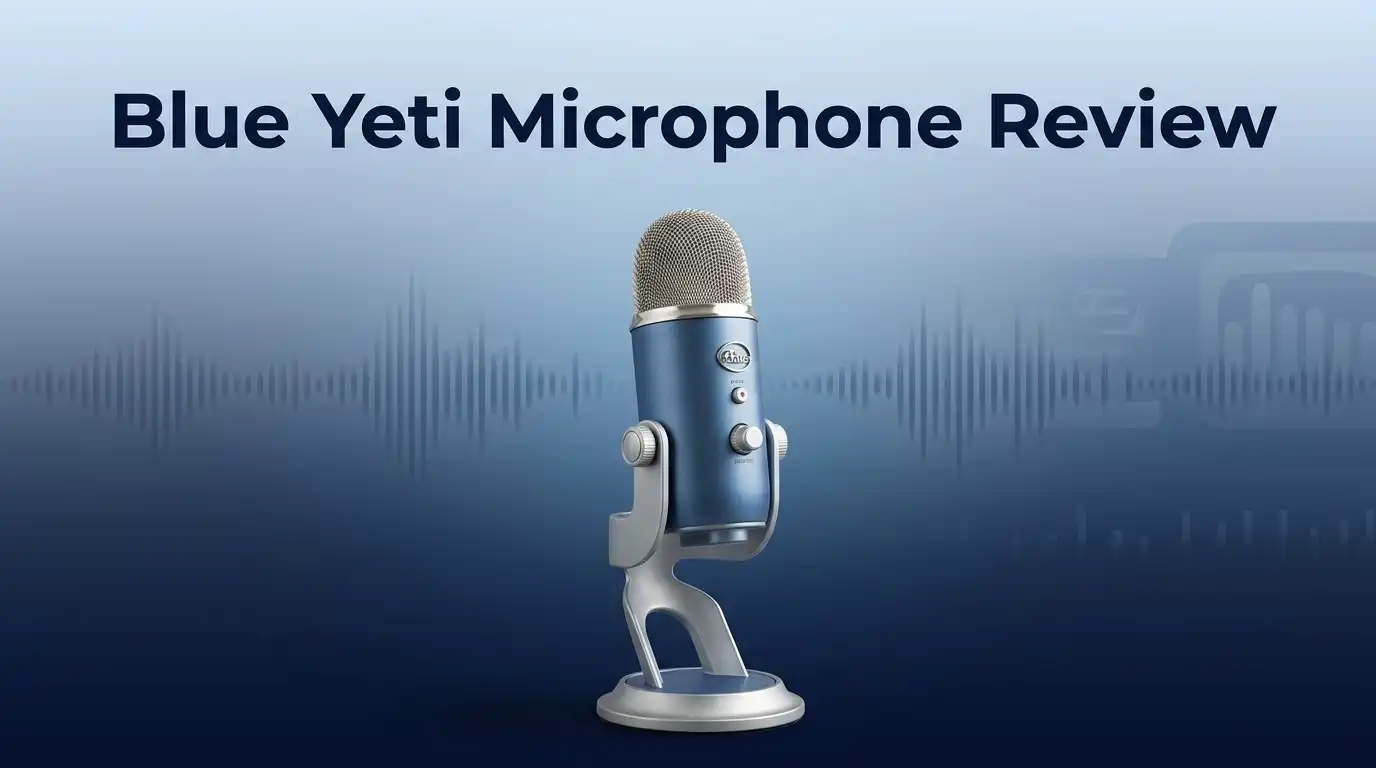
Blue Yeti Microphone Review 2026: Sound Quality, Build, and Performance
Are you looking for a microphone that makes your voice sound crisp and clear? The Blue Yeti might be the answer.
This USB microphone has become a favorite for podcasters, streamers, and content creators. It offers plug and play setup, so you can start recording right away.
The all metal body gives it a sturdy feel. It comes with a solid metal stand that keeps it steady on your desk.
In a Nutshell
- Plug and play design. You can connect it to your computer and start recording right away. No extra software or drivers needed.
- Gain knob included. This lets you adjust input volume directly on the mic. Some users find the controls a bit tricky to master at first.
- No on/off switch. This is a small but notable design gap. You will need to mute it through your software instead.
- Picks up background noise easily. If you record in a noisy room, the Blue Yeti may capture unwanted sounds. A treated space works best.
- Built to last. Many long time users report reliable performance over the years. It has a proven track record for durability.
- Great for multiple projects. Podcasters, streamers, and musicians all use this mic for different needs. It adapts well to various recording styles.
Design and Build Quality
The Blue Yeti’s construction starts with its all metal body, which immediately signals durability. You get a solid feel in your hands the moment you unbox it. This isn’t a plastic microphone that feels cheap or flimsy.
The microphone arrives with a dedicated metal stand that includes weight at the base. This stand keeps the mic stable during recording sessions. You won’t experience wobbling or shifting when you speak into it. The stand’s heft matters because it prevents accidental tipping.
One design feature worth examining is the gain knob positioned directly on the microphone. This lets you adjust input levels without touching your computer. You can fine tune audio capture on the fly while recording. This hands on control appeals to users who want quick adjustments.
However, the microphone lacks an on/off switch. This means the device stays active whenever it connects to your USB port. Some users find this inconvenient, especially if they want to mute the mic without unplugging it. You’ll need software controls or manual disconnection for true shutdown.
The weight of the Blue Yeti deserves attention here. This microphone is not portable. If you plan to move it frequently between rooms or locations, you’ll notice the heft. The sturdy construction that makes it durable also makes it stationary. This design choice works fine for a desktop setup but limits mobility.
The overall build quality reflects professional standards. The metal components resist dents and damage better than plastic alternatives. Users report their Blue Yeti units performing well after years of regular use. The construction shows attention to longevity over trendy design choices.
The microphone’s design philosophy prioritizes stability and consistency over portability and convenience features. You get a rock solid desktop companion that stays put and delivers reliable performance. The trade off is accepting a heavier, less mobile recording tool. For anyone setting up a permanent streaming or podcasting station, this design approach makes sense.

- Custom three-capsule array: This professional USB mic produces clear, powerful, broadcast-quality sound for YouTube videos, Twitch game streaming, podcasting, Zoom meetings, music recording and more
- Blue VO!CE software: Elevate your streamings and recordings with clear broadcast vocal sound and entertain your audience with enhanced effects, advanced modulation and HD audio samples

Last update on 2026-09-18 / Affiliate links / Images from Amazon Product Advertising API Some of the links on this website are affiliate links, which means that at no additional cost to you, I earn a commission if you click through and make a purchase. I only recommend products and services that I believe will add value to my readers. Thank you for your support!
Audio Performance and Sound Quality
The Blue Yeti delivers impressive audio performance for both beginners and experienced creators. Its sound quality stands out because the microphone captures your voice with exceptional clarity and detail.
Frequency response plays a key role in how the Blue Yeti performs. The microphone handles vocals well across different pitches and tones. Whether you speak in a deep voice or higher register, the audio remains balanced and natural sounding.
One strength of the Blue Yeti is its sensitivity control. The gain knob sits directly on the microphone body, letting you adjust input levels instantly. This means you can fine tune audio capture without diving into computer settings. You get real time control over how loud or soft your input becomes.
The microphone does have a notable limitation with background noise. In untreated rooms, the Blue Yeti picks up ambient sounds like keyboard clicks, fan noise, and room echo. If you record in a quiet space, this becomes less of an issue. Noisy environments will require extra attention to mic placement or acoustic treatment.
USB connectivity ensures plug and play operation. You connect the microphone to your computer, and Windows or Mac recognizes it immediately. No drivers or complex software installation needed. Audio flows straight from the mic to your recording app.
The sound quality remains consistent across different recording scenarios. Podcasters report clean, professional sounding dialogue. Streamers appreciate how the microphone captures their voice clearly during long broadcast sessions. Musicians use it for vocal recordings with good results.
The all metal construction contributes to audio performance too. The sturdy build reduces vibration and unwanted handling noise. When you adjust the gain knob, the microphone stays stable and doesn’t rattle or shift.
For desktop recording environments, the Blue Yeti produces reliable, quality audio output. The microphone excels when positioned properly and used in relatively controlled spaces. It represents a solid choice for anyone starting their content creation journey and wanting clear, professional sounding voice capture.
Ease of Use and Setup
Getting the Blue Yeti up and running takes almost no time at all. You simply plug it into your computer’s USB port, and it works immediately. No drivers or software installation needed.
The microphone sits on a sturdy metal stand that comes in the box. The stand has weight at its base, so it stays put on your desk. You can position the mic at whatever angle works best for your setup.
Once connected, you’ll notice the gain knob right on the microphone itself. This knob lets you adjust input volume without opening any software settings. Turn it up or down to find your ideal recording level. This hands on control helps you avoid audio that’s too quiet or too loud.
One thing to know: the Blue Yeti has no power button. The microphone turns on whenever it connects to your computer and turns off when you unplug it. Some users find this convenient, while others wish for an on/off switch for quick muting.
The microphone works with Windows and Mac computers right away. Most recording software recognizes it automatically. You can start recording in your favorite app within seconds of plugging it in.
The weight of the microphone matters here. At around 1.5 pounds, it’s heavier than portable mics. This weight actually helps: it keeps the mic stable during recording and prevents accidental movement. However, it also means the Blue Yeti stays on your desk rather than traveling with you.
For streamers and podcasters, the setup experience is straightforward. You connect it, adjust the gain knob, and begin streaming or recording. No complicated menus or confusing settings slow you down.
The learning curve is minimal. Even beginners feel confident using this microphone right away. The physical controls are intuitive, and the plug and play nature removes setup anxiety. Within minutes of unboxing, you’re ready to create content.
Top 3 Alternatives
Audio-Technica AT2020

- The price/performance standard in side address studio condenser microphone technology
- Ideal for project/home studio applications
Last update on 2026-09-18 / Affiliate links / Images from Amazon Product Advertising API Some of the links on this website are affiliate links, which means that at no additional cost to you, I earn a commission if you click through and make a purchase. I only recommend products and services that I believe will add value to my readers. Thank you for your support!
The Audio-Technica AT2020 works well for content creators who want clear sound quality. This microphone captures vocals and instruments with accuracy. The cardioid pattern helps reduce background noise from the sides and rear.
You get a sturdy construction that lasts through years of use. The microphone connects via XLR cable, so you need an audio interface. Many streamers and podcasters choose this model because it handles different sound sources reliably.
Rode NT1

- COMPLETE VOCAL SETUP: shock mount, pop filter and XLR cable included, add an interface and record
- THE SOUND OF HIT RECORDS: the legendary NT1 large-diaphragm condenser voicing trusted in studios for two decades
Last update on 2026-09-18 / Affiliate links / Images from Amazon Product Advertising API Some of the links on this website are affiliate links, which means that at no additional cost to you, I earn a commission if you click through and make a purchase. I only recommend products and services that I believe will add value to my readers. Thank you for your support!
The Rode NT1 delivers low self-noise, which means you hear less hum from the microphone itself. This feature makes it excellent for quiet recording spaces. The microphone includes a shock mount and pop filter in the package.
This model also uses an XLR connection for professional setups. Podcasters appreciate how it captures speech without picking up every room sound. The build quality feels solid, and the warranty covers your investment well.
Shure SM7B

- NATURAL VOCALS: Engineered with a dynamic cartridge and wide-range frequency response, the Shure SM7B captures warm, balanced vocals with exceptional clarity, making it ideal for singing, podcasting, voiceover, and professional studio recording
- FOCUSED AUDIO: A precise cardioid pickup pattern works with air suspension shock isolation to minimize background noise, handling vibrations, and room interference, keeping your voice front and center in any recording or streaming environment
Last update on 2026-09-18 / Affiliate links / Images from Amazon Product Advertising API Some of the links on this website are affiliate links, which means that at no additional cost to you, I earn a commission if you click through and make a purchase. I only recommend products and services that I believe will add value to my readers. Thank you for your support!
The Shure SM7B is a dynamic microphone favored by professionals in studios and broadcast settings. It handles loud sound sources without distorting. The cardioid pickup pattern focuses on what you speak into directly.
This microphone requires a preamp or audio interface to work properly. It rejects side noise effectively, making it ideal for untreated rooms. Many voice actors and podcast hosts prefer this model because it sounds warm and professional. The weight and grip feel comfortable during long recording sessions.
Each of these microphones offers different strengths. Choose based on your room setup, budget, and what you plan to record.
Versatility and Use Cases
The Blue Yeti shines when you need a microphone that handles multiple recording situations without fuss. Podcasters use it for interview recordings and solo episodes. Streamers rely on it for live gaming sessions and commentary. Musicians record vocals, acoustic instruments, and even voiceovers with solid results.
Content creators appreciate how the Blue Yeti adapts to different environments. You can record in a home studio, bedroom, or living room. The microphone performs consistently regardless of your specific setup. This flexibility makes it ideal if you’re experimenting with different content types.
The gain knob becomes your best friend across various use cases. You adjust sensitivity on the fly without diving into software settings. Podcasters lower the gain for close-up recording. Streamers increase it when sitting farther from the microphone. Musicians tweak it based on their instrument’s volume level.
One limitation appears when you work in untreated rooms with background noise. The Blue Yeti picks up air conditioning, keyboard clicks, and ambient sound more easily than dynamic microphones. This matters less if you record in quiet spaces. For noisy environments, you may need to add sound treatment or use editing software.
The USB connection means you work across Windows and Mac systems instantly. No drivers to install. No complicated setup procedures. You plug in the microphone and start recording within seconds.
Desktop recording becomes straightforward with the Blue Yeti’s stable stand. The metal base prevents tipping. The weight keeps the microphone grounded during recording sessions. This stability matters when you’re moving around or gesturing while speaking.
The lack of an on/off switch affects workflow slightly. You’ll stop recording through software instead of using a physical button. Some creators find this inconvenient. Others don’t mind the extra step.
For beginners entering podcasting, streaming, or music recording, the Blue Yeti covers most use cases effectively. It grows with you as your skills improve. The versatility means you won’t outgrow it quickly. This microphone remains a practical choice for creators exploring different content formats.
Noise Handling and Control Features
The Blue Yeti handles noise in ways that work well for some creators and present challenges for others. Understanding these features helps you decide if this microphone fits your recording space.
Cardioid mode forms the microphone’s primary noise handling tool. This pickup pattern focuses on sound coming from the front while rejecting noise from the sides and back. You’ll notice cleaner recordings when you position yourself directly in front of the microphone. The cardioid design naturally reduces room reflections and ambient sounds.
The gain knob gives you direct control over microphone sensitivity. You can lower the gain to minimize background noise pickup. This adjustment happens right on the microphone body, so you make changes instantly without opening software settings. Many users find this hands-on control helpful when recording in less than perfect environments.
However, the Blue Yeti does struggle with background noise in untreated rooms. Hard surfaces like tile, wood, and glass bounce sound around your space. These reflections get picked up by the microphone along with your voice. If you work in a room without acoustic treatment, you may notice fan noise, traffic sounds, or echo becoming part of your recordings.
The microphone lacks an on/off switch, which means it stays active whenever connected to your computer. This design choice removes a layer of noise control since you cannot quickly mute the microphone during pauses. You must rely on software muting or physical distance from the microphone to prevent unwanted sounds from recording.
For best results with noise control, position the Blue Yeti close to your mouth and away from noise sources. Keep the gain at moderate levels rather than maximum. If possible, add soft furnishings like blankets or foam panels to your recording area. These simple steps work with the microphone’s cardioid design to produce cleaner audio.
The Blue Yeti performs best in relatively quiet environments. It excels for desktop streaming and podcasting where you control the immediate surroundings. Untreated spaces with significant background noise present the biggest challenge for this microphone’s noise handling capabilities.
Pros and Cons
Pros
- Crystal clear audio output that works right out of the box with Windows and Mac
- All metal construction delivers durability and longevity for years of use
- Gain knob sits directly on the microphone for quick sensitivity adjustments during recording
- Cardioid mode handles multiple recording situations across podcasting, streaming, and content creation
- Sturdy metal stand included prevents tipping and keeps your setup stable on any desk
Cons
- No power button means the microphone stays active whenever it connects to your computer
- Background noise becomes a real problem in untreated rooms without acoustic treatment
- Heavy weight limits portability and keeps this mic desk bound for stationary setups
- Gain and volume controls require careful adjustment to avoid audio issues during recording
Who Should Buy It
The Blue Yeti works best for people who record from a fixed desk location. Your setup stays in one place, so the microphone’s weight becomes an advantage rather than a problem. You get stability and a professional appearance on your recording surface.
Beginners in podcasting and streaming find the Blue Yeti perfect for getting started. The plug and play setup means you skip complicated installation steps. You connect the USB cable, and recording begins immediately on Windows or Mac computers.
Content creators working in relatively quiet spaces see the best results. If your room has minimal background noise, the microphone captures clean audio without extra filtering. The cardioid mode focuses sound from your mouth while rejecting noise from the sides and back.
Streamers who sit at a desk for hours appreciate the sturdy metal stand. The included stand prevents tipping and keeps your microphone positioned correctly throughout long sessions. You don’t need to buy additional mounting equipment.
People who want clear audio output without technical knowledge should consider the Blue Yeti. The gain knob lets you adjust microphone sensitivity quickly, but the controls work intuitively. You learn the basics in minutes, not hours.
However, the Blue Yeti may frustrate you if you work in untreated rooms with traffic noise, air conditioning, or household activity. The microphone picks up these background sounds more noticeably than dynamic alternatives. Upgrading to acoustic panels or choosing a quieter recording space helps solve this issue.
The lack of an on/off switch affects your workflow slightly. The microphone stays active whenever you connect it to your computer. You’ll want to remember to unplug it when you finish recording to prevent accidental activation.
Creators who move between locations should explore other options. The microphone’s weight and desktop design make portability difficult. If you record in different rooms or travel frequently, a lighter USB microphone serves your needs better.
The Blue Yeti suits stationary recording setups where sound quality matters and your environment stays relatively quiet. Streamers, podcasters, and voice actors at fixed desks find genuine value in this microphone’s performance and durability.
Final Verdict
The Blue Yeti earns its reputation as a solid choice for anyone starting a podcast or stream. It delivers clear sound and stands up well over time.
Beginners get the most value here. You plug it in and start talking. No technical skills are needed.
That said, this mic is not for everyone. If you move around often or record on the go, the weight becomes a real drawback. It stays parked on your desk.
Users in noisy spaces should think twice. The mic picks up sounds from fans, traffic, and other people nearby. A quiet room makes a big difference in your results.
Compared to alternatives like the Samson Q2U, the Yeti falls short in noisy settings. The Q2U handles untreated rooms better since it uses dynamic pickup instead of condenser.
The ATR2100x offers similar flexibility with both USB and XLR options. This gives you room to grow if you later invest in an audio interface.
Still, the Yeti holds its own for most home setups. Its build quality means it will likely outlast cheaper alternatives. Many users report years of reliable service.
The missing power switch remains a minor annoyance. You will need to unplug it when not in use. This is a small price to pay for the sound quality you get.
So who should buy this microphone? Streamers, podcasters, and content creators working from a fixed desk in a quiet room will love it. It just works, and it sounds great doing so.
Who should skip it? Anyone needing portability or working in a loud environment might want to look elsewhere. Your recordings will suffer without proper acoustic conditions.
Overall, the Blue Yeti stands as a smart pick for beginners entering audio recording. It offers dependable performance without demanding technical know how. Just keep it in a calm space, and you will get great results every time.
Frequently Asked Questions
Does the Blue Yeti need software or drivers to work?
No. The Blue Yeti connects via USB and starts working immediately on Windows, Mac, and Linux. You plug it in, and your computer recognizes it right away. No installation or configuration needed. This plug-and-play approach makes setup fast for beginners.
Can you use the Blue Yeti while traveling?
The microphone itself is portable, but the included metal stand is heavy and takes up space. The all-metal body is durable enough for travel, yet most people keep this mic on a desk. If you record from different locations regularly, a lighter USB microphone might suit you better. The Blue Yeti shines when it stays in one spot.
What’s the difference between the Blue Yeti and the Samson Q2U?
The Samson Q2U uses a dynamic microphone design, which picks up less background noise. The Blue Yeti is a condenser mic that captures more detail but also picks up more room noise. The Q2U works better in untreated rooms with traffic or air conditioning sounds. The Yeti performs best in quiet spaces. Both are solid for beginners, but they handle noisy environments differently.
Why does the Blue Yeti lack a power button?
The microphone stays active whenever it connects to your computer. This design choice simplifies the hardware and keeps costs down. You can mute audio through your computer settings or streaming software instead. Some users find this minor, while others see it as a small annoyance worth knowing about upfront.
Is the Blue Yeti good for streaming and podcasting?
Yes. The Yeti excels for both. The cardioid mode focuses sound from your voice while reducing side and rear noise. Streamers appreciate the sturdy stand for long recording sessions. Podcasters love the clear audio output. This mic proves itself across multiple content creation tasks from a fixed desk location.

Hello, I’m Juniper Harkness, a tech enthusiast and the creator of TechReviewz.blog, where I dive deep into the latest technology products available on Amazon.