IQUNIX MQ80 Review 2026: Does It Really Work?
You know that feeling when you type on a keyboard and everything just clicks? Not just literally, but the entire experience feels right. The IQUNIX MQ80 delivers that sensation in ways most keyboards can only dream about.
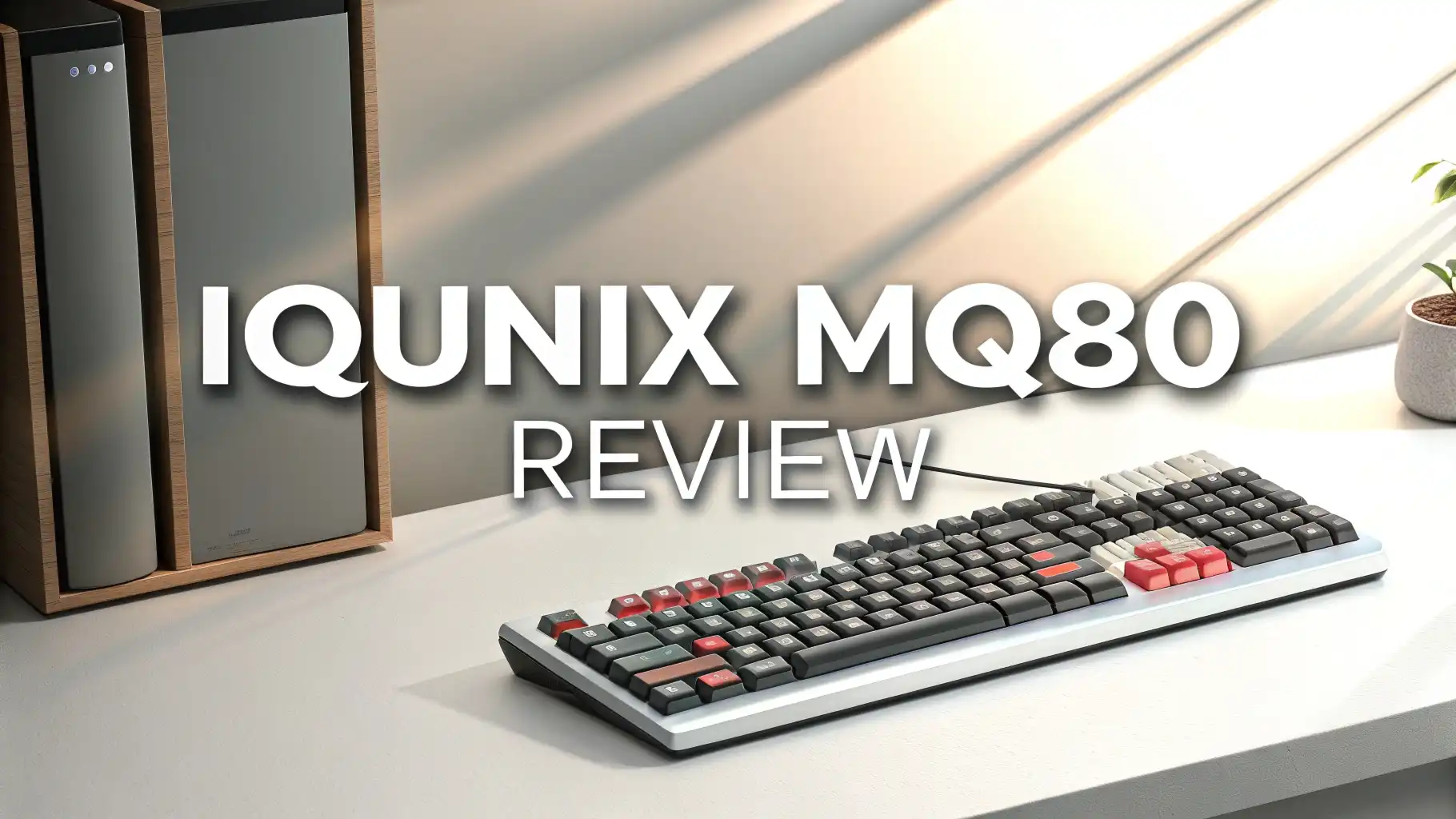
This is not just another slim keyboard trying to look good on your desk. This is a seriously engineered piece of tech that combines premium aluminum construction with some of the most satisfying typing sounds you will ever hear from a low profile board.
The keyboard market in 2026 has exploded with options. Every brand claims they have the best typing experience. Most fall short. The MQ80 stands apart because IQUNIX focused on what actually matters.

Key Takeaways:
- Build Quality That Actually Justifies the Price: The MQ80 features a CNC machined aluminum body with a premium 180 grit anodized finish.
- The Creamy Sound Everyone Talks About: Reviewers across YouTube keep using the word creamy to describe the typing sound. They are right.
- Battery Life That Goes On Forever: IQUNIX claims 350 hours of battery life on a single charge. That is nearly two full weeks of 8 hour work days.
- True Multi Device Connectivity: The tri mode system gives you Bluetooth 5.1, 2.4GHz wireless, and wired USB C connections. Switch between your work laptop, personal desktop, and tablet with a single button press.
- Hot Swap Without the Universal Limitations: The MQ80 supports hot swappable switches, but here is the catch. It only works with IQUNIX low profile switches.
- Customization Through VIA Software: Full VIA support means you can remap every single key, create complex macros, and program custom lighting effects.

- Low Profile, High Impact: Ergonomically engineered with a 0.40 in front height, IQUNIX MQ80 low profile keyboard naturally aligns your wrists for all-day comfort—no wrist rest needed. Low-profile Kailh POM switches (1.2mm pre-travel) offer faster actuation and reduced fatigue for coding, writing, or gaming.
- Precision Aluminum Craftsmanship: MQ80 features a CNC-machined aluminum body with a 180-grit anodized finish—smoother and more durable than standard 150-grit surfaces. It delivers a stable, high-end typing experience that looks refined on any desk.
Last update on 2026-08-28 / Affiliate links / Images from Amazon Product Advertising API Some of the links on this website are affiliate links, which means that at no additional cost to you, I earn a commission if you click through and make a purchase. I only recommend products and services that I believe will add value to my readers. Thank you for your support!
Premium Aluminum Construction Sets New Standards
Most keyboards use aluminum as a top plate with plastic filling in the gaps. The MQ80 takes a different approach. The entire chassis is CNC machined from a solid block of aluminum. IQUNIX uses a 180 grit anodized finishing process that creates a surface smoother than the standard 150 grit most companies use. Run your fingers across the case and you feel the difference immediately.
This construction method serves multiple purposes beyond looking expensive. The aluminum provides structural rigidity that eliminates flex during aggressive typing. It acts as a massive heat sink that keeps internal components cool during extended use.
The weight distribution feels perfectly balanced whether you type in the center or hammer the edges. And that smooth finish resists fingerprints and scratches better than cheaper coatings.
The build quality extends to every component. The keycaps use double shot PBT plastic that will never develop that shiny worn look. The legends will not fade even after years of daily use. The stabilizers come pre lubed from the factory, eliminating the rattle that plagues budget keyboards. Even the rubber feet provide enough grip to keep the board stable on glass desks without using adhesive.
Le Tray Gasket Mount Delivers Unmatched Typing Feel
Traditional low profile keyboards mount the PCB directly to the case. This creates a stiff typing experience with no cushioning. The Le Tray Gasket Mount system changes everything. IQUNIX engineered a mounting solution that adds just enough flex to create that premium mechanical keyboard feel while maintaining the slim 10.2mm height profile.
The gasket material sits between the mounting points, absorbing the shock from each keystroke. This creates a bouncy, cushioned response that makes typing feel effortless.
Your fingers do not hit a hard stop with each press. Instead, the keyboard gives you subtle feedback that reduces fatigue during marathon typing sessions. Gaming benefits too, as the responsive bounce helps with rapid key presses during intense moments.
This mounting system contributes heavily to the famous creamy sound. The gaskets dampen harsh metallic pings while preserving the satisfying thock of quality switches.
POM Switches Redefine What Low Profile Can Be
Switch selection makes or breaks a keyboard. IQUNIX developed their own POM switches specifically for the MQ80. These are not rebadged switches from another manufacturer.
The 40gf actuation force sits at the sweet spot between light and substantial. You can type quickly without accidental presses, but your fingers will not tire after an 8 hour work day.
The switches provide 3.5mm total travel with actuation at approximately 2mm. This gives enough travel to feel like a real mechanical switch while maintaining the low profile form factor.
The POM material creates a smooth keystroke that feels more refined than typical low profile switches. There is no scratchiness, no binding, just pure linear motion from top to bottom.
Top 3 Alternatives for IQUNIX MQ80

- Keychron K3, a compact 75% layout ultra-slim wireless mechanical keyboard built for peak productivity and a great tactile typing experience.
- Be ready to multitask without missing a beat by connecting the K3 with up to 3 devices via the stable Broadcom Bluetooth 5.1 chipset and switch between your laptop, PC, tablet and phone seamlessly. *Keep the distance between the keyboard and the device within reasonable limits to minimize signal interference.
Last update on 2026-08-28 / Affiliate links / Images from Amazon Product Advertising API Some of the links on this website are affiliate links, which means that at no additional cost to you, I earn a commission if you click through and make a purchase. I only recommend products and services that I believe will add value to my readers. Thank you for your support!

- Translucent bottom shell design: The overall layout of the Air75 V2 wireless keyboard is similar to that of the Air75, featuring a high-quality aluminum frame. However, we have adopted a new translucent design on the bottom case of the keyboard, which makes the internal structure of the Air75v2 clearly visible and fully utilizes the overall aesthetics of the keyboard. At the same time, we've added two height stands to the bottom of the keyboard to make it even more comfortable to use.
- Supports multi-device connectivity: Air75 V2 wireless mechanical keyboard is compatible with Mac/Windows/Linux/Android/iOS,and supports Bluetooth 5.1 connectivity, 2.4g connectivity and wired connectivity modes, which allows you to connect up to 4 computer devices at the same time and switch between these computers to use them, which can satisfy a wide range of entertainment office needs
Last update on 2026-07-11 / Affiliate links / Images from Amazon Product Advertising API Some of the links on this website are affiliate links, which means that at no additional cost to you, I earn a commission if you click through and make a purchase. I only recommend products and services that I believe will add value to my readers. Thank you for your support!

- Affordable low-profile mechanical keyboard: Lofree Lite was born from the Flow, evolving through an efficient process that reduced R&D costs. Meanwhile, we transitioned the body material from aluminum to ABS, adding a textured surface to maintain its soothing touch
- Low-profile Design Let Your Wrists Relax: The Flow Lite84 is designed for a more natural wrist position. It features a lower front height than Flow. Also, low-profile mechanical keys are providing effortless precision and longer hours of typing comfort
Last update on 2026-06-07 / Affiliate links / Images from Amazon Product Advertising API Some of the links on this website are affiliate links, which means that at no additional cost to you, I earn a commission if you click through and make a purchase. I only recommend products and services that I believe will add value to my readers. Thank you for your support!
Tri Mode Connectivity That Actually Works Reliably
Connectivity sounds boring until your keyboard disconnects mid sentence. The MQ80’s tri mode system proves that wireless can match wired reliability.
The 2.4GHz connection uses a USB dongle that delivers 1000Hz polling rate. This matches gaming keyboards and eliminates any input lag you might feel with Bluetooth. Store the dongle in the bottom of the keyboard when traveling so you never lose it.
Bluetooth 5.1 handles up to three paired devices simultaneously. Switch between your laptop, iPad, and phone using dedicated hotkeys. The connection establishes quickly without the pairing dance some keyboards require.
Range extends about 30 feet in open space, though walls and interference reduce that number. Battery drain stays minimal in Bluetooth mode, giving you those advertised 350 hour usage times.
RGB Backlighting Balances Function and Style
RGB lighting often feels like pointless decoration. The MQ80’s RGB implementation focuses on usability first. The south facing LEDs shine through the keycap legends clearly without bleeding around the edges.
Brightness adjustment goes from barely visible to illuminating your entire desk. IQUNIX includes multiple preset lighting effects, but the real power comes through VIA customization.
Program per key RGB to create visual indicators for different layers. Highlight your gaming keys in red, productivity shortcuts in blue, media controls in green. Set breathing effects that pulse gently during work hours.
Or turn everything off completely when you need zero distraction. The lighting system draws minimal power in wireless mode, contributing to that impressive battery life.
80% Layout Maximizes Desk Space Without Sacrificing Keys
The 80% layout includes arrow keys, a function row, and essential navigation keys. You lose the numpad but gain significant desk space for mouse movement.
For most people, this represents the perfect balance. Accountants and data entry specialists might miss the numpad. Everyone else will appreciate the compact footprint that does not feel cramped during actual use.
Key spacing matches full size keyboards exactly. Your muscle memory transfers immediately from whatever keyboard you currently use. The function layer provides quick access to media controls, brightness adjustment, and connectivity switching.
IQUNIX placed these secondary functions logically so you learn them within a day. The layout works equally well for typing documents, coding applications, or gaming sessions.
Battery Performance That Eliminates Charging Anxiety
The 4000mAh battery provides ridiculous longevity for a keyboard. IQUNIX’s advanced low power technology achieves those 350 hour claims through intelligent power management.
The keyboard detects when you stop typing and reduces power consumption automatically. RGB brightness affects battery life, so dialing down effects extends usage even further.
Real world testing shows you can easily get two to three weeks between charges with typical office use. Bluetooth mode at medium brightness with the RGB set to subtle effects.
Gaming with full RGB and 2.4GHz wireless reduces that to about 10 days. Still impressive considering some gaming keyboards need weekly charging. The USB C charging completes in about 3 hours from empty to full.
Battery anxiety disappears with the MQ80. You stop thinking about charge levels and just use the keyboard. The low battery indicator gives plenty of warning before shutdown.
Hot Swappable Switches Enable Future Customization
The hot swap socket design lets you change switches without soldering. This future proofs your investment as new IQUNIX switches release. Pop off a keycap, pull the switch with the included tool, press a new switch into the socket.
The entire process takes seconds per key. Experimenting with different switch types helps you dial in your perfect typing experience.
The limitation is IQUNIX proprietary switches only. You cannot use standard MX style switches due to the low profile design and pin configuration. This restricts your options compared to universal hot swap boards.
However, IQUNIX offers several switch variants including linear, tactile, and clicky options. For most users, this provides enough variety to find their ideal feel.
VIA Software Unlocks Advanced Customization
VIA support opens up programming possibilities that separate good keyboards from great ones. Remap any key to any function.
Create macros that execute complex command sequences with one button press. Program multiple layers that change the entire keyboard layout based on what application you are using. The possibilities become limited only by your imagination and needs.
The software interface stays clean and intuitive. No coding knowledge required to make powerful changes. Drag keys around visually to remap them. Record macros by simply typing the sequence you want.
Export your configuration to a file so you can transfer settings between computers. The keyboard stores settings in onboard memory, so your customization travels with the board.
Gaming benefits tremendously from VIA. Program specific keys for different games. Create dedicated layers for MMOs versus FPS versus strategy games. Set up timing based macros for optimal combos. The flexibility means one keyboard adapts to every game in your library rather than requiring different keyboards for different genres.
Keycap Quality Ensures Longevity and Comfort
The double shot PBT keycaps represent the highest quality keycap manufacturing process. Two different plastic colors get molded together so the legend becomes part of the keycap structure rather than printed on top. This means the letters and symbols will never fade, chip, or wear away. These keycaps will look new after a decade of heavy use.
PBT plastic feels different from cheaper ABS keycaps. The texture provides better grip, especially during gaming when your fingers might get sweaty.
The material resists developing that glossy worn look that makes old keyboards feel cheap. Sound characteristics improve too, as PBT produces a deeper, more satisfying sound compared to the higher pitched clack of ABS.
Value Proposition in the Premium Keyboard Market
The MQ80 costs around 170 dollars on Amazon in 2026. This places it firmly in premium territory but below ultra high end custom keyboards that reach 300 dollars plus.
For the money, you get build quality that rivals keyboards costing 50 to 100 dollars more. The full aluminum construction alone justifies a significant portion of the price premium over plastic competitors.
Compare the MQ80 to other low profile options. The Keychron K3 costs about 65 dollars but uses plastic construction and lacks the gasket mount system.
The NuPhy Air75 V2 runs around 120 dollars with good quality but cannot match the MQ80’s premium feel. The Lofree Flow sits at 140 dollars and comes close but misses some advanced features like VIA support.
Value extends beyond initial purchase price. The durable construction and replaceable switches mean this keyboard lasts years longer than disposable alternatives.
Perfect Use Cases and Ideal Users
The MQ80 excels for professionals who split time between office and home. The slim profile fits easily in a laptop bag alongside your computer. The tri mode connectivity adapts to different setups without carrying multiple keyboards. The professional appearance works in corporate environments where RGB gaming boards look out of place.
Programmers and writers benefit from the excellent typing feel during long sessions. The 40gf switches prevent fatigue that builds up with heavier switches.
The quiet operation works in shared spaces without disturbing others. VIA customization lets you program shortcuts for your specific IDE or writing software. The backlight helps during late night coding sessions without blinding you with brightness.
Casual gamers find the MQ80 provides enough performance for most titles. The 1000Hz polling rate in 2.4GHz mode matches gaming keyboards. The low profile switches enable rapid key presses.
While competitive esports players might prefer dedicated gaming boards with adjustable actuation, the average player notices zero limitations. The bonus is you get a keyboard that works perfectly for everything else in your life.
Minor Drawbacks Worth Considering
The proprietary switch system limits customization compared to universal hot swap keyboards. If you want to try Cherry, Gateron, or boutique enthusiast switches, the MQ80 cannot accommodate them. This matters most to keyboard hobbyists who enjoy experimenting with dozens of switch types. Regular users rarely notice this limitation.
The 80% layout requires adjustment if you are coming from a full size keyboard with numpad. Accountants and data entry specialists might find the missing numpad frustrating.
However, you can program a numpad layer on the main keys if needed. Most people adapt to the compact layout within a week and appreciate the extra desk space.
Price sits higher than budget options. At 170 dollars, the MQ80 costs three times as much as basic mechanical keyboards. But comparing it to actual competitors in the premium low profile space, the pricing aligns appropriately. You get what you pay for in build quality, features, and longevity. Consider this an investment rather than an expense.
How Does the IQUNIX MQ80 Stack Up Against Competitors?
Keychron K3 V2 delivers solid performance at 65 dollars but cannot match the MQ80’s premium construction. The plastic case feels cheap by comparison.
The typing experience lacks the cushioned gasket mount feel. Battery life and connectivity work well enough, making the K3 a decent budget alternative if the MQ80 stretches your budget too far.
NuPhy Air75 V2 comes closer at 120 dollars with good low profile switches and decent build quality. The typing sound approaches the MQ80’s creamy signature but falls slightly short.
The Air75 offers more switch variety including compatibility with other low profile standards. It loses on VIA support and premium aluminum construction. Great keyboard, just not quite at the MQ80’s level.
Lofree Flow represents the MQ80’s closest competitor at 140 dollars. Excellent typing feel, good build quality, and similar feature set. The Flow uses a different mounting system that creates a slightly different typing feel.
What is the difference between the MQ80 and other IQUNIX keyboards?
IQUNIX makes several keyboard models, each targeting different needs. The Magi65 and Magi75 use similar premium construction but in different layouts.
The Magi65 offers a 65% compact design without function row. The Magi75 provides a 75% layout slightly different from the MQ80’s 80% format. All three keyboards share the same build quality and switch options.
The EZ series keyboards target enthusiasts who want more customization options. These boards use standard MX switches rather than IQUNIX low profile switches. Higher pricing reflects the DIY friendly design and premium components. If you want deep customization and do not need low profile, the EZ series deserves consideration.
The MQ80 specifically targets users who want low profile design without compromising on premium materials and advanced features. It balances portability with performance better than IQUNIX’s other offerings. For most people buying their first IQUNIX keyboard, the MQ80 represents the sweet spot of features, quality, and value.
Frequently Asked Questions
Is the IQUNIX MQ80 good for gaming?
Yes, the MQ80 handles gaming excellently. The 2.4GHz wireless connection provides 1000Hz polling rate that matches dedicated gaming keyboards. The low profile switches enable rapid key presses with minimal finger movement. The 40gf actuation force prevents accidental presses while staying light enough for quick actions. VIA programming lets you create game specific layouts and macros.
Can I use regular Cherry MX switches with the MQ80?
No, the MQ80 only accepts IQUNIX proprietary low profile switches. The socket design and pin configuration differ from standard MX switches. This limitation exists because low profile switches have different physical dimensions and mounting requirements. IQUNIX offers several switch variants including linear, tactile, and clicky options through their website and Amazon.
How long does the battery actually last on a single charge?
IQUNIX claims 350 hours of battery life, which translates to approximately two to three weeks with typical office use. Real world performance depends on your usage patterns. Bluetooth mode with medium RGB brightness achieves close to advertised numbers. Using 2.4GHz wireless with maximum RGB brightness reduces battery life to about 10 days. Turning off RGB significantly extends usage time.
Does the MQ80 work with Mac computers?
Yes, the MQ80 fully supports Mac, Windows, and Linux operating systems. The keyboard includes dedicated Mac layout keycaps. Bluetooth connectivity works seamlessly with MacBooks and iMacs. VIA software requires Windows for programming, but once you configure your layout, the settings store in the keyboard’s onboard memory and work on any operating system.
What comes included in the box with the MQ80?
The package includes the MQ80 keyboard with switches and keycaps pre installed, a USB C charging cable, a 2.4GHz wireless dongle, a switch puller tool for hot swapping, a keycap puller for removing keycaps, and extra keycaps for Mac layout. IQUNIX also includes a user manual with setup instructions and keyboard shortcuts. Some retailers bundle a carrying case, though this varies by seller.
Is the typing experience really better than regular keyboards?
The typing experience depends on personal preference, but the MQ80 offers several advantages. The Le Tray Gasket Mount creates a cushioned feel that reduces finger fatigue during extended typing sessions. The low profile design promotes better wrist ergonomics by eliminating the upward hand angle. The creamy acoustic signature provides satisfying feedback without annoying noise.

Hello, I’m Juniper Harkness, a tech enthusiast and the creator of TechReviewz.blog, where I dive deep into the latest technology products available on Amazon.