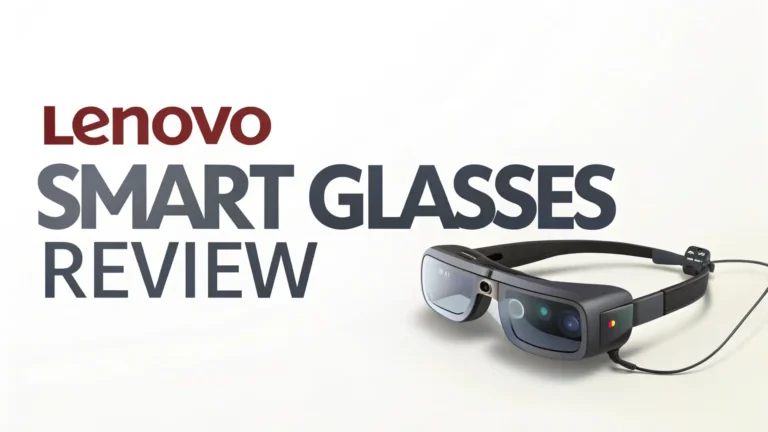
RayNeo X3 Pro Review 2026: A Comprehensive Guide
Remember when smart glasses were just a sci-fi dream? Well, the RayNeo X3 Pro just landed in 2026, and it is changing everything we thought we knew about wearable technology.
These AR smart glasses pack serious power into a sleek design that you can actually wear outside without looking like you stepped out of a tech lab.
The RayNeo X3 Pro comes with features that make your smartphone look like yesterday’s news. Full-color MicroLED displays, AI-powered translation, and spatial navigation all work together in one lightweight package.

Key Takeaways:
- Incredible Display Technology: The X3 Pro uses cutting-edge MicroLED projectors with waveguide displays that create a 25-degree field of view. The 5,000-nit peak brightness means you get crystal clear visuals even outdoors. This is not some dim projection that only works in dark rooms.
- Powered by Qualcomm Excellence: Under the hood, the Snapdragon AR1 Gen 1 chipset handles all the heavy lifting. This processor brings multimodal AI capabilities and smooth AR experiences that do not lag or stutter. Your interactions feel natural and responsive.
- Smart AI Features That Actually Work: Google Gemini powers the AI brain of these glasses. You get real-time translation when talking to people in different languages, spatial navigation that overlays directions on your real-world view, and AI recording that captures and transcribes important moments hands-free.
- Lightweight Design You Will Actually Wear: At just 76 grams, these glasses feel comfortable for all-day use. The design looks stylish enough to wear in public without attracting weird stares. RayNeo nailed the balance between tech functionality and everyday fashion.
- Android App Compatibility: The X3 Pro works with popular Android apps including Facebook, WhatsApp, and TikTok. You can stay connected to your digital life while keeping your hands free and your phone in your pocket.

- [World’s Brightest AR Glasses – 1,200 Nits] RayNeo Air 3s Pro smart AR glasses — now with an upgraded 1,200 nits to-eye brightness, the highest in any AR glasses today. Even the faintest stars in the movie are visible instead of pure black, while others can't.
- [HueView 2.0 - Leads Even Father in Micro-OLED Display] Combined with HueView 2.0 — the 5.5th-gen tandem Micro-OLED display, you’ll experience how 200,000:1 and 98% DCI-P3 shape you the most pure and lifelike visuals ever in wearable display glasses.
Last update on 2026-08-28 / Affiliate links / Images from Amazon Product Advertising API Some of the links on this website are affiliate links, which means that at no additional cost to you, I earn a commission if you click through and make a purchase. I only recommend products and services that I believe will add value to my readers. Thank you for your support!
RayNeo X3 Pro AR Smart Glasses
The RayNeo X3 Pro represents a massive leap forward in augmented reality technology. These glasses combine sophisticated optics with powerful processing to create an experience that feels genuinely useful in daily life.
The MicroLED displays deliver vibrant colors and sharp text that makes reading notifications and viewing content a pleasure rather than a chore.
What sets the X3 Pro apart is its practical approach to AR. Instead of overwhelming you with unnecessary features, RayNeo focused on functions that solve real problems. The translation feature helps you communicate across language barriers instantly.
The navigation system shows you directions without forcing you to stare at your phone while walking. The recording capabilities capture important moments from your point of view.
The Snapdragon AR1 Gen 1 processor ensures everything runs smoothly. Apps launch quickly, transitions between functions happen seamlessly, and the AI responds promptly to your commands.
The 6DOF tracking creates a stable AR experience where virtual objects stay locked in place relative to your real-world environment.
Battery life reaches several hours of active use, though intensive features like AI processing and camera recording drain power faster. The glasses charge quickly through a USB-C connection, making it easy to top up during breaks.
Display Quality: Bright, Sharp, and Ready for Outdoor Use
The display technology in the X3 Pro deserves special attention. These MicroLED projectors create images that appear vibrant and crisp even in challenging lighting conditions. The 2,500-nit brightness level handles direct sunlight without washing out, which is crucial for AR glasses you want to use outside.
The waveguide optics project images that seem to float in your field of view while still allowing you to see the real world clearly. This see-through design makes the AR experience feel natural rather than isolating. You stay aware of your surroundings while accessing digital information.
The 25-degree field of view provides enough screen space for useful information without feeling cramped. Text appears sharp and readable at comfortable sizes. Colors look accurate and saturated, making media content enjoyable to view.
Contrast ratios remain strong thanks to the MicroLED technology. Black levels appear deep, and bright highlights pop without blooming. This creates a more immersive experience whether you are reading text, viewing photos, or watching videos.
AI Features Powered by Google Gemini
The integration of Google Gemini AI transforms the X3 Pro from a display device into an intelligent assistant. The AI understands context, processes natural language commands, and provides helpful responses without requiring you to navigate through menus.
Real-time translation works impressively well. Point the camera at foreign text or speak to someone in another language, and the AI translates instantly. This feature proves invaluable for travelers and anyone working in multilingual environments.
The AI recording system captures audio and video from your perspective while simultaneously transcribing speech. This creates searchable records of meetings, lectures, and conversations. The transcription accuracy impresses, even in noisy environments.
Call transcription provides real-time captions during phone conversations. This helps in noisy situations or when you need to reference what someone said later. The AI identifies different speakers and formats the transcript clearly.
Top 3 Alternative for RayNeo X3 Pro

- 【XREAL X1 Chip】XREAL Self Developed Spatial Computing Chip. The X1 Chip pushes performance to the limit in a compact design, delivering a major upgrade for the XREAL One.
- 【Native 3 DoF, Anywhere, Anytime】Unlock native 3 DoF in your glasses with XREAL One. Powered by the X1 Chip, plug into your favorite devices with USB-C to experience immersive spatial screens without extra apps, adapter (the device must have a USB-C DP port and support DP output) or software.
Last update on 2026-08-28 / Affiliate links / Images from Amazon Product Advertising API Some of the links on this website are affiliate links, which means that at no additional cost to you, I earn a commission if you click through and make a purchase. I only recommend products and services that I believe will add value to my readers. Thank you for your support!

- #1 SELLING AI GLASSES - Move effortlessly through life with Ray-Ban Meta glasses. Capture photos and videos, listen to music, make hands-free calls or ask Meta AI* questions on-the-go. Ray-Ban Meta glasses deliver a slim, comfortable fit for both men and women.
- CAPTURE WHAT YOU SEE AND HEAR HANDS-FREE - Capture exactly what you see and hear with an ultra-wide 12 MP camera and a five-mic system. Livestream it on Facebook and Instagram.
Last update on 2026-07-11 / Affiliate links / Images from Amazon Product Advertising API Some of the links on this website are affiliate links, which means that at no additional cost to you, I earn a commission if you click through and make a purchase. I only recommend products and services that I believe will add value to my readers. Thank you for your support!

- The world's First Streaming & Gaming AR glasses, bridge the gap with the future through AR glasses and streaming box, carry a world of big-screen movies and games wherever you wander.
- Full-ecosystem access with Android TV 12 and HDCP support, provide millions of movies/TV episodes from Hulu, Disney+, Peacock, and Apps from Google play, you’ll never run out of contents.
Last update on 2026-07-11 / Affiliate links / Images from Amazon Product Advertising API Some of the links on this website are affiliate links, which means that at no additional cost to you, I earn a commission if you click through and make a purchase. I only recommend products and services that I believe will add value to my readers. Thank you for your support!
Spatial Navigation: AR Directions That Actually Help
The spatial navigation feature uses 6DOF tracking to overlay directional arrows and information directly onto your view of the real world. Unlike looking down at a phone map, you see exactly where to turn while keeping your head up and eyes on your surroundings.
The system understands your position and orientation in 3D space. Turn your head, and the AR elements stay locked to real-world locations. This creates a stable, believable experience where digital information feels naturally integrated with physical reality.
Navigation prompts appear at the right moments without cluttering your view. The interface shows upcoming turns with clear visual indicators that guide you confidently through unfamiliar areas. Distance estimates and street names appear when relevant.
The tracking remains accurate even during quick head movements. The system updates smoothly without lag or jitter. This responsiveness makes the AR navigation feel reliable rather than disorienting.
Battery Life: What to Expect from Real-World Use
The 245mAh battery provides enough power for several hours of general use. Light tasks like viewing notifications and occasional AI queries stretch battery life considerably. More demanding features like continuous camera recording and intensive AI processing drain power faster.
When the battery drops to 10 percent, the X3 Pro automatically disables AI features and camera capabilities to preserve enough charge for basic display functions. This ensures you can at least view essential information even when running low on power.
Charging through the USB-C port happens relatively quickly. A full charge takes under an hour, making it practical to top up during lunch breaks or other downtime. The glasses support charging while in use, though this adds bulk from the connected cable.
Battery management software provides clear indicators of remaining charge and estimated runtime based on current usage. This helps you plan when to recharge and adjust feature use to extend battery life when needed.
Design and Comfort: 76 Grams of Wearable Tech
At 76 grams, the X3 Pro achieves an impressive balance between durability and comfort. The weight distributes evenly across the frame, avoiding pressure points that cause discomfort during extended wear. The temples flex slightly to accommodate different head sizes without creating excessive clamping force.
The frame design looks like premium sunglasses rather than obvious tech gear. The subtle styling makes the glasses appropriate for professional and casual settings. The integrated components blend seamlessly into the frame without creating bulky protrusions.
Nose pads adjust to fit different face shapes comfortably. The temples curve smoothly around the ears without digging in. Even after several hours of wear, the glasses remain comfortable without causing headaches or soreness.
The build quality feels solid. Materials resist scratches and flexing. Components fit together precisely without rattling or squeaking. The X3 Pro feels like a premium product built to last through daily use.
Camera Capabilities: First-Person Photography and Recording
The integrated camera captures first-person photos and videos from your perspective. This hands-free recording lets you document experiences while staying engaged in the moment. The camera positioning provides a natural viewpoint that closely matches what you see.
Photo quality delivers decent results in good lighting. Colors appear natural, and details remain sharp. The camera struggles somewhat in low light, but performs adequately for casual documentation. The ultra-wide lens captures a broad field of view.
Video recording produces smooth footage at reasonable resolution. The stabilization helps reduce shake from normal head movements. Audio recording through the integrated microphones captures clear sound, though wind noise can interfere outdoors.
The camera activates quickly through voice commands or touch controls. This responsiveness ensures you can capture spontaneous moments without fumbling with buttons. Privacy indicators let others know when recording is active.
App Compatibility: Stay Connected Hands-Free
The X3 Pro runs compatible Android apps including social media platforms, messaging services, and productivity tools. You can check Facebook updates, respond to WhatsApp messages, and scroll through TikTok videos without pulling out your phone.
Notifications appear in your field of view at natural moments. You can dismiss them with a glance or interact through voice commands. This creates a less disruptive notification experience compared to constant phone checking.
The interface adapts popular apps for the AR display format. Controls appear logically positioned for easy interaction. Text sizes remain readable without feeling cramped. Media content scales appropriately to the available display area.
App performance remains smooth thanks to the capable processor. Switching between apps happens quickly without lag. Background processes continue running efficiently without draining battery excessively.
Audio Performance: Integrated Speakers and Microphone
The integrated speakers use directional audio technology to create a private listening experience. Sound projects primarily toward your ears while minimizing what others nearby hear. Audio quality provides clear speech and decent music playback.
Volume levels reach sufficient loudness for most environments. Quieter settings allow comfortable listening at lower volumes. Noisier locations require higher volumes that start to leak audio to people very close to you.
The microphone array captures your voice clearly for calls and voice commands. Noise cancellation helps filter out background sounds, though extremely loud environments still interfere. Wind noise affects outdoor recording quality somewhat.
Call quality through the glasses proves practical for conversations. Your voice transmits clearly to the other party. Incoming audio sounds natural through the speakers. The hands-free experience works well for multitasking during calls.
RayNeoOS 2.0: The Operating System That Powers Everything
RayNeoOS 2.0 provides the software foundation that makes all the X3 Pro features work together smoothly. The interface feels intuitive with logical navigation between functions. Settings adjust easily through voice commands or touch controls.
The operating system handles multitasking efficiently. Multiple apps can run simultaneously without causing slowdowns. Background processes manage notifications and updates without interrupting your current activity.
Security features protect your data and privacy. The system requires authentication before accessing sensitive information. Privacy indicators show when the camera or microphone are active. App permissions control what functions each application can access.
Regular software updates improve performance and add new features. The update process happens smoothly without causing disruptions. New capabilities appear after updates without requiring complicated setup procedures.
Setup Process: Getting Started with Your X3 Pro
Initial setup takes just a few minutes. The glasses guide you through pairing with your smartphone via Bluetooth. The connection process proves straightforward with clear on-screen instructions that appear in the AR display.
You calibrate the display positioning to match your vision and head shape. This ensures AR elements appear at comfortable positions in your field of view. The calibration process involves looking at specific points and confirming when they align correctly.
Account creation and sign-in connect your X3 Pro to cloud services that enable AI features and app syncing. The system securely stores your credentials and handles authentication automatically for subsequent uses.
Feature tutorials introduce key functions without overwhelming you with information. Short demonstrations show how to use navigation, translation, and recording features. You can skip tutorials and reference them later through the help menu.
Real-World Performance: Daily Use Scenarios
Using the X3 Pro for navigation while walking proves genuinely helpful. The AR directions let you explore new areas confidently without constantly checking your phone. The heads-up display keeps you aware of your surroundings while following guidance.
Translation during travel works impressively for menu reading and basic conversations. Point the camera at foreign text and watch it transform into your language. Speak to locals and see transcriptions appear with translations in real-time.
Recording meetings and lectures creates useful documentation without requiring note-taking. The hands-free recording lets you stay engaged while capturing audio and searchable transcripts. Review the content later to refresh your memory on key points.
Checking notifications throughout the day reduces phone-checking habits. Quick glances at AR displays let you stay informed without getting sucked into phone distractions. Respond to urgent messages through voice dictation when needed.
Comparing X3 Pro to Previous RayNeo Models
The X3 Pro improves significantly over the RayNeo X2 in several key areas. Display brightness increases dramatically, making outdoor use far more practical. The upgraded processor handles AI tasks more smoothly with better responsiveness.
Battery capacity grows in the X3 Pro, though intensive feature use still drains power quickly. The design becomes more comfortable with better weight distribution and improved frame materials.
AI capabilities expand substantially with Google Gemini integration. The X2 offered basic smart features, but the X3 Pro delivers genuinely useful AI assistance. Translation quality improves noticeably, and navigation becomes more accurate.
Camera quality takes a step forward with better image processing. Video recording produces smoother results with improved stabilization. Audio capture benefits from enhanced microphone technology.
Price and Availability: Where to Buy the X3 Pro
The RayNeo X3 Pro launched for global purchase starting November 20, 2026. Availability covers the United States, United Kingdom, France, and numerous other markets. You can purchase directly from the RayNeo website or through authorized retailers.
Pricing positions the X3 Pro competitively within the premium AR glasses market. While not cheap, the feature set and build quality justify the investment for enthusiasts and professionals who will use the capabilities regularly.
Amazon carries various RayNeo products including the Air series glasses. Third-party sellers may offer the X3 Pro through major e-commerce platforms as availability expands. Check official sources to ensure you receive genuine products with valid warranties.
Frequently Asked Questions
How long does the RayNeo X3 Pro battery last during normal use?
The 245mAh battery provides several hours of general use depending on which features you activate. Light tasks like viewing notifications and occasional AI queries extend battery life considerably. Continuous camera recording and intensive AI processing drain power faster. When the battery drops to 10 percent, AI features and camera capabilities automatically disable to preserve charge for basic functions. Most users find the battery adequate for a half-day of moderate use before needing to recharge.
Can I use the RayNeo X3 Pro with my iPhone?
The X3 Pro primarily supports Android devices and Android app compatibility. iPhone users have limited functionality compared to Android smartphone owners. Basic display mirroring may work through compatible adapters, but the full app integration and seamless connectivity work best with Android phones. Check the official compatibility list before purchasing if you plan to use the glasses primarily with an iPhone.
Are the RayNeo X3 Pro glasses comfortable for people who wear prescription glasses?
The X3 Pro fits over some thinner prescription glasses, though the experience varies based on your frame size. RayNeo offers prescription lens inserts as an optional accessory that mount inside the glasses. This provides a more comfortable solution for users who need vision correction. The inserts accommodate most common prescriptions and install easily without tools.
How does the translation feature work in real-world situations?
The AI-powered translation uses the camera to capture text or audio input, processes it through Google Gemini, and displays results in your selected language. For text translation, point the camera at foreign writing and the AR display shows the translated version overlaid or beside the original. For speech translation, the system captures audio, transcribes it, translates the text, and displays the results. Translation quality depends on language pairs and complexity but works well for common languages and everyday phrases.
Can I make phone calls directly through the RayNeo X3 Pro?
Yes, the X3 Pro supports phone calls when connected to your smartphone via Bluetooth. The integrated speakers and microphone array handle audio for calls. You can answer incoming calls through voice commands or touch controls. Outgoing calls initiate through voice commands or by selecting contacts in the AR interface. Call quality proves adequate for conversations, with clear audio transmission and reception. The hands-free calling works well for multitasking during phone conversations.
What happens when the battery reaches 10 percent?
When battery level drops to 10 percent, the X3 Pro automatically disables power-intensive features to preserve remaining charge. AI capabilities stop functioning, and camera recording becomes unavailable. Basic display functions continue working, allowing you to view essential information and notifications. This power-saving mode extends the remaining battery life enough for you to reach a charging location. The glasses provide clear warnings as the battery approaches this threshold so you can plan accordingly.

Hello, I’m Juniper Harkness, a tech enthusiast and the creator of TechReviewz.blog, where I dive deep into the latest technology products available on Amazon.