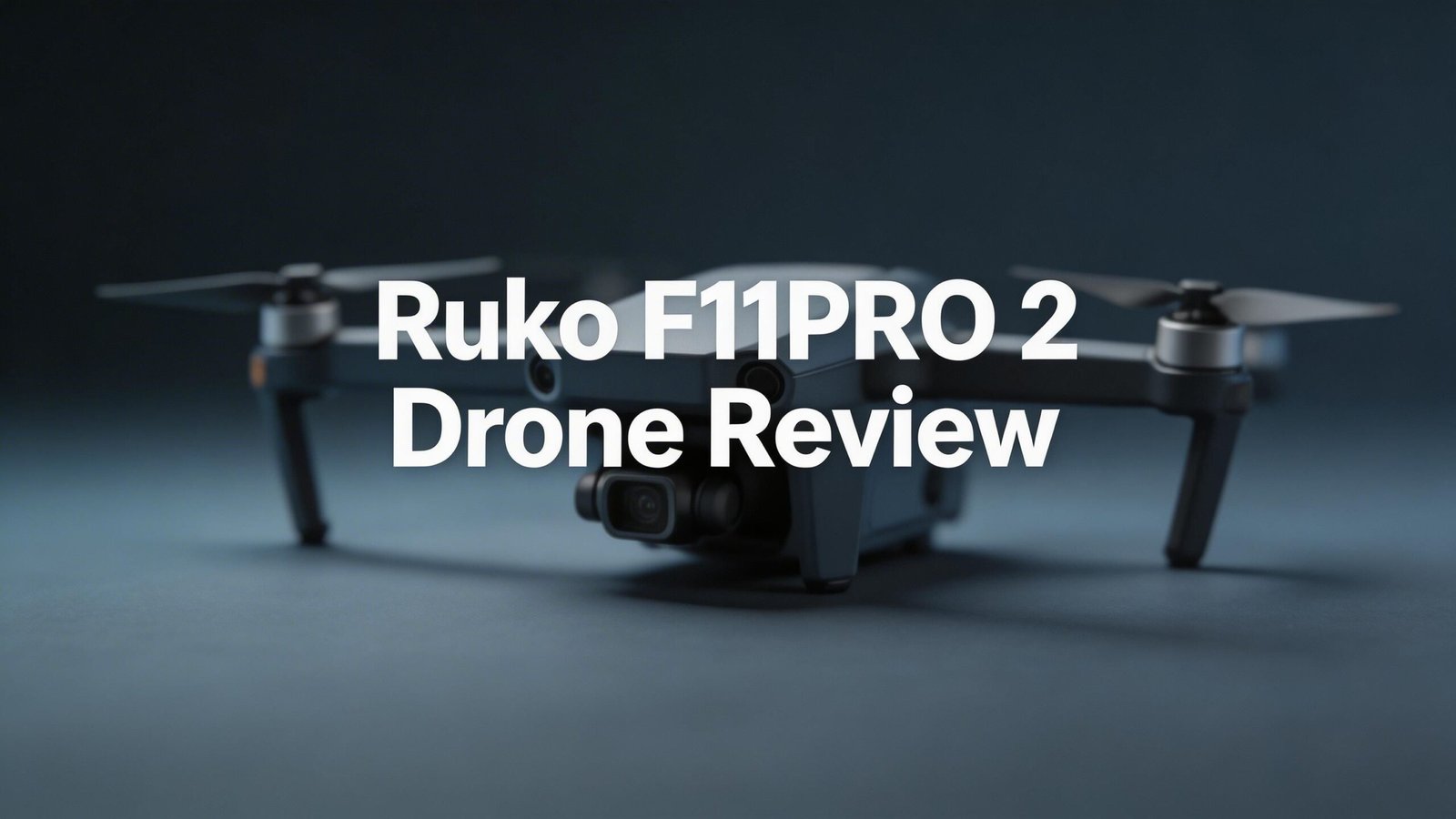
Ruko F11PRO 2 Drone Review 2026: The Honest Truth
Are you searching for a feature-packed drone that won’t burn a hole in your wallet? The Ruko F11PRO 2 promises 6K photos, 4K video, a 3-axis gimbal, and 70 minutes of flight time with two batteries. It sounds almost too good to be true at its price point.
But does it actually deliver on those promises? In this complete Ruko F11PRO 2 drone review for 2026, we put every feature to the test. We looked at camera quality, flight performance, build materials, and real-world battery life. We also compared it to popular alternatives from DJI and Potensic.
Whether you are a first-time pilot or a hobbyist looking for an affordable aerial camera, this review gives you the full picture. Read on to find out if the Ruko F11PRO 2 earns a spot in your gear bag or if your money is better spent elsewhere.

Key Takeaways:
- The Ruko F11PRO 2 captures 6K still images (5700×3200) and 4K video at 30fps, making it one of the most affordable drones with this resolution. It uses a Sony 1/3.2-inch sensor and a fixed-focus f/2 lens for fully automatic shooting.
- A 3-axis mechanical gimbal keeps footage smooth during flight. This is a standout feature for a drone at this price. Many competing budget drones only offer 2-axis or electronic stabilization.
- Two 3200 mAh batteries provide up to 70 minutes of combined flight time. Real-world tests show around 20 to 25 minutes per battery depending on conditions. That is still a generous amount for this price range.
- The drone weighs 357 grams, which places it above the 249-gram FAA threshold. This means you will need FAA registration for recreational use. The built-in FAA Remote ID module helps with compliance.
- Transmission range reaches up to 10,000 feet with a stable digital connection. GPS positioning, Return to Home, and basic subject tracking modes are all included.
- Image sharpness is the main weakness. Photos and videos tend to look soft, especially with distant subjects. The fully automatic camera offers no manual control over exposure or white balance.

- 【A Fun Tech Gift for Him】 The perfect high-value tech gift for Father’s Day, birthdays or holidays. Whether for parent-child activities or capturing travel memories, this drone brings families together through the joy of flight.
- 【Cinematic Stability & Clarity】 Equipped with a 3-Axis Mechanical Gimbal, the F11PRO 2 eliminates shakes and vibrations to deliver professional-grade, smooth 4K/30fps video & 6K photo. Whether you're capturing family reunions in your backyard or sweeping vistas on your ranch, every sunset and smile is preserved in crystal-clear detail.
Last update on 2026-07-11 / Affiliate links / Images from Amazon Product Advertising API Some of the links on this website are affiliate links, which means that at no additional cost to you, I earn a commission if you click through and make a purchase. I only recommend products and services that I believe will add value to my readers. Thank you for your support!
Ruko F11PRO 2 Drone Overview and First Impressions
The Ruko F11PRO 2 arrives in a well-organized kit that includes the drone, a controller, two batteries, two USB-C cables, spare propellers, a carry case, and instructions. You only need a smartphone and the free Ruko Mini app to start flying.
First impressions are strong. The drone looks and feels more premium than its price suggests. The light grey body has a clean, modern design. The metal camera housing and gimbal add a quality touch that sets it apart from cheaper plastic drones.
Unfolding the drone is straightforward. Four propeller arms fold out horizontally. The whole process takes a few seconds. Once unfolded, the F11PRO 2 measures 13.8 x 15.16 x 2.56 inches. Folded, it shrinks down to just 6.5 x 3.5 x 2.56 inches, which fits easily in the included carry case.
Build Quality and Design
Build quality is where the Ruko F11PRO 2 truly shines. The construction matches drones that cost significantly more. Every hinge feels solid. The arms lock into place without wobble. The plastic body is sturdy and well-finished.
The metal gimbal housing is a highlight. It gives the camera area a professional look and protects the delicate gimbal mechanism. Many budget drones use all-plastic gimbals that feel fragile by comparison.
At 357 grams, the drone sits above the 249-gram weight limit that many regulators use as a threshold for lighter rules. This puts it in the same regulatory category as larger drones like the DJI Air 3S. That is worth keeping in mind before you buy.
The foldable design makes the F11PRO 2 very portable. It fits in a jacket pocket when folded. The carry case included in the kit protects the drone and accessories during travel.
One small design note: you must remove the gimbal cover before powering on the drone. Forgetting this step could damage the gimbal. Ruko includes a reminder about this in the manual, but it is easy to overlook if you are excited to fly.
Camera Specs and Image Quality
The Ruko F11PRO 2 uses a Sony 1/3.2-inch sensor paired with a fixed-focus f/2 lens. It captures still images at up to 6K resolution (5700 x 3200 pixels) and records video at 4K (3840 x 2160) at 30 frames per second.
Additional video resolution options include 2.7K at 50fps and 2K at 50fps. A 720p mode saves low-resolution video directly to your smartphone for quick sharing. All other resolutions save to a MicroSD card inserted in the drone.
Photos save in JPEG format only. There is no RAW option. You can choose between three photo resolutions: 3840×2160, 4096×3072, and 5700×3200. The highest resolution produces large files suitable for printing, at least in theory.
Here is the honest part. Image sharpness is the camera’s biggest weakness. Photos and videos often appear soft and slightly hazy. Close-up subjects within about 10 meters look acceptable. Wider landscape shots with distant subjects lose noticeable detail.
The camera is fully automatic. You cannot adjust ISO, shutter speed, or white balance manually. White balance can shift during video recording as you change the drone’s direction or tilt the gimbal. This is a frustration for anyone looking for consistent footage.
Top 3 Alternatives for Ruko F11PRO 2

- No Registration Needed - Under 249 g, this drone with camera for adults 4K does not require FAA registration or Remote ID for recreational use. Visit the FAA's official website for requirements related to drone registration and Remote ID. [1]
- 4K Ultra HD & 3-Axis Gimbal for Cinematic Quality Shooting - Capture stunning moments in any light—sunrises, sunsets, and night scenes with crystal-clear 4K resolution. Thanks to the 3-axis gimbal, you can achieve cinematic-quality footage with this advanced drone with camera.
Last update on 2026-08-28 / Affiliate links / Images from Amazon Product Advertising API Some of the links on this website are affiliate links, which means that at no additional cost to you, I earn a commission if you click through and make a purchase. I only recommend products and services that I believe will add value to my readers. Thank you for your support!

- 【𝐋𝐢𝐠𝐡𝐭𝐰𝐞𝐢𝐠𝐡𝐭 𝐚𝐧𝐝 𝐋𝐞𝐯𝐞𝐥-𝟓 𝐖𝐢𝐧𝐝 𝐑𝐞𝐬𝐢𝐬𝐭𝐚𝐧𝐜𝐞】ATOM SE drone weighs 𝐥𝐞𝐬𝐬 𝐭𝐡𝐚𝐧 𝟐𝟒𝟗𝐠, 𝐧𝐨 𝐧𝐞𝐞𝐝 𝐟𝐨𝐫 𝐅𝐀𝐀& 𝐑𝐞𝐦𝐨𝐭𝐞 𝐈𝐃 𝐑𝐞𝐠𝐢𝐬𝐭𝐫𝐚𝐭𝐢𝐨𝐧. The fold-up design packs up small enough to fit in a jacket pocket. Built-in 𝐛𝐫𝐮𝐬𝐡𝐥𝐞𝐬𝐬 𝐦𝐨𝐭𝐨𝐫 makes the drone 𝐫𝐞𝐬𝐢𝐬𝐭 𝐥𝐞𝐯𝐞𝐥-𝟓 𝐰𝐢𝐧𝐝 and fly stably
- 【𝟒𝐊 𝐄𝐈𝐒 𝐂𝐚𝐦𝐞𝐫𝐚 𝐰𝐢𝐭𝐡 𝐒𝐨𝐧𝐲 𝐒𝐞𝐧𝐬𝐨𝐫】The drone is equippied with a 𝟏/𝟑’’ 𝐂𝐌𝐎𝐒 𝐒𝐨𝐧𝐲 𝐒𝐞𝐧𝐬𝐨𝐫. It can shoot 𝟏𝟐𝐌𝐏 photos and 𝟒𝐊@𝟑𝟎𝐟𝐩𝐬 HD video. The exclusive ShakeVanish tech helps to take more stable and smoother images within 118° FOV and a vertical +20° to -90° camera

Last update on 2026-07-11 / Affiliate links / Images from Amazon Product Advertising API Some of the links on this website are affiliate links, which means that at no additional cost to you, I earn a commission if you click through and make a purchase. I only recommend products and services that I believe will add value to my readers. Thank you for your support!

- 2-Axis Gimbal with 4K EIS Camera: With 2-axis motorized gimbal and 4K EIS (Electric Image Stabilization) Camera, HS720G FPV drone guarantees stunning and vivid footage in a bird's-eye view without missing any details. It’s your ticket to the sky.
- High-tech Outdoor Performance: The powerful brushless motors and a max battery life of 26 minutes ensure HS720G drones for adults stable flight and having enough time to compose the perfect pictures. The maximum distance for remote control reaches 999 meters.
Last update on 2026-07-11 / Affiliate links / Images from Amazon Product Advertising API Some of the links on this website are affiliate links, which means that at no additional cost to you, I earn a commission if you click through and make a purchase. I only recommend products and services that I believe will add value to my readers. Thank you for your support!
3-Axis Gimbal Performance
The 3-axis mechanical gimbal is one of the Ruko F11PRO 2’s strongest selling points. At this price, many competing drones offer only 2-axis gimbals or software-based stabilization. A 3-axis gimbal stabilizes the camera across pitch, roll, and yaw, which results in smoother video.
During flight testing, the gimbal performs well. Video footage stays smooth even during moderate maneuvers. Panning shots look clean, and the gimbal responds well to tilt adjustments from the controller. There is minimal jitter in calm conditions.
The gimbal also helps during hovering. When the drone drifts slightly due to wind, the gimbal compensates to keep the camera pointed steadily at the subject. This is a big advantage over drones that rely only on electronic stabilization.
However, the gimbal cannot fix the underlying softness of the camera sensor. Smooth footage is great, but soft smooth footage is still soft. The gimbal does its job very well. The camera behind it simply cannot keep up.
Flight Performance and Speed
The Ruko F11PRO 2 offers two flight modes. Stable mode allows speeds up to 13.4 mph. Sport mode increases the maximum to 17.9 mph. Both speeds are quite slow compared to competitors in the same weight class.
Flight controls are smooth and responsive. The drone reacts well to stick inputs and feels predictable in the air. Beginners will appreciate how easy it is to control. There is no aggressive acceleration or sudden movements that might cause panic.
GPS positioning keeps the drone in a hover when you release the sticks. There is some drift, but it stays reasonably stable. You should always keep a visual eye on the drone because it lacks obstacle avoidance sensors. A drifting drone near trees or buildings could result in a crash.
Wind resistance is advertised at up to Level 5, which equals around 24 mph winds. In practice, the drone struggles in moderate wind. Those low flight speeds make it hard for the F11PRO 2 to fight strong gusts. Calm days produce the best flying experience.
Battery Life and Charging
The Ruko F11PRO 2 ships with two 3200 mAh LiPo batteries. Each battery is rated for up to 35 minutes of flight time. Combined, that gives you a marketed total of 70 minutes.
Real-world performance differs. During testing, each battery lasted around 20 to 25 minutes depending on wind, temperature, and flight style. Cold weather reduces battery performance significantly. Warmer conditions push flight times closer to the advertised numbers.
Two batteries in the kit is a generous inclusion. Many competitors at this price ship with only one. Having a spare battery means you can swap and keep flying with minimal downtime. Each battery charges via USB-C, which is convenient and fast.
The low-battery Return to Home feature adds a safety layer. If you lose track of battery level, the drone will fly itself back to the takeoff point before it dies mid-air. This prevents costly crashes caused by dead batteries.
Transmission Range and Connectivity
The Ruko F11PRO 2 offers a maximum transmission range of 10,000 feet (approximately 1.89 miles). This is a strong number for a budget drone. The digital connection stays stable across most of that range in open areas.
The drone connects to your smartphone through the Ruko Mini app using Wi-Fi and Bluetooth. The app displays a live FPV (first-person view) feed from the camera. Video quality on the app feed is good enough for framing shots and monitoring your flight.
In real-world conditions, range depends on your environment. Trees, buildings, and other obstacles reduce transmission distance. Flying in open fields or over water gives you the best range. Urban environments will cut that range significantly.
The controller uses RF (radio frequency) for flight control, which is separate from the video feed. This means you may lose the video feed before you lose control of the drone. If the signal drops entirely, the automatic Return to Home feature kicks in.
Smart Features and Flight Modes
The Ruko F11PRO 2 includes several smart features. GPS Follow allows the drone to track and follow you as you move. Fly Around (Orbit) makes the drone circle a fixed point. Route Planning lets you set waypoints on the app for automated flight paths.
Other features include Split Screen for VR-style capture, a Recording mode that captures sound through your smartphone, and Night Mode for low-light photo and video. There is also a 5x digital zoom and built-in filters for effects.
In practice, GPS Follow and Fly Around work reliably. They won’t match the tracking precision of DJI’s ActiveTrack system, but they get the job done for basic follow shots and orbits. The tracking can lose its subject if you move behind obstacles.
The digital zoom is not very useful. It crops into the image digitally, which further reduces the already-soft image quality. You are better off flying closer to your subject instead of using the zoom.
Night Mode helps in dim conditions but results are noisy and lack detail. The small sensor struggles with low light. This is expected at this price point and sensor size.
FAA Remote ID Compliance
One notable feature of the Ruko F11PRO 2 is the built-in FAA Remote ID module. Since the drone weighs 357 grams, it exceeds the 249-gram threshold. This means FAA registration is required for recreational use in the United States.
Remote ID broadcasts your drone’s identification and location information during flight. This is a legal requirement for most drones operating in U.S. airspace. Having it built in saves you from purchasing and installing a separate Remote ID module.
Many budget drones in this price range do not include built-in Remote ID. This is a practical advantage for the F11PRO 2. It simplifies the registration and compliance process.
You still need to complete the TRUST (The Recreational UAS Safety Test) before flying recreationally. This is a free online test required by the FAA. Once you pass, you receive a certificate to carry while flying.
The built-in Remote ID also means you are ready to fly legally out of the box. No extra purchases, no extra setup. For a new pilot who might be confused by drone regulations, this plug-and-play compliance is a real benefit.
If you plan to fly in the United States, the built-in Remote ID module makes the Ruko F11PRO 2 a hassle-free choice from a regulatory standpoint.
Ruko Mini App Experience
The Ruko F11PRO 2 pairs with the free Ruko Mini app, available for both iOS and Android. The app handles everything from live video feed to flight controls and camera settings.
Setup is straightforward. You connect your phone to the controller via USB-C cable, open the app, and the drone’s camera feed appears on screen. The interface is clean and easy to understand. Main controls sit along the edges of the screen for quick access.
The app lets you adjust flight settings like maximum altitude, maximum distance, and Return to Home altitude. You can also switch between video resolutions, apply filters, and activate smart flight modes like GPS Follow and Route Planning.
Photo and video capture buttons are easy to reach during flight. The app saves a lower-resolution copy of your footage to your phone automatically. Full-resolution files save to the MicroSD card in the drone.
Who Should Buy the Ruko F11PRO 2?
The Ruko F11PRO 2 suits a specific type of buyer. If you are a beginner pilot who wants to learn drone flying with decent camera features, this drone is a solid pick. The smooth controls, GPS positioning, and Return to Home make it forgiving for new users.
Hobbyists who fly for fun will enjoy the flight experience. The drone is stable, responsive, and easy to control. Two batteries provide enough flight time for a relaxed afternoon of flying.
The F11PRO 2 also works for casual content creators who need basic aerial footage for social media. The 4K video and 3-axis gimbal produce smooth clips that look acceptable on platforms like Instagram and YouTube. Just don’t expect cinema-grade results.
However, this drone is not ideal for serious photographers or videographers. The soft image quality and fully automatic camera limit your creative control. If sharp, detailed images are a priority, look at the DJI Mini 4K or Potensic ATOM SE instead.
The price point of around $370 to $460 places it in a competitive zone. At that budget, you can also access DJI’s entry-level models, which offer better cameras and more polished software. The F11PRO 2 competes mainly on its 3-axis gimbal, dual-battery kit, and long transmission range.
Choose the Ruko F11PRO 2 if build quality, flight fun, and included accessories matter more to you than ultimate image sharpness.
Ruko F11PRO 2: Pros and Cons Summary
Pros:
- Excellent build quality with metal gimbal housing and solid construction
- 3-axis mechanical gimbal provides smooth video at a budget price
- Two batteries included for up to 70 minutes of marketed flight time
- 10,000-foot transmission range offers generous flying distance
- Built-in FAA Remote ID simplifies U.S. regulatory compliance
- Complete kit with carry case, spare propellers, and controller
Cons:
- Soft, hazy image quality especially with distant subjects
- Fully automatic camera with no manual exposure controls
- 357-gram weight requires FAA registration (above 249g threshold)
- Slow flight speeds of 13.4 mph in Stable and 17.9 mph in Sport
- Weak wind resistance despite Level 5 claims
- No obstacle avoidance sensors of any kind
Final Verdict: Is the Ruko F11PRO 2 Worth It in 2026?
The Ruko F11PRO 2 is a well-built drone that almost reaches greatness but falls short in one critical area: image quality. The design, construction, gimbal, and flight experience are all impressive for the price. Ruko has clearly invested in making this drone feel premium.
The 3-axis gimbal is the standout feature. It delivers smooth video that few budget competitors can match. The dual-battery setup, long range, and built-in Remote ID add real value to the package.
But the soft, fully automatic camera holds the drone back. In 2026, buyers at this price point have access to drones with sharper cameras and more creative control. The DJI Mini 4K and Potensic ATOM SE both deliver better image quality at similar or lower prices.
If you value build quality and flying enjoyment over camera performance, the Ruko F11PRO 2 is a good buy. If image quality is your top priority, look elsewhere. The F11PRO 2 earns a solid 3.5 out of 5 stars for its combination of strengths and weaknesses.
Frequently Asked Questions
Does the Ruko F11PRO 2 require FAA registration?
Yes. The Ruko F11PRO 2 weighs 357 grams, which is above the 249-gram FAA threshold. You must register the drone with the FAA and complete the free TRUST test before flying recreationally in the United States. The built-in Remote ID module helps you stay compliant without extra purchases.
How long does the Ruko F11PRO 2 battery last in real use?
Each 3200 mAh battery lasts around 20 to 25 minutes in real-world conditions. The advertised 35 minutes per battery is achievable only under ideal conditions. Cold weather and windy days reduce flight time further. Two batteries give you roughly 40 to 50 minutes of total flying.
Can the Ruko F11PRO 2 shoot in RAW format?
No. The camera saves photos in JPEG format only. There is no RAW option. You can choose between three JPEG resolutions: 3840×2160, 4096×3072, and 5700×3200. The lack of RAW limits post-processing flexibility for serious photographers.
Does the Ruko F11PRO 2 have obstacle avoidance?
No. The Ruko F11PRO 2 does not include obstacle avoidance sensors. It has a downward optical flow sensor for basic indoor positioning, but no forward, backward, or side sensors. You must fly carefully and maintain visual contact with the drone at all times.
Is the Ruko F11PRO 2 good for beginners?
Yes. The smooth controls, GPS hover, automatic Return to Home, and easy-to-use app make it beginner-friendly. The drone is stable and forgiving in calm weather. However, beginners should be aware of the 357-gram weight and FAA registration requirement before purchasing.
How does the Ruko F11PRO 2 compare to the DJI Mini 4K?
The DJI Mini 4K offers sharper image quality, a better app, and sub-249-gram weight (no FAA registration needed). The Ruko F11PRO 2 counters with a higher-resolution 6K photo mode, longer transmission range, and two batteries in the box. For image quality alone, the DJI Mini 4K wins. For accessories and range, the Ruko holds its own.

Hello, I’m Juniper Harkness, a tech enthusiast and the creator of TechReviewz.blog, where I dive deep into the latest technology products available on Amazon.